Passinote: a canvas for your notes, kept on your machine
Passinote is a canvas-based note app with local Markdown vaults, optional cloud sync, on-device AI, and a Windows desktop beta you install in one command.
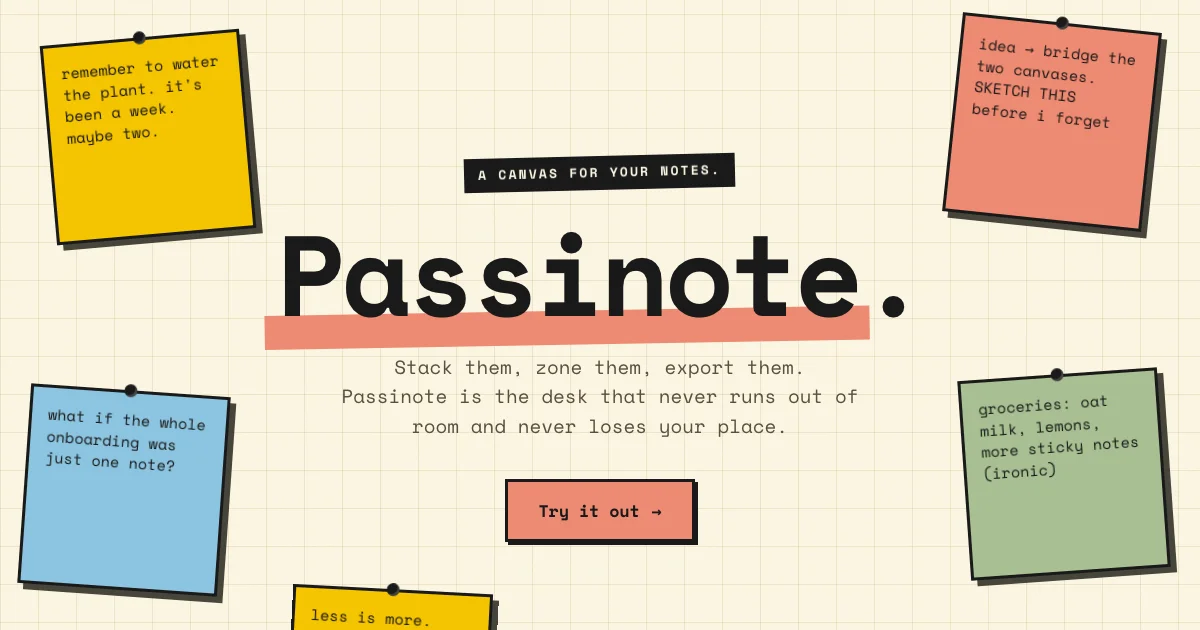
TL;DR: Passinote turns notes into sticky shapes on an infinite canvas instead of a folder tree. You can keep everything in the browser, write plain Markdown files into a folder on your own disk, or sync through Google Firebase, and the on-device AI runs on your hardware. The desktop app is Windows-only and currently gated behind a one-time Passinote+ purchase.
What it is
Passinote showed up on Hacker News in July 2026 with a plain description: “a canvas-based note taking and organizer app”. What exists now is a small product with a lot of personality. The interface is a cream grid, like a sheet of graph paper, and notes are physical objects on it: draggable sticky shapes you can rotate, stack into piles, and drop inside a hand-drawn zone you name.
Four things do most of the work. You can drop notes, documents and labels anywhere on the canvas, with no grid to snap to and no folders to choose from. You can stack related notes into a pile and fan them back out when you want to read them. You can draw a zone around any part of the canvas, name it, and that becomes the only organizational structure the product offers. And you can export a note, a stack, or a whole zone to PDF.
There is no save button anywhere in the app. Passinote saves the moment you let go of a note, keeps a history of edits, and syncs across devices when it can.
Where your notes actually live
This is the part worth reading the privacy policy for, because “local” means three different things depending on which mode you pick.
| Mode | Where the notes live | Account needed | AI runs |
|---|---|---|---|
| Quick mode (web) | Browser IndexedDB on the machine you typed on | No | On device |
| Local Vault (desktop) | A folder you choose, as plain .md files | Passinote+ (beta) | On device |
| Cloud workspace | Google Firebase, synced across your devices | Yes | On device, or optionally in the cloud |
Quick mode is the zero-friction entry point. Open the web app, start typing, and the content stays in the browser. Local Vault is the interesting one: you point the desktop app at a directory and it writes ordinary Markdown files, so you can grep them, diff them in git, or open them in Obsidian later.
The AI features split along the same line. Local models run inference on your own hardware, so note text and canvas context are not transmitted anywhere. Cloud AI is opt-in, and when you enable it the prompt plus relevant note context go to the AI provider over TLS. The privacy policy states that content is never used to train models.
The disclosed third-party list is short: Firebase for authentication and database storage, Google Analytics, Vercel for hosting, and Dodo Payments for billing. Cloud data is encrypted in transit with TLS and at rest with AES-256 on Google’s servers, with Firebase security rules keeping each user inside their own workspace.
Getting it running
The web app needs nothing installed. Open it and it works immediately, and because the site ships a web app manifest you can install it to your home screen and run it like a native app.
# Quickest path in: the web app, no install and no account needed.
open "https://app.passinote.app/"

# It ships a manifest, so browsers will offer "Install app" to pin it.
curl -s https://www.passinote.app/manifest.json | python3 -m json.tool
{
"name": "Passinote",
"short_name": "Passinote",
"description": "A canvas for your notes",
"start_url": "/",
"display": "standalone",
"background_color": "#FBF6E2",
"theme_color": "#1A1A1A",
"icons": [
{
"src": "icons/icon-192.png",
"sizes": "192x192",
"type": "image/png"
}
]
}The Windows desktop beta is a single installer, and the same releases feed the app’s own update check. You can read that manifest yourself:
# Desktop beta for Windows x64, roughly 30 MB.
curl -L -o PassinoteBetaSetup.exe \
  "https://github.com/passinote-official/Passinote-Releases/releases/latest/download/PassinoteBetaSetup.exe"

# The app checks latest.json for updates, and the same file carries the
# release signature and timestamp.
curl -s \
  "https://github.com/passinote-official/Passinote-Releases/releases/latest/download/latest.json" \
  | python3 -c "import json,sys; d=json.load(sys.stdin); print(d['version'], d['pub_date'])"
0.3.3 2026-10-27T12:52:33ZOnce a Local Vault is set up, the files are plain Markdown sitting in a directory you picked, which means regular command line tools work on them:
VAULT=~/Documents/Passinote

ls -R "$VAULT"
grep -ril "onboarding" "$VAULT" --include="*.md"
What to watch for
Passinote is closed source, and the GitHub organization only hosts a releases repo for the Windows installer. There is no source code and no license file in that repo. That is normal for a commercial product, but it does mean you are trusting the binary rather than reading it, and there is no community fork path if the project goes quiet.
A few concrete limits to know before you commit notes to it:
- The desktop app is Windows-only, and it is gated behind Passinote+ rather than being freely downloadable.
- Passinote+ is a one-time purchase, not a subscription, priced per region and shown in your local currency at checkout. It covers all future updates for that tier, and there is a 14-day no-questions refund window.
- Windows SmartScreen will flag the installer with “Windows protected your PC”. Click More info, then Run anyway. It is normal for a small publisher with no reputation history.
- The Terms of Service provide the service “as is”, with no warranty, and explicitly do not guarantee the service will be uninterrupted, error-free, or that your data will never be lost.
- Saving content to Passinote grants a limited licence to store and display it back to you. It is not used for anything else.
Two smaller notes. If you rely on cloud workspaces, export to PDF or copy your notes out periodically, because the terms above place the risk on you. And account deletion is handled by email, with requests processed within seven days, though transaction records can be retained for tax and fraud prevention.
On the positive side, this is one person, running it with no ads and a Ko-fi link, which is a rare position for a tool that stores your notes. The product has already shipped a Windows desktop beta, a PWA, three storage modes and on-device AI from a very small team.
Source and Accuracy Notes
- Project page: https://www.passinote.app/ — verified via direct visit on 2026-11-02
- Web app: https://app.passinote.app
- Desktop beta page: https://www.passinote.app/desktop-beta.html
- Privacy policy, effective 2026-10-25: https://www.passinote.app/privacy.html
- Terms of service: https://www.passinote.app/terms.html
- Release repository: passinote-official/Passinote-Releases (releases only, no source, no license file)
- Latest desktop release: v0.3.3, published 2026-10-27
- HN launch thread: https://news.ycombinator.com/item?id=48971847 (61 points)
- Thumbnail: screenshot of the project landing page, captured 2026-11-02
Related Posts
ai-setup
Prism – AI Video Workspace and API for Creators (YC X25)
Prism is a YC X25 AI video platform combining generation, editing, and an API for workflow automation. Generate assets, edit on a timeline, and integrate via.
5/28/2026
review
Mosaic – Agentic Video Editing With a Node-Based Canvas
Mosaic lets you build and run multimodal AI video editing agents on a node-based canvas. Upload raw footage, design a workflow, and let AI handle the heavy.
5/28/2026
review
Kita – VLM-Powered Credit Review Automation
Kita uses vision-language models to automate document-based credit review for lenders in emerging markets, parsing 50+ document types from PDFs to photos.
5/29/2026