Opencom – Open-Source Intercom Alternative for Self-Hosted
Self-host live chat, product tours, tickets, and AI agents with Opencom. AGPLv3, no vendor lock-in, Convex backend.
TL;DR
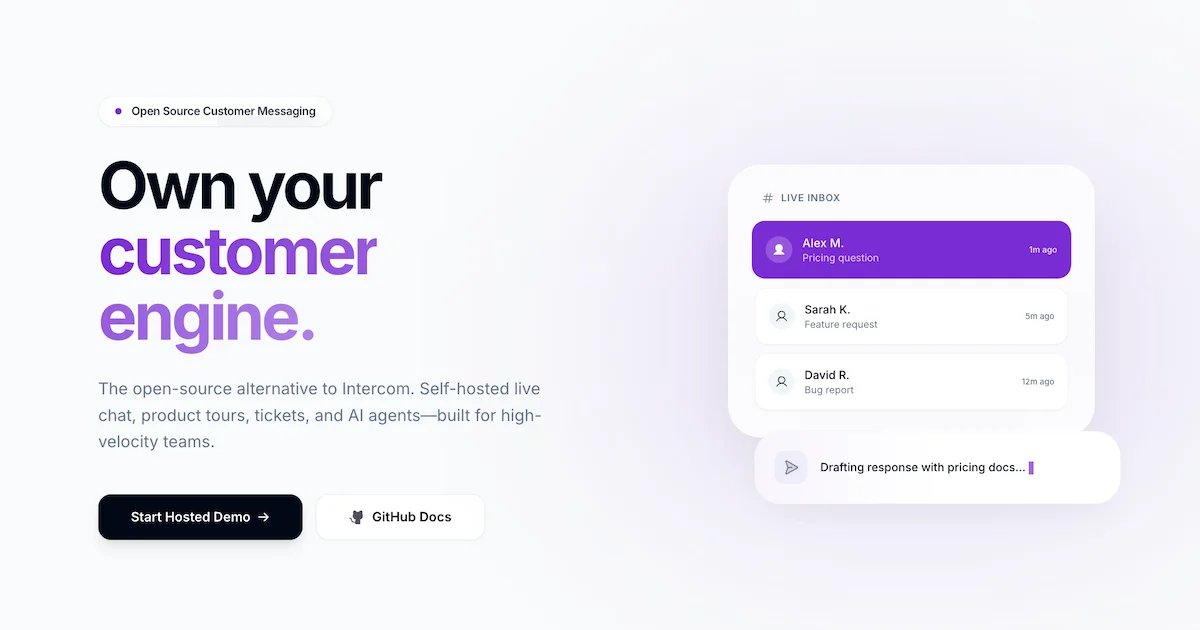
TL;DR: Opencom is an open-source, self-hostable alternative to Intercom — covering live chat, product tours, knowledge bases, ticketing, and built-in AI agents — shipped under AGPLv3 and currently free to use.
Source and Accuracy Notes
- Project page: opencom.dev — verified
- Source repository: github.com/opencom-org/opencom — README verified
- License: AGPLv3 — verified via LICENSE file
- HN launch thread: news.ycombinator.com/item?id=48552549 — Show HN
What Is Opencom?
Opencom is an open-source customer messaging platform positioned as a direct alternative to Intercom. It ships every feature Intercom bundles into a single integrated product — live chat, product tours, a knowledge base, support tickets, targeted campaigns, and an AI agent — and lets you run it on your own infrastructure.
The project describes itself as:
Self-host live chat, product tours, tickets, and AI agents without the vendor lock-in.
Two hosting options are available:
- Fully self-hosted — deploy the Convex backend and all Next.js apps to your own cloud
- Self-hosted backend + hosted frontends — free tier that uses Opencom’s deployed dashboard and widget while your data stays on your Convex deployment
The backend runs on Convex, a serverless data platform. The web dashboard, embeddable widget, and mobile admin apps are all separate packages in a PNPM monorepo.
Setup Workflow
Prerequisites
- Node.js 18 or higher
- PNPM 9 or higher
- A Convex account (free tier works)
Step 1: Clone and Bootstrap
The fastest path is the bootstrap script:
git clone https://github.com/opencom-org/opencom.git
cd opencom
./scripts/setup.sh
```bash

The script installs dependencies, creates or reuses a Convex dev deployment, configures Convex Auth, creates a workspace, and writes all required `.env.local` files for the web, widget, mobile, landing, and SDK apps.

### Step 2: Start Development Servers

```bash
pnpm dev:web    # Admin dashboard (Next.js)
pnpm dev:widget # Embeddable chat widget
```yaml

Optional:

```bash
pnpm dev:landing  # Marketing landing page
pnpm dev:mobile   # Expo mobile app for iOS/Android admins
```bash

### Step 3: Update Environment Variables

If you need to reconnect to a different Convex deployment:

```bash
./scripts/update-env.sh --url https://<your-deployment>.convex.cloud --workspace <workspace-id>
```bash

### Step 4: Production Build

```bash
pnpm build:web
pnpm --filter @opencom/web start
Set NEXT_PUBLIC_OPENCOM_DEFAULT_BACKEND_URL to your production Convex deployment URL.
Features at a Glance
The following features are listed directly from the project’s README:
- Chat — Real-time messaging via embeddable widget and email channel
- Product Tours — WYSIWYG editor for guided user onboarding
- Knowledge Base — Self-service help center with collections and articles
- Mobile Apps — iOS and Android admin apps with push notifications
- Campaigns — Targeted outbound messaging with audience rules and trigger conditions
- Series — Multi-step automated message sequences
- Surveys — In-app NPS, rating, and text surveys with analytics
- Tickets — Issue tracking with priority, status, and agent assignment
- Segments — Dynamic visitor grouping by attributes and behavior
- Reports — Analytics dashboards for conversations, response times, and satisfaction
- AI Agent — Automated responses using your knowledge base with confidence scoring and human handoff
- Email Channel — Send and receive emails as conversations via Resend integration
- Tooltips, Checklists, Carousels — Contextual UI hints, onboarding task lists, multi-screen promotional content
- Identity Verification — HMAC-based visitor identity verification for secure user sessions
Tech Stack
| Layer | Technology |
|---|---|
| Web dashboard | Next.js, React, Tailwind CSS, Shadcn UI |
| Mobile admin | React Native / Expo |
| Backend | Convex (serverless) |
| Package manager | PNPM |
Deployment Options
Opencom supports four deployment profiles:
- Hosted apps + custom Convex backend — use Opencom’s deployed frontends, connect to your own Convex project
- Self-hosted web + custom Convex backend — deploy the Next.js dashboard to your own infrastructure
- Full self-host — deploy all apps and the Convex backend to your own cloud
- Widget CDN — distribute the embeddable widget via Cloudflare R2
For a self-hosted Convex backend, deploy packages/convex to your Convex project and update NEXT_PUBLIC_OPENCOM_DEFAULT_BACKEND_URL in the widget and web apps.
Security Notes
The README documents several security features:
- RBAC — role-based access control for agents and admins
- HMAC identity verification — cryptographically verifies visitor identity in the widget
- Audit logs — track agent actions across the workspace
- Webhook security — signed payloads for outbound webhook delivery
As with any self-hosted tool, you are responsible for securing your own Convex deployment, database credentials, and webhook endpoints.
FAQ
Q: Is Opencom really free to use? A: Yes. The project is AGPLv3 licensed and currently free for all use cases. There is no paid tier.
Q: Can I self-host without a Convex account? A: No. The backend always runs on Convex. You can self-host the frontend apps (web, widget, mobile) but the backend data layer requires a Convex deployment. Opencom offers a free hosted backend tier if you do not want to manage your own.
Q: Does it support on-premises deployment? A: You can deploy the Next.js frontend apps to any hosting platform, but the Convex backend is a managed serverless platform. It is not a traditional on-premises database you host yourself.
Q: What is the difference between Opencom and a pure open-source alternative like Chatwoot? A: Opencom is newer and bundles an AI agent, product tours, and a knowledge base natively. Chatwoot focuses on multi-channel support (email, Twitter, API). Feature overlap is significant in live chat and ticketing; Opencom’s strength is the integrated product tour and AI agent flow.
Q: How does the AI agent work? A: The AI agent answers user questions using your knowledge base articles with a confidence scoring system. When confidence is low, it hands off to a human agent in the inbox.
Conclusion
Opencom is a credible, full-featured open-source alternative to Intercom for teams that want to own their customer messaging stack. The bootstrap script makes local setup fast, and the deployment flexibility (fully hosted, hybrid, or fully self-hosted) covers a wide range of operational preferences. With built-in AI agents, product tours, and a knowledge base alongside live chat and ticketing, it covers the full customer messaging lifecycle in one repo.
If you have tried Intercom and its pricing made you wince, or if you need customer messaging that respects data residency, Opencom is worth a weekend experiment.
Source and Accuracy Notes
- Project page: opencom.dev
- Source repository: github.com/opencom-org/opencom
- License: AGPLv3 (verified via LICENSE file on GitHub)
- HN launch thread: news.ycombinator.com/item?id=48552549
- Setup docs verified from
docs/open-source/setup-self-host-and-deploy.mdin the main branch
Related Posts
dev-tools
AgentMesh – Define AI Agent Teams in YAML
Define multi-agent AI workflows in YAML and run them locally with one command. AgentMesh brings Docker Compose patterns to AI agent orchestration.
5/28/2026
ai-setup
IonRouter – Fast Low-Cost AI Inference API
IonRouter is a YC W26 inference API routing open-source and fine-tuned models via an OpenAI-compatible endpoint, built on a C++ runtime optimized for GH200.
5/28/2026
dev-tools
Cicada – FOSS CI/CD That Replaces YAML With a Real Language
Cicada replaces GitHub Actions and GitLab CI YAML configs with a custom functional DSL, letting you write pipelines using variables, functions, and shell.
5/29/2026