TL;DR
TL;DR: Moltis is a self-hosted AI agent server written in Rust that runs persistently with memory, voice, MCP tool support, and integrations for Telegram, WhatsApp, Discord, Slack, Matrix, Nostr, and Teams.
Source and Accuracy Notes
- Official site: https://www.moltis.org
- GitHub: (non-GitHub tool; official site is the canonical source)
- HN Discussion: https://news.ycombinator.com/item?id=46993587
What Is Moltis?
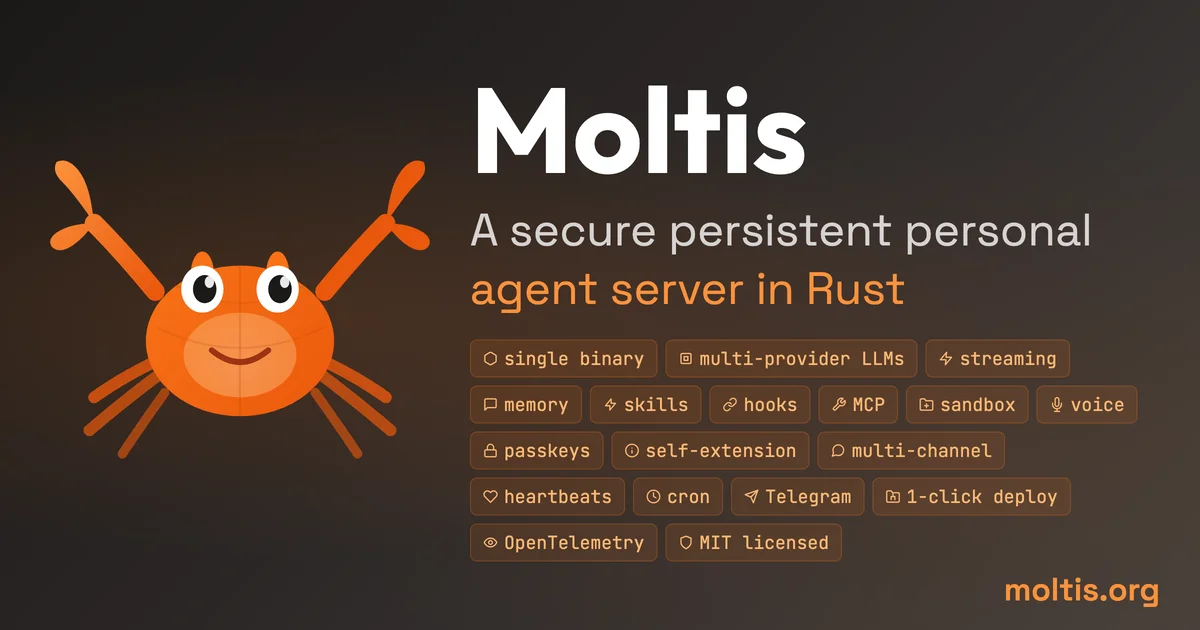
Moltis is an open-source personal AI agent server built entirely in Rust. Unlike cloud-based AI assistants that reset on every session, Moltis maintains persistent memory and state across conversations. It ships as a single binary with no external dependencies, making it trivial to deploy on any Linux server or VPS.
Key capabilities:
- Persistent memory – conversations and context survive restarts
- MCP tool support – connect to any Model Context Protocol server for extended capabilities
- Multi-provider LLMs – supports OpenAI, Anthropic, Ollama, and other LLM backends
- Voice – built-in voice input and output
- Broad integrations – Telegram, WhatsApp, Discord, Slack, Matrix, Nostr, Microsoft Teams
- Sandboxed execution – Rust-based sandboxing for tool safety
Setup Workflow
Step 1: Download the Binary
Moltis distributes as a single static binary for Linux (amd64/arm64):
# Download latest release from moltis.org
curl -L https://github.com/moltis/moltis/releases/latest/download/moltis-linux-amd64 -o moltisd
chmod +x moltisd

# Or for ARM64
curl -L https://github.com/moltis/moltis/releases/latest/download/moltis-linux-arm64 -o moltisd
chmod +x moltisd
```bash

### Step 2: Configure Providers

Create a config file at `~/.config/moltis/config.toml`:

```toml
[llm]
provider = "openai"  # or anthropic, ollama, etc.
model = "gpt-4o"
api_key = "sk-..."   # or use OPENAI_API_KEY env var

[memory]
backend = "sqlite"    # local SQLite for persistent memory
db_path = "~/.local/share/moltis/memory.db"

[sandbox]
enabled = true
timeout_ms = 5000

[[integrations]]
type = "telegram"
bot_token = "YOUR_TELEGRAM_BOT_TOKEN"

[[integrations]]
type = "discord"
webhook_url = "YOUR_DISCORD_WEBHOOK_URL"
```bash

### Step 3: Run the Server

```bash
./moltisd serve --config ~/.config/moltis/config.toml
```bash

Moltis starts an HTTP API server (default port 8080) and connects to configured messaging platforms. Once running, you can chat with your agent from any integrated platform.

### Step 4: Connect MCP Tools (Optional)

Moltis supports MCP servers for extending agent capabilities:

```toml
[[mcp_servers]]
name = "filesystem"
command = "npx"
args = ["-y", "@modelcontextprotocol/server-filesystem", "/path/to/allowed/dir"]
Deeper Analysis
Moltis occupies an interesting niche in the self-hosted AI landscape. Where tools like Open Interpreter require a local IDE and manual session management, Moltis is designed as a always-on background service that responds to messages from your existing communication channels.
The Rust implementation is notable for two reasons: memory safety without a garbage collector (important for a long-running server), and performance that handles concurrent connections from multiple chat platforms without significant overhead.
The integration breadth isMolti’s strongest differentiator. Supporting Nostr and Matrix alongside mainstream platforms like Discord and Telegram makes it viable for privacy-conscious users who want to avoid centralized platforms.
The MCP support is relatively new and the ecosystem of compatible servers is still small, but the architecture is sound — any MCP-compatible tool or server can be wired into Moltis without modifying the core.
Practical Evaluation Checklist
- One-binary deployment with no runtime dependencies
- Persistent memory across sessions (SQLite-backed)
- MCP tool extensibility
- Multi-platform message integrations
- Sandboxed tool execution
- Open-source and self-hostable
Security Notes
- API keys should be passed via environment variables rather than config files committed to disk
- The sandbox restricts tool execution time and resource access
- Run behind a reverse proxy (nginx/Caddy) for TLS if exposing the HTTP API publicly
- Regularly update to the latest release for security patches
FAQ
Q: Does Moltis require a GPU? A: No. Moltis only runs the agent orchestration layer. LLM inference is delegated to an external provider (OpenAI, Anthropic, or a local Ollama instance), so GPU requirements depend on your chosen LLM backend.
Q: Can I self-host the LLM too? A: Yes. Point Moltis to a local Ollama server and you get a fully offline AI agent stack.
Q: How does Moltis differ from n8n or other automation platforms? A: n8n is workflow automation. Moltis is a conversational AI agent with persistent memory. They complement each other — Moltis can trigger n8n workflows via MCP.
Q: Is there a hosted/cloud version? A: No. Moltis is explicitly designed to be self-hosted only. No cloud offering exists.
Conclusion
Moltis is a practical choice for self-hosting a persistent conversational AI agent that lives in your existing chat platforms. The one-binary model, Rust implementation, and broad integration support make it one of the most deployment-friendly options in this space. If you want an AI agent that’s always on, remembers past conversations, and lives where you already chat, Moltis is worth a look.
Links:
Related Posts
ai-setup
Recall – Persistent Memory for Claude Code via MCP Hooks
Recall gives Claude Code a permanent memory store that survives session restarts and context compaction. Four hooks capture and restore context automatically — with cloud SaaS or self-hosted options.
2/28/2026
dev-tools
CodexPlusPlus Setup and Risk Guide
Evaluate CodexPlusPlus for Codex launcher enhancements, API relay mode, provider sync, local state handling, update flow, and rollback planning.
5/28/2026
dev-tools
RMUX Terminal Multiplexer Guide
Set up RMUX for detachable agent terminals, tmux-like sessions, Rust SDK control, diagnostics, migration checks, and terminal automation.
5/28/2026