Moltis - Self-Hosted Agent Server in Rust
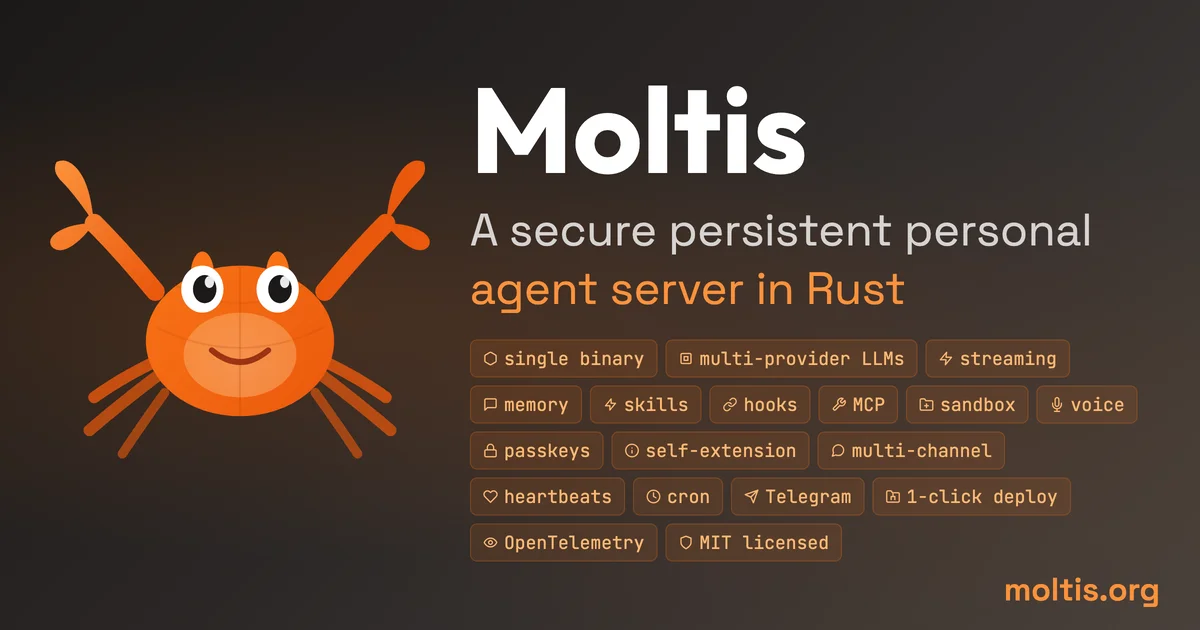
Moltis is a secure, persistent personal agent server written in Rust. One binary, sandboxed execution, multi-provider LLMs, voice, memory, and built-in integrations for Telegram, Discord, Slack
TL;DR
TL;DR: Moltis is a self-hosted agent server written in Rust that runs as a single binary on your own hardware, with sandboxed tool execution, multi-provider LLM support, voice I/O, persistent memory, and deep integrations with Telegram, Discord, Slack, Matrix, Nostr, Teams, and MCP.
Source and Accuracy Notes
- Project page: moltis.org
- Source repository: github.com/moltis-org/moltis — README read 2026-08-21
- License: MIT — verified via GitHub API
license.spdx_id - GitHub stars: 2,832 (as of 2026-08-20) — verified via GitHub REST API
- Latest release: v0.9.9 — verified via
git ls-remote --tags - HN launch thread: news.ycombinator.com/item?id=46993587 — Show HN with 131 points (2026-02-12)
- Docs: docs.moltis.org
What Is Moltis?
Moltis is a local-first persistent agent server written in Rust. It sits between you and multiple LLM providers, maintains durable session state across conversations, and can reach you over messaging platforms without routing your data through a third-party cloud service.
From the README:
One binary — sandboxed, secure, yours.
The project is published under the MIT license and runs on a Mac Mini, a Raspberry Pi, or any server you own. No Node.js, no npm, no runtime to manage.
Setup Workflow
Step 1: Install
One-liner install script (macOS / Linux):
curl -fsSL https://www.moltis.org/install.sh | sh
```bash

macOS / Linux via Homebrew:

```bash
brew install moltis-org/tap/moltis
```bash

Docker (multi-arch: amd64/arm64):

```bash
docker pull ghcr.io/moltis-org/moltis:latest
```bash

Or build from source:

```bash
cargo install moltis --git https://github.com/moltis-org/moltis
```bash

### Step 2: Start and Configure

Open `localhost:13131` in your browser. Paste your LLM provider API key and pick a model. OAuth providers like GitHub Copilot work with zero configuration.

### Step 3: Connect a Channel

Moltis ships with built-in integrations for:

- **Messaging:** Telegram, Signal, Discord, Slack, Microsoft Teams, Matrix, Nostr (DMs + NIP-29 group chat including Block's Buzz channels)
- **Voice:** 8 TTS + 7 STT providers, built-in
- **Web:** Web UI with command-palette agent prompts and Markdown copy/export, PWA with push notifications for mobile

### Step 4: Enable MCP Tools

Moltis supports MCP servers over both stdio and HTTP/SSE. From the web UI Settings, you get a live tool inventory showing every available MCP tool as you connect servers.

## Deeper Analysis

### Architecture

Moltis is organized as a Rust workspace of 59 crates totaling approximately 270K lines of code (measured with `tokei`, excluding `node_modules`, generated build output, `dist`, and `target`).

Core runtime crates:

| Crate | Approx. LoC | Role |
|---|---|---|
| `moltis-gateway` | 37.4K | HTTP/WS server, RPC, auth, startup wiring |
| `moltis-tools` | 37.0K | Tool execution, sandboxing, WASM tools |
| `moltis-providers` | 18.9K | LLM provider implementations |
| `moltis-agents` | 14.5K | Agent loop, streaming, prompt assembly |
| `moltis-chat` | 14.2K | Chat engine, agent orchestration |

Feature crates cover channels (Telegram, WhatsApp, Signal, Discord, Slack, Matrix, Nostr, MS Teams), web/APIs, MCP, memory/RAG, voice, browser automation, auth/vault, scheduling, and more.

### Security Model

- **Sandboxed execution:** Docker + Podman + Apple Container, per-session isolation
- **Secret handling:** `secrecy::Secret`, zeroed on drop, redacted from tool output
- **Auth:** Password + Passkey (WebAuthn), rate-limited, per-IP throttle
- **SSRF protection:** DNS-resolved, blocks loopback/private/link-local addresses
- **Supply chain integrity:** artifact attestations, Sigstore keyless signing, GPG signing (YubiKey), SHA-256/SHA-512 checksums
- **Small unsafe surface:** unsafe code isolated to Swift FFI, local model wrappers, and precompiled WASM boundaries

To verify a release:

```bash
gh attestation verify <artifact> -R moltis-org/moltis
```bash

### Memory and Context

Moltis includes a hybrid memory system:

- **SQLite + FTS** for full-text search
- **Vector memory** for embeddings-powered long-term recall
- **Cross-session recall** — the agent remembers across restarts
- **Cursor-compatible project context** — attach a project folder and the agent understands your codebase
- **Context-file safety scanning** — automatically scans files before using them as context

### Comparison with Similar Tools

| | OpenClaw | Hermes Agent | **Moltis** |
|---|---|---|---|
| Primary stack | TypeScript + Swift/Kotlin | Python + TypeScript | **Rust** |
| Runtime | Node.js + npm/pnpm/bun | Python + uv/pip | **Single Rust binary** |
| Local checkout* | ~1.1M app LoC | ~152K app LoC | **~270K Rust LoC** |
| Architecture | Gateway + channel + node ecosystem | CLI/gateway agent with learning loop | **Persistent server with modular crates** |
| Sandbox/backends | App-level permissions | Local, Docker, SSH, Daytona, Singularity, Modal | **Docker/Podman + Apple Container + WASM** |
| Voice I/O | Voice wake and talk modes | Voice memo transcription | **Built-in STT + TTS providers** |
| Memory/RAG | Plugin-backed memory | Agent-curated memory, session search | **SQLite + FTS + vector memory** |

*LoC measured with `tokei`, excluding `node_modules`, generated build output, `dist`, and `target`.

### Lightweight Mode

For constrained devices like a Raspberry Pi, use:

```bash
moltis --no-default-features --features lightweight
Practical Evaluation Checklist
- Installs via
curl | shone-liner on macOS or Linux - Starts with
moltis(no额外 runtime needed) - Web UI reachable at
localhost:13131 - Connects to an LLM provider (OpenAI, Anthropic, GitHub Copilot, or local model)
- MCP server can be connected via stdio or HTTP/SSE
- Messages persist across server restarts (SQLite session storage)
- Docker sandbox isolates tool execution
- Passkey (WebAuthn) enrollment works in the web UI
Security Notes
- API keys never leave your machine — all execution is local
- Tools run in Docker/Podman containers by default, not on the host filesystem
- Vault encryption uses XChaCha20-Poly1305 + Argon2id
- Hook system (
BeforeToolCall) can inspect or block any tool invocation before it runs - The Rust codebase’s unsafe code is isolated to FFI and WASM precompilation boundaries — not the core agent loop
FAQ
Q: Does Moltis require an API key for an LLM provider? A: Yes, you provide your own API key. Moltis supports OpenAI, Anthropic, GitHub Copilot, and local models (via Ollama or similar). Your key is stored locally and never transmitted to a third-party relay.
Q: How does Moltis differ from running a local LLM with Ollama? A: Ollama manages the model runtime. Moltis sits above the model, providing the agent loop (tool execution, memory, multi-turn sessions, sandboxing), a web UI, and integrations with messaging platforms. They are complementary — Moltis can use an Ollama-hosted model as its provider.
Q: Can Moltis run on a Raspberry Pi?
A: Yes. Use the lightweight feature flag (--no-default-features --features lightweight) for ARM builds. Docker on a Raspberry Pi 4 with 4GB RAM handles basic agent workloads.
Q: What messaging platforms are supported out of the box? A: Telegram, Signal, Discord, Slack, Microsoft Teams, Matrix, Nostr (DMs and NIP-29 group chats), and a Web UI with PWA and push notifications. All integrations are built-in, no plugin marketplace required.
Q: Is there an MCP server implementation?
A: Yes — Moltis itself can act as an MCP server (stdio + HTTP/SSE modes), and can also connect to external MCP servers as a client. The moltis-mcp and moltis-mcp-agent-bridge crates handle this.
Conclusion
Moltis fills a specific niche: the self-hosted agent server for developers who want full ownership of their agent’s state, tools, and messaging integrations without assembling a custom stack from separate projects. Its Rust codebase delivers a small attack surface, fast startup, and a modular crate architecture that lets you audit or swap individual components.
The ~270K lines across 59 crates sounds large until you notice the actual agent runner and model interface fit in roughly 7.5K lines — the rest is providers, channel integrations, and tooling. If you want a persistent agent that talks to you on Discord, Telegram, or Nostr, runs your MCP tools in a sandbox, and never calls home without your permission, Moltis is a credible single-binary solution.
Install it with curl -fsSL https://www.moltis.org/install.sh | sh, open localhost:13131, and you are running a personal agent server in under a minute.
Related Posts
ai-setup
Recall – Persistent Memory for Claude Code via MCP Hooks
Recall gives Claude Code a permanent memory store that survives session restarts and context compaction. Four hooks capture and restore context automatically — with cloud SaaS or self-hosted options.
2/28/2026
dev-tools
CodexPlusPlus Setup and Risk Guide
Evaluate CodexPlusPlus for Codex launcher enhancements, API relay mode, provider sync, local state handling, update flow, and rollback planning.
5/28/2026
dev-tools
RMUX Terminal Multiplexer Guide
Set up RMUX for detachable agent terminals, tmux-like sessions, Rust SDK control, diagnostics, migration checks, and terminal automation.
5/28/2026