Mercury Agent – AI Agent with Permission-Hardened Tools
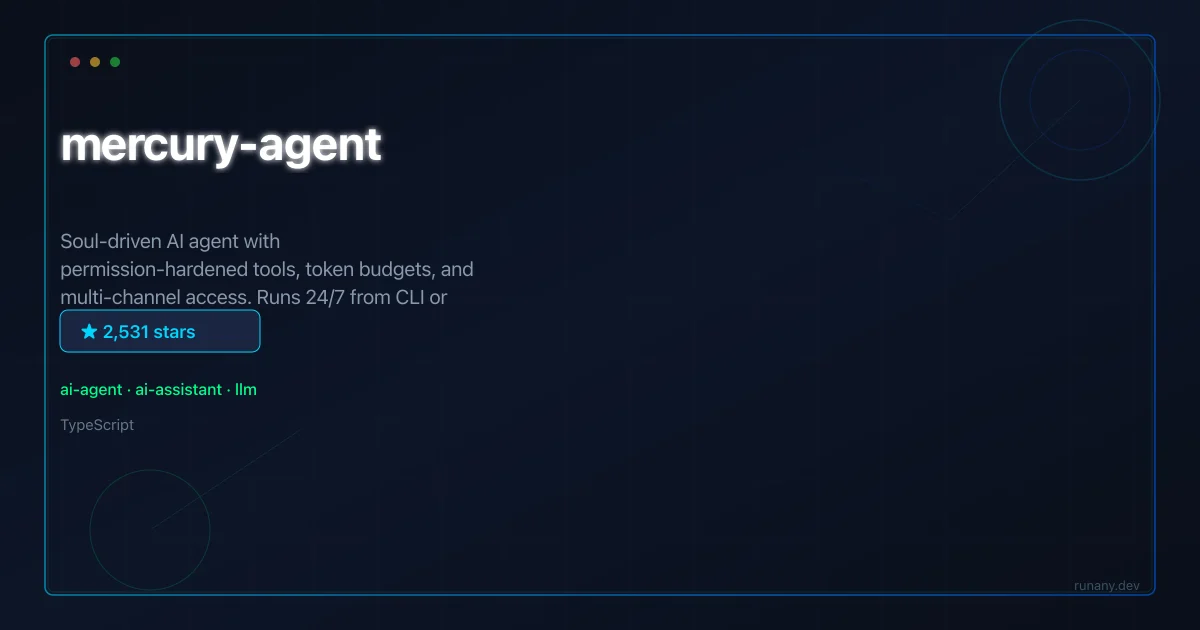
Mercury Agent runs 24/7 from CLI or Telegram with a personality system, token budgets, and permission-hardened tools. Built with TypeScript and Docker with BYO.
TL;DR
TL;DR: Mercury Agent is an always-on AI agent with a personality system, token budgets, and hardened tool permissions. It runs from CLI or Telegram, supports any LLM provider via LiteLLM, and ships with Docker for one-command deployment.
Source and Accuracy Notes
- Repository: cosmicstack-labs/mercury-agent (2,500+ stars, MIT license)
- Built with TypeScript, LiteLLM, Docker, and Telegram Bot API
What Is Mercury Agent?
Mercury Agent is a “soul-driven” AI agent designed for persistent, 24/7 operation. Unlike typical coding agents that start and stop with each prompt, Mercury maintains a continuous identity with memory, personality traits, and a configurable response style.
Key architectural decisions:
- Personality system: Agents are assigned temperaments (sarcastic, professional, supportive) via a
mercury.jsonconfig file. This persists across sessions. - Permission-hardened tools: Every tool the agent can call goes through a permission layer. Tools can be scoped to specific channels (CLI-only, Telegram-only, or both) and rate-limited.
- Token budgets: Per-session and per-tool token limits prevent runaway spending on expensive models.
- Multi-channel access: Built-in providers for CLI stdin/stdout and Telegram bots. The protocol is extensible — add Discord or Slack by implementing the channel interface.
Repo-Specific Setup Workflow
Step 1: Clone and Configure
git clone https://github.com/cosmicstack-labs/mercury-agent.git
cd mercury-agent
cp mercury.example.json mercury.json
```bash

Edit `mercury.json` to set your agent's personality, LLM provider, and enabled tools.

### Step 2: Set Environment Variables

```bash
cp .env.example .env
```bash

Fill in your LLM API key (OpenAI, Anthropic, or any LiteLLM-compatible provider).

### Step 3: Run with Docker

```bash
docker compose up -d
```bash

This starts the agent as a background service. Connect via CLI or Telegram.

### Step 4: CLI Access

```bash
npm run cli
The CLI gives you a direct chat interface to the running agent.
Step 5: Telegram Setup
Create a bot via @BotFather, add the token to .env, and the agent automatically connects to Telegram.
Deeper Analysis
Mercury’s permission system is its standout feature. Tools are not just allowed or denied — they’re scoped by channel, rate-limited, and subject to token budgets. An agent accessible via Telegram can have its shell execution tool disabled while keeping the search tool active. The CLI channel can have full access.
The personality system uses a mercury.json schema that defines tone, response style, and behavioral traits. This isn’t cosmetic — it shapes how the agent handles ambiguity, whether it asks clarifying questions, and how verbose its responses are.
Token budgets operate on two levels: per-session (the agent stops when it hits the limit) and per-tool (expensive tools like code execution get capped). This prevents a single exploratory prompt from burning through credits.
LiteLLM integration means you can swap between OpenAI, Anthropic, Groq, Ollama, or any OpenAI-compatible endpoint without code changes — just update the model string in the config.
Practical Evaluation Checklist
- Runs 24/7 as a Docker service with health checks
- Token budgets prevent cost overruns on expensive models
- Tool permissions scoped by channel (CLI vs Telegram)
- Personality system persists across restarts
- BYO LLM via LiteLLM — not locked to one provider
- MIT license — commercial use allowed
Security Notes
The permission-hardened tool layer is the key security feature. A Telegram-exposed agent without shell access can’t run arbitrary commands even if the LLM tries. Always audit mercury.json before deploying to production — disabled tools by default, enable only what’s needed. If exposing via Telegram, use the bot’s privacy mode and restrict group access.
FAQ
Q: Can I run multiple agents with different personalities?
A: Yes — each mercury.json config defines one agent. Run separate Docker containers with different configs for different personalities or use cases.
Q: What LLM providers are supported? A: Any provider compatible with LiteLLM — OpenAI, Anthropic, Groq, Ollama, Perplexity, Together AI, and any OpenAI-compatible endpoint.
Q: How does the agent handle long-running tasks? A: Mercury runs as a persistent process. Tasks that take minutes or hours execute in the background while the agent remains responsive on chat channels.
Q: Can I add custom tools? A: Yes. Extend the tools directory with TypeScript modules. Each tool registers its schema, handler, and permission requirements.
Q: Is there a web UI? A: Not yet. The current channels are CLI and Telegram. The architecture supports adding new channel providers.
The personality persistence is more than a prompt prefix — the mercury.json schema defines behavioral parameters that shape how the agent interprets ambiguous requests. A “sarcastic” temperament might respond with dry humor but still execute commands correctly; a “professional” setting produces concise, business-formatted output. These traits compound over long-running sessions because the agent references its own response history when shaping new replies. It’s not a gimmick — in practice, it means the agent consistently behaves the way your team expects, session after session.
The tool permission layer uses a channel-scoped capability model. Each tool registers which channels can invoke it and at what rate. The shell execution tool might be CLI-only with a 10-request-per-minute cap; the web search tool might be available on both CLI and Telegram with no cap. This per-channel scoping is what makes public-facing agent access safe — a Telegram-exposed agent literally cannot call exec, even if the LLM hallucinates a command. The permission model is enforced in the TypeScript runtime, not in the LLM prompt, so there’s no prompt injection bypass.
For teams wanting to run Mercury in production, the Docker Compose setup includes health checks and restart policies. The agent stores session state in a local SQLite database, so interruptions don’t lose context. LiteLLM integration means you can start with an expensive model (Claude Sonnet for complex reasoning) and fall back to a cheaper one (GPT-4.1-mini for status updates) per conversation turn, with cost tracking built in.
Q: How do I backup my agent’s state? A: The SQLite database lives in the Docker volume. Backup with docker compose or mount the volume to a host directory for automatic filesystem backups. The state file is portable across deployments.
Conclusion
Mercury Agent fills the gap between stateless coding agents and persistent AI assistants. The combination of personality persistence, channel-scoped permissions, and token budgets makes it practical for long-running deployments. For teams wanting an always-on agent with guardrails rather than a free-for-all, Mercury’s permission model is the right foundation.
Related Posts
ai-setup
Recall – Persistent Memory for Claude Code via MCP Hooks
Recall gives Claude Code a permanent memory store that survives session restarts and context compaction. Four hooks capture and restore context automatically — with cloud SaaS or self-hosted options.
2/28/2026
dev-tools
Automotive Skills Suite for AI Engineering
Evaluate Automotive Skills Suite for APQP, ASPICE, HARA, safety-plan, and DIA workflows with setup notes, governance risks, and SME review guidance.
5/28/2026
dev-tools
awesome-agentic-ai-zh Roadmap Guide
Explore awesome-agentic-ai-zh as a Chinese agentic AI learning roadmap, with setup notes, track selection, study workflow, and evaluation guidance.
5/28/2026