Lumi - Full-Stack AI Website Builder With Built-In Database
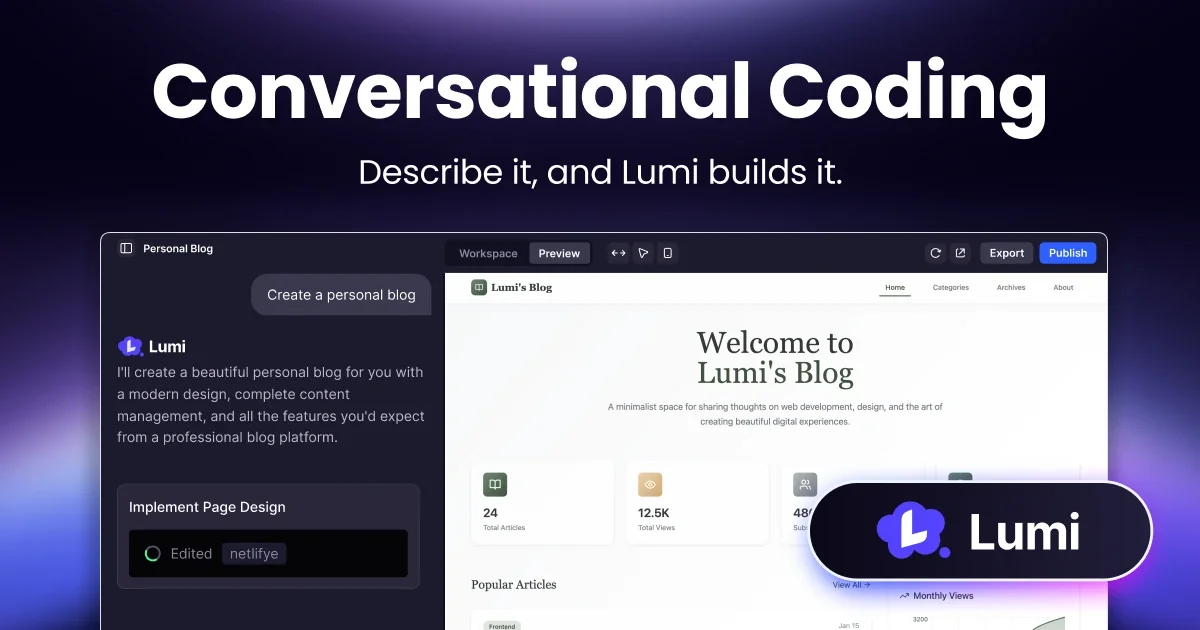
Lumi.new is a chat-first AI builder that ships production websites and web apps with database, backend functions, storage, auth, and custom domains — all in one workspace.
TL;DR
TL;DR: Lumi.new is a chat-first AI builder that pairs prompt-to-UI generation with an integrated database, backend functions, file storage, auth, and one-click deployment to a custom domain — a single workspace that takes a founder from idea to a live production website without stitching together five SaaS tools.
Source and Accuracy Notes
- Official site: lumi.new
- llms.txt (authoritative product capability list): lumi.new/llms.txt
- Launch announcement on HN: Show HN post by the Lumi team (objectID 45024322)
Capabilities quoted below are taken from the official llms.txt file, not paraphrased from third-party reviews.
What Is Lumi?
Lumi.new is an all-in-one AI workspace for building and shipping websites and lightweight web apps. You describe what you want in chat, the system generates the UI, and the same workspace gives you the production plumbing: a database, server-side functions, file storage, secrets, role-based permissions, authentication, analytics, SEO tooling, and a deploy button that publishes to a custom domain.
The team positions it as an alternative to vibe-coding tools that stop at frontend mockups. Per the official llms.txt:
Lumi.new is not only a prompt-to-UI tool; it includes backend and cloud capabilities in the same workspace. Users can move from idea to deployable app without stitching together many external tools.
Lumi supports both conversational building and direct code editing in the same project, so the conversation can drop into the file tree when you need pixel-level control. The HN launch compared it to Base44 and Lovable, with a stated lean into i18n plus bundled database and auth.
Who It’s For
According to the official product brief, Lumi targets three audiences:
- Founders shipping MVPs and production sites quickly.
- Developers who want faster scaffolding, iteration, and launch workflows.
- Agencies and creators building client-ready websites and web apps.
The platform ships with multi-country localization out of the box. The launch announcement lists 13 supported locales: de, en, es, fr, ja, ko, pt, pt-BR, ru, zh-CN, zh-TW, ar, fa, hi. Each project can maintain multiple locales in one workspace, which removes a common tax for teams launching in more than one market.
Core Capabilities
The full capability list from llms.txt is unusually detailed, so here is a categorized view.
AI chat workflows
- Multi-mode conversation: build, discuss, and plan.
- Visual editing and inspection for UI iteration.
- Integrated code workspace with preview and project files.
Backend and data
- Built-in database with collections, schema-based documents, CRUD, and import/export.
- Built-in backend functions with activation, code and API views, testing, and logs.
- Built-in storage with upload, list, download, delete, and usage tracking.
- Built-in secrets management for server-side configuration.
- Built-in permission controls for data and file access.
Auth and user management
- Built-in user management: list, search, role updates, invite flow, batch import/export.
- Built-in authentication settings: email sign-in, Google sign-in, public registration toggles.
Deployment and growth
- Public project publishing, project subdomain publishing, custom domain add/verify/retry/delete.
- Built-in analytics workspace for post-publish traffic.
- AI SEO suggestions and history.
- AI social content generation with history and image generation.
- Project lifecycle operations: publish, remix, fork, revert, rename domain.
Integrations and tooling
- Email service panel and email history.
- Stripe-related tool actions and permissions.
- AI tool activation and AI usage analytics.
This is a lot of surface area for a “vibe coding” tool. Most of the comparable platforms stop at the chat-to-UI step and expect you to wire up Supabase, Vercel, and a Stripe dashboard separately.
Setup Workflow
Lumi is a hosted SaaS, so there is no local install. The first-time flow is chat-first.
Step 1: Create a project and describe the goal
Open lumi.new, start a new project, and write a one-paragraph description of the site you want. The HN launch showed examples like “Make an official website”, “Design a Product Hunt-style launch page”, and “Build a designer blog”. Lumi will scaffold a working preview in the same panel.
Step 2: Iterate in chat or drop into the code
For most changes, keep talking. The platform supports a “discuss” mode for architectural questions and a “build” mode for code generation. When a specific component needs pixel control, the file tree exposes the generated code for direct edits.
Step 3: Wire up data and backend functions
Switch to the database tab and define collections. The schema-based document model supports import/export if you have existing data. Backend functions are activated from the same workspace and include a code view, an API view, a testing surface, and a logs panel.
Step 4: Configure auth and roles
Open the user management panel to set up sign-in methods (email, Google, or public registration) and role defaults. Invite flows and batch import/export are built in for cases where you have a pre-existing user list.
Step 5: Add a custom domain and publish
The deployment flow covers three options: public project publishing, a project subdomain, or a custom domain. Custom domain onboarding includes add, verify, retry, and delete steps. Once the domain is verified, the publish button goes live.
Step 6: Run growth workflows after launch
After publishing, the analytics workspace gives you post-publish traffic. The marketing workspace adds AI SEO suggestions and AI social content generation, with both tools keeping a history so you can iterate.
Pricing
Lumi has an active affiliate program (15% commission for six months, 60-day cookie window) and PayPal payouts, which signals a paid SaaS model. Plan details and limits live on the pricing page at lumi.new/en/pricing and are not exposed in the static HTML, so check there for the current numbers.
Deeper Analysis
The interesting design choice in Lumi is keeping the database, functions, storage, and auth inside the same project context as the chat. The closest comparison is a tool like V0 or Lovable paired with Supabase, but those are two different products with two different mental models. Lumi unifies them, which makes the deploy story cleaner but also means a project is harder to migrate away from than a static export.
The “publish to custom domain” flow is the moment where most AI builders break. Lumi’s flow includes verify, retry, and delete, which suggests the team has dealt with the usual DNS and cert issues that make custom domains painful.
Multi-mode conversation (build, discuss, plan) is another deliberate choice. The “plan” mode is useful when the user is not yet ready to commit to a direction — the LLM can outline options before generating code, which reduces wasted iterations.
The localization angle is real. Maintaining 13 locales from one project means the platform has to understand per-locale content, image alt text, and route structure, which is a non-trivial commitment. Most AI builders punt on i18n entirely.
Practical Evaluation Checklist
Before committing to Lumi for a production project, verify these:
- Database size limits on the chosen plan. Schema-based documents scale, but export/import behavior at high row counts matters.
- Function execution limits: timeouts, concurrent executions, and cold start behavior.
- Custom domain verification turnaround for subdomains or unusual TLDs.
- Whether the generated code is exportable as a static site or a self-contained repo. The
llms.txtdoes not claim a one-click export, so assume the deploy target is Lumi’s hosting. - Pricing for bandwidth and storage, since the platform hosts your project.
- Whether the i18n workflow covers right-to-left locales (ar, fa) correctly, including form layout direction.
Security Notes
- Secrets are managed inside the platform. Do not paste API keys into chat messages — store them in the secrets panel so they are injected at runtime.
- The permission controls cover data and file access, but you still need to set them per role. Defaults are not a substitute for an explicit policy.
- Auth supports email and Google sign-in plus a public registration toggle. If you turn on public registration, plan for an approval or invite flow.
- Custom domain ownership has to be verified by DNS. Treat the verification step as a security boundary — anyone who controls the domain controls the project.
FAQ
Q: Is Lumi a no-code tool or a code tool? A: Both. The chat interface generates the initial build and handles most changes, but the same workspace exposes the file tree for direct code edits. You can move between the two without leaving the project.
Q: Does Lumi generate the backend, or just the frontend?
A: Both. The platform includes collections, schema-based documents, backend functions with logs and testing, file storage, secrets, and role-based permissions. The llms.txt explicitly contrasts Lumi with prompt-to-UI tools that stop at the frontend.
Q: Can I deploy to my own domain? A: Yes. The deployment flow supports public project publishing, a project subdomain, and custom domain add/verify/retry/delete. Once the domain is verified, the project is served from it.
Q: How is Lumi different from Base44 or Lovable? A: The HN launch positions Lumi as leaning into i18n plus bundled database and auth, so founders can go live in multiple markets without extra setup. The team also claims better performance on visual effects and complex logic, though that is a marketing claim worth validating on a real build.
Q: Does Lumi support localization? A: Yes, with 13 locales at launch: de, en, es, fr, ja, ko, pt, pt-BR, ru, zh-CN, zh-TW, ar, fa, hi. Multiple locales are maintained inside one project.
Q: Can I export my project and self-host?
A: The llms.txt does not mention a one-click export, and the deploy target is Lumi’s hosting. If portability is critical, ask the team directly before committing to a production build.
Q: What integrations are supported? A: Out of the box: email service, Stripe, AI tools with usage analytics, and Google sign-in. Webhook and custom API support would depend on the backend functions surface.
Q: Is there an affiliate program? A: Yes. The affiliate program offers 15% commission for six months, with a 60-day cookie window and PayPal payouts confirmed within the first five business days of each month.
Conclusion
Lumi.new is a credible option when the goal is shipping a real production website — not just a frontend mockup — through AI chat. The bundled database, backend functions, auth, and custom domain flow are the features that separate it from prompt-to-UI competitors. The trade-off is platform lock-in: the build target is Lumi’s hosting, and there is no advertised one-click export to a self-contained repo.
If you are building an MVP that needs to be live in multiple markets this week, the i18n + auth + custom domain combination is a strong starting point. If you need a codebase you can take anywhere, treat Lumi as a prototyping surface and plan to re-implement the production app on infrastructure you control.
Related Posts
ai-setup
Recall – Persistent Memory for Claude Code via MCP Hooks
Recall gives Claude Code a permanent memory store that survives session restarts and context compaction. Four hooks capture and restore context automatically — with cloud SaaS or self-hosted options.
2/28/2026
dev-tools
Automotive Skills Suite for AI Engineering
Evaluate Automotive Skills Suite for APQP, ASPICE, HARA, safety-plan, and DIA workflows with setup notes, governance risks, and SME review guidance.
5/28/2026
dev-tools
awesome-agentic-ai-zh Roadmap Guide
Explore awesome-agentic-ai-zh as a Chinese agentic AI learning roadmap, with setup notes, track selection, study workflow, and evaluation guidance.
5/28/2026