KeyPub.sh – SSH Key Identity Directory
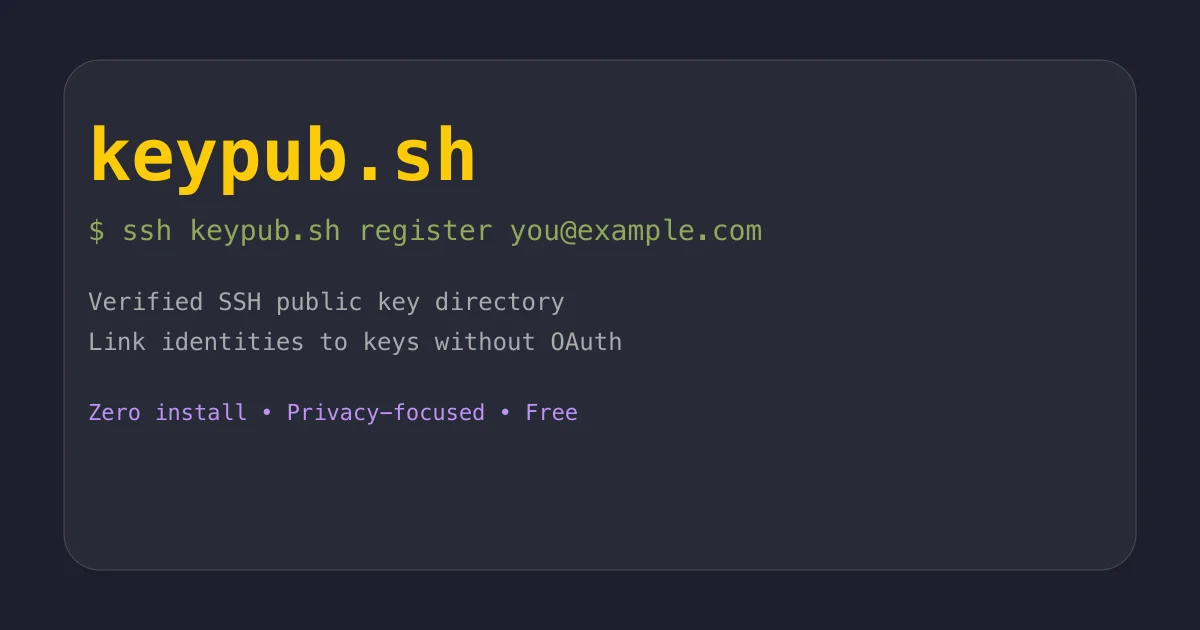
Verified SSH public key directory linking emails to keys. Zero-install OAuth alternative for CLI tools. Privacy-focused, free public service.
TL;DR
TL;DR: KeyPub.sh is a verified directory that links SSH public keys to email addresses, creating a lightweight OAuth alternative for terminal applications without requiring installation or complex authentication setup.
Source and Accuracy Notes
- Project page: keypub.sh
- Source repository: github.com/skariel/keypub
- License: MIT (verified from repository)
- HN launch thread: news.ycombinator.com/item?id=42494997
What Is KeyPub.sh?
KeyPub.sh solves a common problem for developers building SSH-based CLI tools: how do you verify user identity without building a full OAuth system or managing authentication infrastructure?
The answer is a verified registry that connects your existing SSH public key to your email address. When you run ssh keypub.sh register [email protected], the service sends a verification code to that email. Once confirmed, your SSH key fingerprint is permanently linked to that verified email in their directory.
Other users (or applications) can then query the directory to look up verified identities by key fingerprint or email, with privacy controls that let you decide who can see what information.
Why This Matters for CLI Tools
Building user verification for command-line tools is painful. You either:
- Build OAuth flows — complex for terminal environments, requires browser redirects, token refresh logic, and callback servers
- Roll your own auth — security risks, maintenance burden, reinventing the wheel
- Skip verification entirely — no way to establish trust between users
KeyPub.sh offers a fourth option: leverage the SSH keys developers already have. Since SSH keys are cryptographic identities, verifying ownership of an email address through them creates a trust chain without adding authentication complexity to your tool.
Setup Workflow
Step 1: Register Your SSH Key
No installation required. You already have SSH installed. Run:
ssh keypub.sh register [email protected]
```bash

The service reads your default SSH public key (typically `~/.ssh/id_ed25519.pub` or `~/.ssh/id_rsa.pub`) and sends a verification code to the email address.

### Step 2: Verify Email Ownership

Check your inbox for the verification email, then confirm with:

```bash
ssh keypub.sh confirm VERIFICATION-CODE
```bash

Replace `VERIFICATION-CODE` with the 6-digit code from the email. Once confirmed, your key fingerprint is registered and linked to your verified email.

### Step 3: Check Your Registration

Verify your registration details:

```bash
ssh keypub.sh whoami
```bash

This shows your key fingerprint, verified email, and privacy settings.

## Privacy Controls

KeyPub.sh defaults to minimal information exposure. You control who can see your email address:

**Grant access to another user:**

```bash
ssh keypub.sh allow [email protected]
```bash

**Revoke access:**

```bash
ssh keypub.sh deny [email protected]
```bash

**Query someone else's email (if authorized):**

```bash
ssh keypub.sh get email from SHA256:fingerprint
```bash

If the user hasn't granted you access, the query returns nothing. This privacy-first design means you can participate in the directory without exposing your email to everyone.

## Available Commands

The full command set covers registration, privacy management, and lookups:

```bash
# Registration
ssh keypub.sh register <email>     # Register your SSH key
ssh keypub.sh confirm <code>       # Verify email with code
ssh keypub.sh whoami               # Show your registration details
ssh keypub.sh unregister           # Remove your key from registry

# Privacy controls
ssh keypub.sh allow <email>        # Grant email visibility to user
ssh keypub.sh deny <email>         # Revoke email visibility

# Lookups
ssh keypub.sh get email from <fingerprint>  # Get email if authorized

# Utilities
ssh keypub.sh help                 # Show help message
Append --json or -j to any command for machine-readable JSON output, useful for scripting and integration.
Use Cases
For CLI tool developers: Instead of building OAuth flows, query KeyPub.sh to verify user identity. When a user runs your tool, check their SSH key fingerprint against the directory to get a verified email address.
For teams: Create a verified identity layer for internal tools. Team members register once, then your tools can verify identity without managing credentials.
For open-source projects: Add verified contributor identification. When someone submits a PR, verify their SSH key matches a registered identity.
For self-hosted services: Use as a lightweight authentication backend for SSH-based services without deploying a full identity provider.
Technical Implementation
The project is built in Go and uses SQLite for storage. Key technical decisions:
- SSH server: Uses
gliderlabs/sshto handle SSH connections directly - Email verification: Supports SMTP or Resend API for sending verification codes
- Rate limiting: Implements EWMA (Exponentially Weighted Moving Average) to prevent abuse
- Privacy model: Per-user permission system controls email visibility
The entire system is designed around the principle that SSH keys are already cryptographic identities — the service just adds verified email linkage without touching authentication itself.
Practical Evaluation Checklist
Before adopting KeyPub.sh for your project, consider:
- Your users have SSH keys — this only works if your target audience already uses SSH
- Email verification is sufficient — KeyPub.sh verifies email ownership, not identity documents or corporate accounts
- Privacy requirements align — the permission model is per-user, not org-wide
- You need email, not just key verification — if you only need to verify key ownership without email, this is overkill
- Self-hosting vs. public service — the public instance is free, but you can self-host if needed (see INSTALL.md in the repo)
Security Notes
What KeyPub.sh does:
- Verifies that someone controls both an SSH private key and an email inbox
- Creates a binding between the two that other parties can query
What KeyPub.sh does NOT do:
- Authenticate users to your application (you still need to verify they hold the private key)
- Replace OAuth for web applications (this is for CLI/SSH-based tools)
- Provide identity verification beyond email ownership (no KYC, no corporate SSO)
Trust model: You’re trusting that the KeyPub.sh service correctly verifies email ownership and doesn’t misrepresent registrations. For high-security applications, consider self-hosting.
FAQ
Q: Do I need to install anything? A: No. KeyPub.sh works through standard SSH connections. If you have SSH installed (you do), you can use it immediately.
Q: Is this free? A: Yes, the public instance at keypub.sh is free. The project is open-source (MIT license), so you can self-host if you prefer.
Q: What happens if I lose my SSH key?
A: You can unregister your old key with ssh keypub.sh unregister (from the new key) and register the new one. There’s no key recovery — if you lose the private key, you lose access to that registration.
Q: Can I register multiple emails to one SSH key? A: No. Each SSH key fingerprint maps to one verified email. If you need multiple identities, use different SSH keys.
Q: How is this different from GitHub’s SSH key verification? A: GitHub verifies that you control a key to prove you own a GitHub account. KeyPub.sh verifies that you control a key AND an email address, creating a portable identity not tied to any platform.
Q: Can I use this for authentication in my app? A: KeyPub.sh provides identity verification (linking keys to emails), not authentication. Your app still needs to verify the user holds the private key (typically through SSH challenge-response or signature verification).
Conclusion
KeyPub.sh fills a real gap for CLI tool developers who need verified user identity without the complexity of OAuth. By leveraging existing SSH infrastructure, it provides a zero-install, privacy-respecting identity layer that works entirely from the terminal.
The project is young (launched June 2026 on Hacker News with 222 points), but the concept is solid. If you’re building SSH-based tools and struggling with user verification, KeyPub.sh offers a pragmatic alternative to rolling your own auth system.
The MIT license and Go implementation make it easy to self-host if you don’t want to depend on the public instance. For most use cases, though, the free public service is probably sufficient to get started.
Related Posts
dev-tools
Automotive Skills Suite for AI Engineering
Evaluate Automotive Skills Suite for APQP, ASPICE, HARA, safety-plan, and DIA workflows with setup notes, governance risks, and SME review guidance.
5/28/2026
dev-tools
awesome-agentic-ai-zh Roadmap Guide
Explore awesome-agentic-ai-zh as a Chinese agentic AI learning roadmap, with setup notes, track selection, study workflow, and evaluation guidance.
5/28/2026
dev-tools
Baguette iOS Simulator Automation Guide
Set up Baguette for iOS Simulator automation, web dashboards, device farms, gesture input, streaming, and camera testing with Xcode caveats.
5/28/2026