Kampala – MITM Proxy That Turns App Workflows Into APIs
Kampala is a MITM proxy that reverse-engineers existing app workflows into clean APIs — no brittle browser automation or computer use agents required.
TL;DR
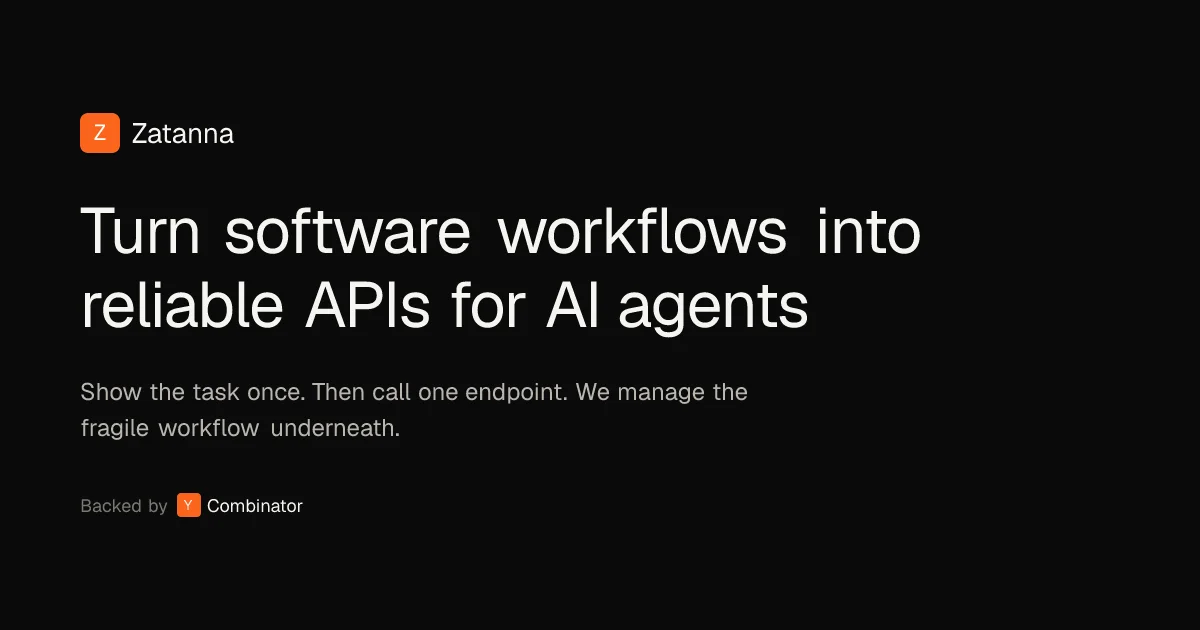
TL;DR: Kampala is a man-in-the-middle proxy that reverse-engineers web, mobile, and desktop app workflows into clean APIs — replacing brittle browser automation with a deterministic, scriptable approach.
Source and Accuracy Notes
- Product: https://www.zatanna.ai/kampala
- Demo: Kampala Demo on YouTube
- Company: Zatanna
HN: Launch HN: Kampala (YC W26) — 100 points
What Is Kampala?
Kampala is a MITM (man-in-the-middle) style proxy developed by Zatanna that lets you reverse-engineer existing application workflows into clean, agent-usable APIs. Instead of relying on brittle browser automation or computer use agents, Kampala captures and replays HTTP traffic to build deterministic, scriptable integrations.
The core problem it solves: many teams spend hours per day reconciling data across legacy dashboards, on-prem solutions, and third-party platforms. Existing automation attempts — browser bots, computer use agents — are slow, fragile, and produce nondeterministic results.
Kampala takes a fundamentally different approach by operating at the network layer, capturing the actual API calls an application makes rather than simulating a human clicking through a UI.
How It Works
Architecture Overview
User App → Kampala Proxy → Target Application
              ↓
         Captured Traffic
              ↓
    Replay / Script / Agent Workflow
Kampala sits between your client and the target application, intercepting TLS and HTTP/2 traffic. It extracts request sequences, replays them deterministically, and exposes them as MCP (Model Context Protocol) tools that AI agents can invoke directly.
Key Differentiators from Traditional MITM Tools
Traditional MITM proxies and scraping tools fail in production environments for three reasons:
-
TLS/HTTP2 fingerprinting — Standard MITM tools manipulate TLS and HTTP/2 fingerprints in detectable ways. Strict anti-bot systems flag this traffic. Kampala handles fingerprints correctly to avoid detection.
-
Poor MCP exposure — Existing tools lack adequate MCP integrations. Kampala exposes full scripting and replay capabilities through MCP so agents can trigger workflows programmatically.
-
No workflow building — Most proxies capture traffic but don’t let you build actions from a sequence of requests. Kampala lets you define workflows given a sample or sequence of requests.
Practical Evaluation Checklist
Setup:
- Deploy Kampala as a local proxy
- Configure your app/client to route traffic through Kampala
- Identify the target workflow you want to reverse-engineer
- Capture a sample request sequence
- Review captured traffic in Kampala’s dashboard
- Export as MCP tool or replay script
Use cases:
- Connect legacy dashboards to modern AI agents
- Build integrations for platforms with no public API
- Automate workflows that require login sessions and session tokens
- Extract data from admin panels or internal tools
- Create deterministic agents that don’t rely on computer vision
Limitations:
- Requires the ability to route traffic through a local proxy
- Apps with heavy JavaScript rendering may need additional handling
- Mobile/desktop app support depends on proxy configuration
Security Notes
Kampala is designed for legitimate integration and automation use cases where you have authorization to interact with the target system. As a MITM proxy, it requires installing a root certificate on the client side to decrypt TLS traffic. Always ensure you have appropriate authorization before reverse-engineering any application’s API behavior.
Key security considerations:
- Kampala should only be used on systems you own or have explicit permission to test
- The proxy captures all HTTP/HTTPS traffic passing through it — treat it as a sensitive local tool
- Session tokens and credentials captured by the proxy should be handled securely
FAQ
Q: What types of applications does Kampala work with?
A: Kampala works with web applications, mobile apps, and desktop applications that communicate over HTTP/HTTPS. As a MITM proxy, it intercepts network traffic at the protocol level, making it agnostic to the client type.
Q: How is this different from browser automation tools like Playwright or Puppeteer?
A: Browser automation operates at the UI level — it simulates a human clicking and typing. Kampala operates at the network level, capturing actual API calls. This makes Kampala’s output deterministic (same request, same result) whereas browser automation can be flaky due to timing, rendering issues, and anti-bot detection.
Q: Does Kampala work with anti-bot protected sites?
A: Kampala handles TLS and HTTP/2 fingerprinting correctly, which helps avoid detection by strict anti-bot systems. However, results depend on the specific anti-bot implementation. The team built this originally for dental tech integrations where insurance payer dashboards have aggressive bot detection.
Q: What is Zatanna’s relationship to Kampala?
A: Zatanna is the company behind Kampala. They originally built Kampala internally to handle dental tech integrations, insurance payer dashboards, and legacy practice management systems. The tooling matured into a standalone product.
Conclusion
Kampala fills a specific niche for developers and AI agent builders who need to integrate with platforms that offer no public API — legacy dashboards, internal tools, and proprietary SaaS platforms. Instead of building fragile browser automation, Kampala lets you capture and replay the actual API calls these apps make, exposed as MCP tools your agents can invoke deterministically.
The approach is particularly valuable for teams building AI agents that need to interact with legacy enterprise software, where the alternative is either expensive custom integrations or brittle computer vision-based automation.
If you need to automate interactions with any HTTP-based system and have the authorization to do so, Kampala is worth evaluating as a more reliable alternative to browser-based approaches.
Related Posts
ai-setup
Recall – Persistent Memory for Claude Code via MCP Hooks
Recall gives Claude Code a permanent memory store that survives session restarts and context compaction. Four hooks capture and restore context automatically — with cloud SaaS or self-hosted options.
2/28/2026
dev-tools
Automotive Skills Suite for AI Engineering
Evaluate Automotive Skills Suite for APQP, ASPICE, HARA, safety-plan, and DIA workflows with setup notes, governance risks, and SME review guidance.
5/28/2026
dev-tools
awesome-agentic-ai-zh Roadmap Guide
Explore awesome-agentic-ai-zh as a Chinese agentic AI learning roadmap, with setup notes, track selection, study workflow, and evaluation guidance.
5/28/2026