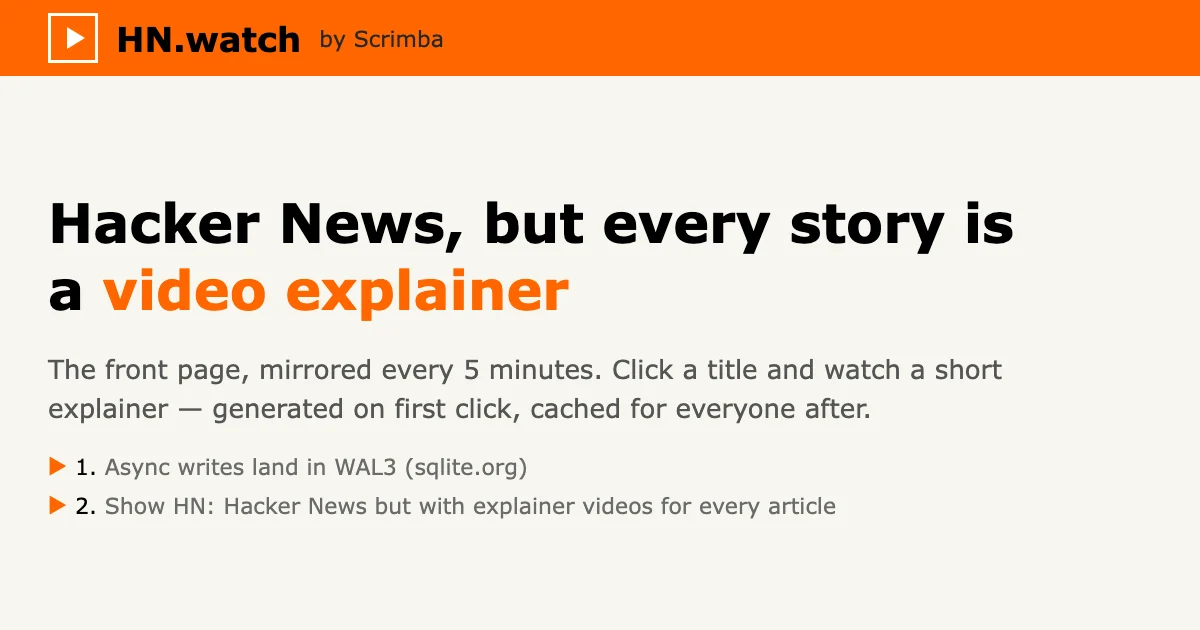
TL;DR: HN.watch rebuilds the Hacker News front page and attaches a short AI-generated explainer video to every story. Click a headline to get a narrated summary with visuals instead of scrolling past 30 links you do not have time for. Scrimba also ships the engine behind it as a free MCP server, so you can push explainers into your own tools.
What it is
HN.watch mirrors the Hacker News front page and puts a video next to every entry. The list looks familiar: rank, title, domain, points, comment count, submitter. The new part is the “video” link that sits beside “article” on each story. Click a headline and the page expands into a player with a narrated explainer, a one-paragraph summary of what the story actually says, and links to the original article plus the HN comment thread.
That summary line is often enough on its own. A story on the front page when I last checked read “Mistral releases its 1-trillion-parameter flagship with a focus on coding, cybersecurity, and European sovereignty,” and the rest of the page carried the usual points, submitter, comment count, and a note that the video was “generated 4 hours ago.”
Scrimba’s author, who goes by mrborgen on Hacker News, explained on the launch thread that the project is the same “explain” engine Scrimba uses to turn code and course material into narrated walkthroughs, repurposed for news.
The details are more carefully done than most front-page mirrors. Each story page offers a share link in HN-comment or X format, and every story has a stable permalink such as hn.watch/?item=50289418. Analytics are opt-in with an explicit allow or deny choice in the footer, and the footer states plainly that the stories mirror news.ycombinator.com.
Why it matters
The HN front page is a throughput problem. It usually holds 30 stories, and the ones you have no context for are exactly the ones you skip. HN.watch is built to solve that specific decision: it does not summarize so you can skip reading, it summarizes so you can decide whether to read.
That framing also explains why reception in the thread was so split, and the split is worth reading because it maps onto how people use HN. Viewers who want a visual or audio mode got what they wanted. Commenters who wanted the original author’s voice argued that a generated narrator adds a layer of obfuscation on top of text that was already a summary. One comment put it as TLDR for TLDR, and another pointed out that a decent book turned into a movie, then into a video summarizing the movie, is not an improvement.
For anyone planning to build something similar, the more interesting part is what happens underneath. Scrimba did not attach a text-to-speech model to a feed and call it done.
How the videos are made
The launch thread contains a rare amount of engineering candor from the maker. Two details stood out.
First, voice selection is a prompt rather than a menu. Scrimba uses Gemini 3.8 Flash TTS with generative voice design, and the author confirmed that you can type “Australian English female” today, with descriptive voice characteristics planned next. One commenter asked for something like “a funny grandpa or an engaged news reporter” and received a direct answer about the roadmap.
Second, and more revealing, Scrimba is deliberately not using the most capable models available. The author said Opus 5.5 would be too expensive and stated the target plainly: 1 cent for a 1 minute video, with 1 second of delay between submitting a story and playback.
That budget framing matters, because a front page produces dozens of videos a day and each one needs a summarization pass, a narration pass, and a rendered visual track. Hitting 1 cent per minute means cheap fast models assemble from parts while an expensive model writes the script and references. One commenter in the thread made roughly that argument, proposing that Opus writes the style and the screen references while a small fast model assembles the result.
The other piece worth knowing about is the MCP server, which is the most reusable part of the project.
Using the explainer MCP server
Scrimba exposes the engine behind these videos over MCP at https://scrimba.com/explain/mcp. The server identifies itself as scrimba-explain version 0.1.0 and exposes four streaming tools.
| Tool | Purpose |
|---|---|
start_explainer_stream | Opens a live explainer with a title, description, visibility, and mode |
append_explainer_chunk | Pushes explainer markup chunks that render live as you write them |
finish_explainer_stream | Closes the stream and makes narration playable |
create_playlist | Builds an ordered mini-course of explainer lessons |
Point any MCP client at the URL:
{
  "mcpServers": {
    "scrimba-explain": {
      "url": "https://scrimba.com/explain/mcp"
    }
  }
}
The server handles narration, Mermaid diagrams, LaTeX maths, composed code walkthroughs, and side-by-side before and after diffs. You can confirm it is alive without a client at all:
curl -s -X POST https://scrimba.com/explain/mcp \
  -H 'Content-Type: application/json' \
  -H 'Accept: application/json, text/event-stream' \
  -d '{"jsonrpc":"2.0","id":1,"method":"initialize","params":{"protocolVersion":"2024-11-05","capabilities":{},"clientInfo":{"name":"probe","version":"1.0"}}}'
One catch: viewers sign in to Scrimba and claim the explainer from the page the server hands back. The streams and tokens are internal mechanics for your client, not for you.
What to watch for
The criticisms in the launch thread were specific and fair enough to pass along. The strongest one, from a commenter who watched about ten videos, was that the format follows a strict template and the voice stays the same, so the videos turn repetitive fast. Another said the visualizations are the weakest part and asked for them to be adjustable.
There is no audio-only mode yet. Someone asked for a podcast feed of the top 10 stories compiled a few times a day, and no such feed exists. If you would rather listen than watch, that is a gap.
Cost is a real risk for anyone building on top of the engine, since 1 cent per minute is a stated goal rather than a published price. And the whole product depends on model summarization being good enough that you trust a machine’s rendering of someone else’s argument. Several commenters made the case that reading the source is still better, and on thin front pages they are right.
What HN.watch does well is narrow and real. It makes the front page skimmable and keeps the original one click away.
Source and Accuracy Notes
- Project page: https://hn.watch/ (verified via direct visit on 2026-10-30)
- Explain engine: https://scrimba.com/explain (verified via direct visit)
- MCP endpoint: https://scrimba.com/explain/mcp (verified with a live initialize request, server reported as scrimba-explain 0.1.0)
- Builder: Scrimba (https://scrimba.com), the interactive video platform for learning to code
- HN launch thread: https://news.ycombinator.com/item?id=49879401 (226 points on 2026-09-28)
- Licensing: proprietary web service, no public source repository or license was found for the HN.watch front page itself
- Pricing: no pricing or usage tiers were published on the project page at the time of writing
Related Posts
dev-tools
Automotive Skills Suite for AI Engineering
Evaluate Automotive Skills Suite for APQP, ASPICE, HARA, safety-plan, and DIA workflows with setup notes, governance risks, and SME review guidance.
5/28/2026
dev-tools
awesome-agentic-ai-zh Roadmap Guide
Explore awesome-agentic-ai-zh as a Chinese agentic AI learning roadmap, with setup notes, track selection, study workflow, and evaluation guidance.
5/28/2026
dev-tools
Baguette iOS Simulator Automation Guide
Set up Baguette for iOS Simulator automation, web dashboards, device farms, gesture input, streaming, and camera testing with Xcode caveats.
5/28/2026