Hestus - AI Copilot That Speeds Up CAD Sketches
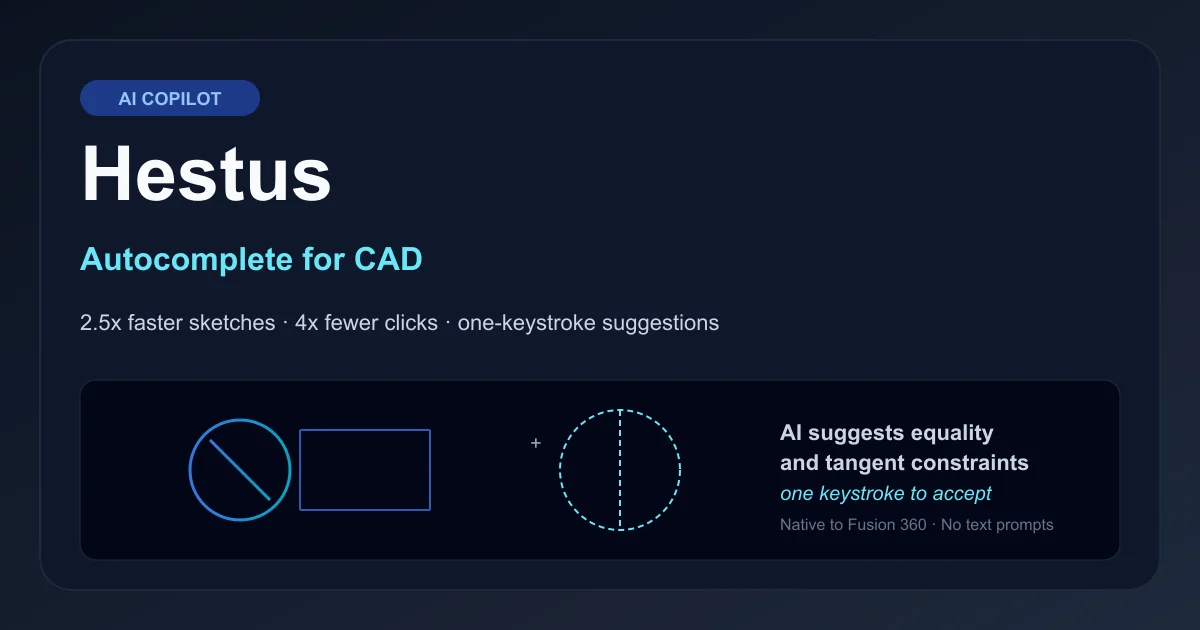
Hestus brings GitHub Copilot-style autocomplete to CAD: it predicts equality and tangent constraints inside Fusion 360, cuts sketch clicks 4x, and ships suggestions in one keystroke.
TL;DR
TL;DR: Hestus is a Fusion 360 plugin that watches your CAD sketch and proposes constraints (equality between same-radius circles, tangents on curves, perpendicularity) you can accept with a single keystroke, turning dozens of mouse clicks into one. The team reports a 2.5x speedup on typical sketches with 4x fewer clicks, and the model runs locally in the Fusion process so your geometry never leaves your machine.
Source and Accuracy Notes
- Official site: hestus.co
- HN launch: Show HN: Hestus - AI Copilot for CAD (224 points, Sep 2024)
- Founders: Kevin and Sohrab (previously at hardware companies across medical devices and space launch)
- Status as of June 2026: still in beta with a priority access list; Fusion 360 is the first supported CAD platform
What Is Hestus?
Hestus is an AI copilot that lives inside Autodesk Fusion 360 and helps mechanical engineers finish CAD sketches faster. The framing is direct: if GitHub Copilot is to programmers, Hestus is to mechanical engineers. The product is intentionally narrow in its first release - it does not try to generate full parts from a text prompt, it tries to remove the most repetitive actions in sketching.
The first version, released as a beta in September 2024, focuses on constraint suggestion. While you sketch, Hestus watches the geometry and proposes constraint relationships: equality between two circles of the same radius, tangents where a line touches a curve, perpendicularity where two lines should meet at a right angle. Suggestions appear inline and you accept them with a single keystroke.
The team calls the approach “one keystroke to finalize a sketch” and the impact is dramatic. Constraints that would have required 20-40 precise mouse clicks (selecting entities, opening the constraint dialog, picking the right option) collapse into a single keypress. Hestus claims a 2.5x speedup on typical sketches and a 4x reduction in click count, measured against the same sketch completed manually.
The product line “Autocomplete for CAD” captures the positioning precisely. Mechanical engineers design new concepts - the creative part of the job - and Hestus handles the mechanical translation. The founders came from medical device and space launch hardware companies, where “trivial” components like manufacturing rigging and fastener placement dominate engineering time but are barely mentioned in schedule reviews.
Setup Workflow
Step 1: Download the Plugin
# Download the Hestus installer from the official site
curl -L -o hestus-installer.dmg https://www.hestus.co/download/mac
# Or fetch the Windows build
curl -L -o hestus-installer.exe https://www.hestus.co/download/windows
```bash

The installer is a standard signed binary. macOS users will need to allow the developer in System Settings -> Privacy and Security on first launch.

### Step 2: Install Inside Fusion 360

```bash
# Inside Fusion 360: open the Scripts and Add-Ins dialog
# (Shift+S or File -> Scripts and Add-Ins)
# Click the Add-Ins tab
# Click the green plus icon and select the Hestus add-in folder
```bash

Hestus registers as a Fusion 360 add-in, not a separate application. The window stays inside Fusion's UI panel, docked to the right side by default. The whole thing runs in-process, which is part of the design - more on that below.

### Step 3: Open or Start a Sketch

```bash
# In Fusion 360: Create Sketch
# Draw a few entities (lines, circles, arcs)
# Hestus automatically activates when the sketch is in edit mode
```bash

There is no separate "turn on" step. Hestus watches the active sketch and starts offering suggestions as soon as you have two or more entities to relate.

### Step 4: Accept Suggestions with One Keystroke

```bash
# Hestus shows a small inline panel near the cursor with the proposed constraint
# Press the accept key (default: Tab) to apply
# Press Escape to dismiss
```bash

If you draw a circle, then a second circle of identical size, Hestus suggests an equality constraint. Tab applies it. If you draw a line that touches a curve, it suggests a tangent. Tab again. The constraint is added with the same parameters Fusion would have used if you had clicked through the dialog manually.

### Step 5: Customize the Suggestion Set

```bash
# Right-click the Hestus panel -> Settings
# Disable specific constraint types you do not want suggested
# Adjust the accept key (Tab, Space, or a custom chord)
The settings panel lets you suppress specific suggestion types. If you never want tangent suggestions on closed profiles (you do it manually for cosmetic reasons), Hestus respects that. Suggestions are scoped to the current sketch and reset between sessions.
Deeper Analysis
How Hestus Stays Local
Hestus runs the constraint prediction model inside the Fusion 360 process, not in the cloud. The geometry data - your sketch’s lines, circles, arcs, splines - never leaves your machine. The model is small enough to fit comfortably in the Fusion process memory budget and fast enough that suggestions appear within a few hundred milliseconds of the geometry changing.
This is a deliberate trade-off. Cloud-based CAD copilots would have access to larger models and could handle more complex reasoning, but they would also send proprietary geometry to a remote server. For mechanical engineers working on unreleased products, medical devices, or defense hardware, that is a non-starter. Hestus’s local-first approach makes it usable in the same workflows where Fusion 360 is already approved.
The runtime is also why Hestus is responsive. Network round-trips to a remote inference service would add 100-300ms of latency per suggestion, which would break the “keystroke to accept” interaction. Local inference keeps the loop tight enough that suggestions feel like autocomplete in a text editor.
The Constraint Prediction Model
Hestus treats constraint suggestion as a structured prediction problem. Given the current set of sketch entities (geometric primitives, dimensions, and any existing constraints), predict the next constraint the user is most likely to add. The model is trained on a corpus of CAD sketches across mechanical engineering domains - consumer products, industrial equipment, brackets, enclosures.
The current model focuses on a constrained set of constraint types:
- Equality: between two circles, arcs, or splines of the same nominal size
- Tangent: where a line touches a curve, or two curves touch at a point
- Perpendicular: between two lines or a line and a curve
- Coincident: between a point and a curve, or two endpoints
- Concentric: between two circles sharing a center
These are the constraints that account for the majority of “tedious clicking” in mechanical sketches. Generative part design - asking an AI to design a bracket from a load specification - is explicitly out of scope. The team has been clear that they believe top-down generative design does not match how mechanical engineers actually work. Engineers want to drive the design and have the AI handle the bookkeeping.
Roadmap Beyond Sketching
The sketching focus is a starting point, not a destination. The team’s roadmap includes:
- Interference resolution: detecting when two features in a part would collide and suggesting corrective geometry
- Bills of materials auto-generation: from the part tree, with purchase links for common fasteners and stock
- Manufacturability suggestions: flagging features that would be expensive or impossible to machine, cast, or print
None of these are shipped yet. The team’s approach has been to start narrow (sketch constraints), get the user interaction right, then expand. This is the same playbook that worked for early coding copilots - rudimentary completions first, then code-block generation, then bug fixes.
Practical Evaluation Checklist
- Do you spend more than 30 minutes per day on constraint editing inside Fusion 360 sketches?
- Are you on macOS or Windows (Hestus’s current supported platforms)?
- Do you work on parts with many identical features (hole patterns, repeated radii)?
- Is sending geometry to a cloud AI copilot a compliance issue for your team?
- Do you regularly need tangent and equality constraints on closed profiles?
- Have you wished for GitHub Copilot-style autocomplete while sketching?
If you answered yes to two or more, Hestus is worth joining the priority access list for. The beta is free during the early access period.
Security Notes
- Local execution: The constraint model runs inside the Fusion 360 process. Geometry never leaves your machine.
- No telemetry on geometry: Hestus does not transmit sketch data, part files, or feature trees to remote servers. The only network calls are license checks and software updates.
- No file system access: The add-in does not read or write files outside its own install directory. It cannot exfiltrate your CAD data even if compromised.
- Code signing: The installer is signed; verify the publisher matches Hestus, Inc. before installing.
- Process isolation: Hestus runs in-process with Fusion, so a bug in Hestus could in principle affect Fusion. The team isolates the model runtime in a sandbox to prevent this.
For most engineers, the local-only design makes Hestus a clean fit. For organizations with stricter isolation requirements (air-gapped networks, classified work), the add-in can be deployed in an offline mode once the initial activation is complete.
FAQ
Q: Does Hestus work with SolidWorks or Onshape? A: No. The current beta is Fusion 360 only. The team has indicated that other CAD platforms are on the roadmap, but Fusion is the priority because it has the cleanest add-in API for the kind of in-process integration Hestus needs. Expect SolidWorks to come second; browser-based CAD like Onshape is more complicated because of the local-execution model.
Q: Will Hestus design parts for me if I describe what I want? A: No, and the team has been clear they do not plan to go in that direction. Hestus is a copilot, not an autonomous designer. It predicts the next constraint you would add, it does not invent parts. The reasoning is that engineers want to drive the creative process and have the AI handle the mechanical translation. Top-down generative design is a different product category.
Q: Does the model improve over time as I use it? A: Not in the current beta. The model is shipped as a static file and does not learn from your sketches locally. The team collects anonymized, opt-in usage data to improve future versions, but the model running on your machine does not adapt to your specific style. Adaptive learning is on the roadmap but is gated on the privacy story - the team will not ship a feature that requires sending your geometry to a server to train a personalized model.
Q: Can I use Hestus in commercial work? A: Yes, with one caveat. The beta is free for evaluation, including commercial work. When the paid tier launches, you will need a license per Fusion 360 seat. The team has not yet published pricing. If you are evaluating for a team, joining the priority list is the fastest path to a multi-seat conversation.
Q: How big is the installer? A: The model is around 80MB, which is large for a CAD plugin but small enough to download over any reasonable connection. The Fusion 360 add-in itself is under 5MB; the rest is the model weights. Updates replace the model file, not the full add-in.
Conclusion
Hestus is a focused product with a clear thesis: mechanical engineers are bottlenecked on the bookkeeping parts of CAD, and an AI that predicts the next constraint is more useful than one that tries to design the part. The local-only execution model means the geometry never leaves your machine, which makes the tool usable in the same environments as Fusion 360 itself.
The 2.5x sketch speedup and 4x click reduction are credible for constraint-heavy workflows. The bigger long-term bet is that “copilot for CAD” is a category the same way “copilot for code” became one - rudimentary completions today, multi-block reasoning in a year, full design partners eventually. Hestus is starting in the right place.
For mechanical engineers who have ever wished for GitHub Copilot inside Fusion 360, Hestus is worth a try. The beta is free and the priority access list is the fastest way to get on it.
Related Posts
ai-setup
Recall – Persistent Memory for Claude Code via MCP Hooks
Recall gives Claude Code a permanent memory store that survives session restarts and context compaction. Four hooks capture and restore context automatically — with cloud SaaS or self-hosted options.
2/28/2026
dev-tools
Automotive Skills Suite for AI Engineering
Evaluate Automotive Skills Suite for APQP, ASPICE, HARA, safety-plan, and DIA workflows with setup notes, governance risks, and SME review guidance.
5/28/2026
dev-tools
awesome-agentic-ai-zh Roadmap Guide
Explore awesome-agentic-ai-zh as a Chinese agentic AI learning roadmap, with setup notes, track selection, study workflow, and evaluation guidance.
5/28/2026