GrowthBook – Open-Source Feature Flags and A/B Testing
GrowthBook is an open-source experimentation platform combining feature flags, A/B testing, and product analytics. Warehouse-native with CUPED, sequential.
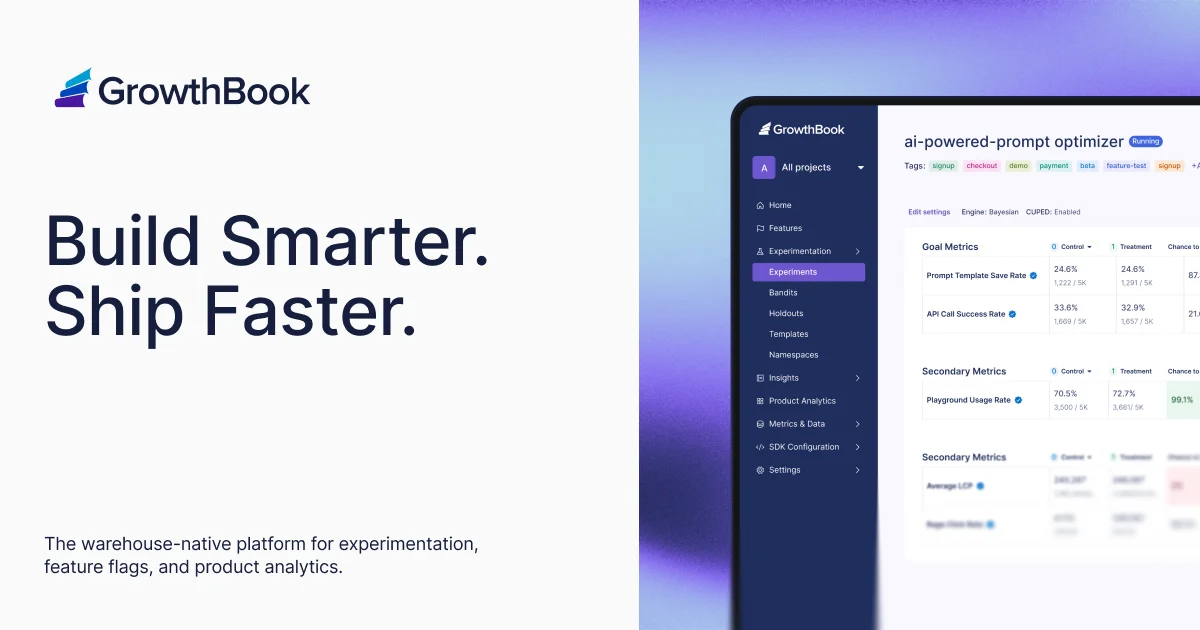
TL;DR
TL;DR: GrowthBook is an open-source experimentation platform combining feature flags and A/B testing with built-in product analytics — warehouse-native, MIT-licensed, and deployable in minutes via Docker.
Source and Accuracy Notes
- Official site: growthbook.io
- GitHub: growthbook/growthbook (7,828 stars)
- Docs: docs.growthbook.io
- HN Launch: Launch HN: GrowthBook (YC W22) – Open-source feature flagging and A/B testing (148 points)
What Is GrowthBook?
GrowthBook is an open-core experimentation platform that bundles feature flags, A/B testing, and product analytics into a single deployment. It started as a YC W22 startup and has accumulated over 7,800 GitHub stars while serving thousands of companies.
The core differentiation is warehouse-native querying — GrowthBook connects directly to your existing data warehouse (BigQuery, Snowflake, Redshift, Databricks, Postgres, etc.) rather than forcing you to send event data to a 3rd-party SaaS. Your data never leaves your infrastructure during experiment analysis. This is a meaningful advantage for compliance-sensitive industries and cost-conscious startups that have already standardized on a modern data stack.
The platform ships with:
- Feature flags with targeting rules, gradual rollouts, and percentage splits
- Experiment stats engine — CUPED, sequential testing, Bayesian, multi-armed bandit, SRM checks, and post-stratification
- Product analytics dashboards that reuse existing metric definitions
- 24 SDKs for React, Python, Go, Ruby, PHP, Kotlin, Swift, Java, .NET, Node.js, and more
- MCP server for creating features and running experiments from AI agents
- REST API + webhooks for custom automation
Setup Workflow
Step 1: Deploy with Docker (Self-Hosted)
The fastest path to a running instance is Docker Compose:
git clone https://github.com/growthbook/growthbook.git
cd growthbook
docker compose up -d
```bash

Visit `http://localhost:3000` to access the dashboard. The first step is connecting a data source.

### Step 2: Connect a Data Source

GrowthBook's power comes from warehouse-native analytics. From the dashboard, navigate to **Settings → Data Sources → Add Source**. Supported connections include:

| Data Source | Notes |
|---|---|
| BigQuery | Requires a service account with bigquery.jobs.create permissions |
| Snowflake | Account locator, warehouse, database, schema |
| Redshift | JDBC connection string |
| Databricks | Host + token + warehouse ID |
| Postgres / MySQL / ClickHouse | Direct JDBC |

After connecting, GrowthBook creates a shadow table in your warehouse and writes a lightweight SDK script to your app. The SDK evaluates feature flags **locally** — no latency penalty from round-trips to a 3rd-party API.

### Step 3: Install an SDK

GrowthBook publishes official SDKs for all major languages. For a React application:

```bash
npm install @growthbook/growthbook-react
```bash

```javascript
import { GrowthBook } from "@growthbook/growthbook-react";

// Initialize GrowthBook with your API endpoint
const gb = new GrowthBook({
  apiHost: "http://localhost:3000",
  clientKey: "your-client-key",
  enableDebugMode: true,
});

// Wrap your app
function App() {
  return (
    <GrowthBookProvider value={gb}>
      <YourApp />
    </GrowthBookProvider>
  );
}

// Use feature flags
function CheckoutButton() {
  const { value } = useFeatureValue("new-checkout", false);
  return value ? <NewCheckout /> : <OldCheckout />;
}
```bash

Each SDK supports:

- **`useFeatureValue(key, default)`** — returns the evaluated flag value
- **`useFeature(key)`** — returns a feature object with value, condition, and metadata
- **`useExperiment(experimentKey)`** — tracks A/B test assignments and conversions

### Step 4: Create Your First Feature Flag

In the GrowthBook dashboard:

1. Go to **Features → New Feature**
2. Set a key (e.g., `new-checkout`) and optional default value
3. Add targeting rules — e.g., "roll out to 20% of users", "enable for users with `plan=pro`", or "enable for a specific email domain"
4. Click **Create Feature**

The SDK picks up flag changes without a redeploy in most configurations.

### Step 5: Run Your First A/B Test

1. Go to **Experiments → New Experiment**
2. Define a **metric** (conversion rate, average order value, custom SQL metric)
3. Set **traffic allocation** — what percentage of users enter the experiment
4. Assign **variations** — the control and treatment(s)
5. GrowthBook handles assignment, bucketing, and statistical analysis automatically

The statistical engine computes p-values using your chosen method (Bayesian, frequentist, CUPED) and tracks Sequential tests to prevent false positives as experiments run longer.

## Deeper Analysis

### Warehouse-Native vs. Traditional SaaS Experimentation

Traditional tools (Optimizely, VWO, LaunchDarkly at scale) maintain their own event pipelines. You fire an SDK event → they ingest, store, and analyze it → dashboards update. At scale, this gets expensive: you're paying for both your warehouse AND their event storage.

GrowthBook inverts this. You already pay for Snowflake or BigQuery. GrowthBook pushes experiment assignments into your existing tables and runs SQL queries against your data. No event ingestion cost. No data duplication. Your BI team can query experiment results alongside operational metrics in the same dashboard.

### Self-Hosted vs. Cloud

GrowthBook publishes a cloud-hosted version at `app.growthbook.io` with a generous free tier. The self-hosted version is MIT-licensed — the core flagging and experimentation engine is fully open source. A few features (certain enterprise-only analytics modules and the MCP server in some configurations) are behind the GrowthBook Enterprise License, but the vast majority of teams will never hit those limits.

The self-hosted path is one Docker Compose command. No credit card required. No vendor lock-in.

### SDK Behavior

The SDK downloads a JSON manifest of all feature flags on initialization and caches it locally. Some SDKs (JavaScript) refresh in the background. The key property: **flag evaluation is local and synchronous** — no HTTP call per flag check. This makes it safe to call `useFeatureValue` inside hot rendering paths. The only network call is the initial manifest fetch.

```javascript
// Feature check is synchronous after initial load
const showBanner = useFeatureValue("promo-banner", false);
return showBanner ? <PromoBanner /> : null;
Statistical Engine
GrowthBook supports multiple testing modes:
| Method | When to use |
|---|---|
| Frequentist (p-value) | Classic A/B testing with fixed horizons |
| Bayesian | Interpret results as probability of being better than control |
| CUPED | Reduce variance using pre-experiment baseline data |
| Sequential | Optional stopping — monitor without inflating false-positive rate |
| Bandit | Auto-allocate traffic to winning variation (Thompson sampling) |
The Sequential mode is particularly useful for teams that want to peek at results daily rather than committing to a sample size upfront. CUPED typically reduces required sample size by 30–50% for typical e-commerce experiments.
Practical Evaluation Checklist
- Docker Compose single-command deploy confirmed
- BigQuery or Snowflake connection works with existing service account
- Feature flag evaluates correctly for targeting rules (IP range, user attribute, percentage bucket)
- A/B test assignment is sticky across sessions (user sees same variation)
- SDK downloads manifest and evaluates flags locally (no per-flag HTTP calls)
- Conversion event fires and appears in experiment results within expected delay
- Statistical engine computes a result after ~100 conversions per variation
- Warehouse-native metric (SQL definition) returns same result as direct query
Security Notes
Self-hosted deployments keep all experiment and user data inside your network. No GrowthBook SaaS touches your data — the cloud version has strict access controls and doesn’t share customer data between organizations, but some security policies require on-premise deployment.
SDK contents are a JSON manifest downloaded from your GrowthBook instance. If the GrowthBook server itself is compromised, an attacker could push malicious flag values. Treat your self-hosted GrowthBook as a trusted service with the same access controls as your data warehouse.
Network egress — the self-hosted version makes no outbound connections except for optional telemetry during initial setup. No analytics phone-home. No forced updates. The MIT license makes this auditable.
Pen testing — GrowthBook has been audited by security researchers and has a responsible disclosure program via GitHub Security Advisories.
FAQ
Q: Does GrowthBook work without a data warehouse?
A: Yes. GrowthBook can use its built-in analytics with a direct database connection (Postgres, MySQL) to store and query events. For teams without a modern warehouse setup, this is a simpler option that still supports SQL-backed metrics and most statistical methods. However, the full power (warehouse-native querying, CUPED variance reduction, product analytics dashboards) requires connecting an external warehouse.
Q: How does GrowthBook compare to PostHog for feature flags?
A: PostHog focuses on product analytics with feature flags as a secondary feature. GrowthBook is built around experimentation first, with product analytics added as a complementary layer. GrowthBook’s statistical engine is more sophisticated for A/B testing (CUPED, sequential, Bayesian, bandits), while PostHog’s analytics are broader (session replay, heatmaps, trend analysis). The right choice depends on your primary use case: if experimentation is the goal, GrowthBook; if product analytics with some flags is the goal, PostHog.
Q: Can I self-host GrowthBook on a single server?
A: Yes. The Docker Compose stack runs the app server, MongoDB (for metadata), and a Redis cache on a single machine. Memory usage with no experiments running is under 1.5 GB. For production use, the recommendation is to split Redis and MongoDB to dedicated services and run multiple app server replicas behind a load balancer, but a single-server deploy is viable for small teams.
Q: What’s the difference between GrowthBook’s MIT license and the Enterprise License?
A: The MIT license covers the core platform: feature flags, experiment tracking, statistics engine, SDKs, and most integrations. The Enterprise License governs a small number of proprietary modules — certain advanced analytics, the MCP server in specific multi-agent configurations, and enterprise SSO integrations. The vast majority of GrowthBook users (including those at hypergrowth startups) operate entirely within the MIT-licensed portion. The enterprise add-ons are clearly labeled in the documentation.
Q: Does GrowthBook support progressive rollouts?
A: Yes. Feature flags support gradual rollouts using percentage buckets, attribute-based targeting, and scheduled gate periods. You can configure a flag to start at 1% traffic, increase to 10% after 24 hours with no negative metrics, and proceed to 100% based on a metric threshold. This works for both feature flags and active A/B test variations.
Conclusion
GrowthBook fills the gap between hand-rolled experiment spreadsheets and six-figure enterprise SaaS contracts. The MIT license and Docker Compose deploy make it genuinely accessible — an engineering team of one can have a self-hosted experimentation platform with statistical rigor running over a weekend.
The warehouse-native approach is the strongest differentiator. Rather than building a parallel event pipeline, GrowthBook queries your existing data warehouse where your data already lives. For teams standardized on BigQuery or Snowflake, this means experiment analysis costs nothing extra in storage or compute — you’re already paying for the warehouse.
The SDK story (24 languages, local evaluation, sticky bucketing) removes the operational complexity that breaks most internal experimentation platforms. Flag evaluation in the hot path with no network latency is the right model.
If your team is running experiments in spreadsheets, or paying for LaunchDarkly/Optimizely and only using a fraction of its capabilities, GrowthBook is worth a half-day evaluation.
- Official site: growthbook.io
- GitHub: growthbook/growthbook
- Documentation: docs.growthbook.io
- Slack community: slack.growthbook.io
Related Posts
ai-setup
Recall – Persistent Memory for Claude Code via MCP Hooks
Recall gives Claude Code a permanent memory store that survives session restarts and context compaction. Four hooks capture and restore context automatically — with cloud SaaS or self-hosted options.
2/28/2026
dev-tools
Automotive Skills Suite for AI Engineering
Evaluate Automotive Skills Suite for APQP, ASPICE, HARA, safety-plan, and DIA workflows with setup notes, governance risks, and SME review guidance.
5/28/2026
dev-tools
awesome-agentic-ai-zh Roadmap Guide
Explore awesome-agentic-ai-zh as a Chinese agentic AI learning roadmap, with setup notes, track selection, study workflow, and evaluation guidance.
5/28/2026