GeoSpoof: make your browser report the location you choose
GeoSpoof is a free, open-source extension that overrides geolocation, timezone, and WebRTC so your browser reports the location you pick.
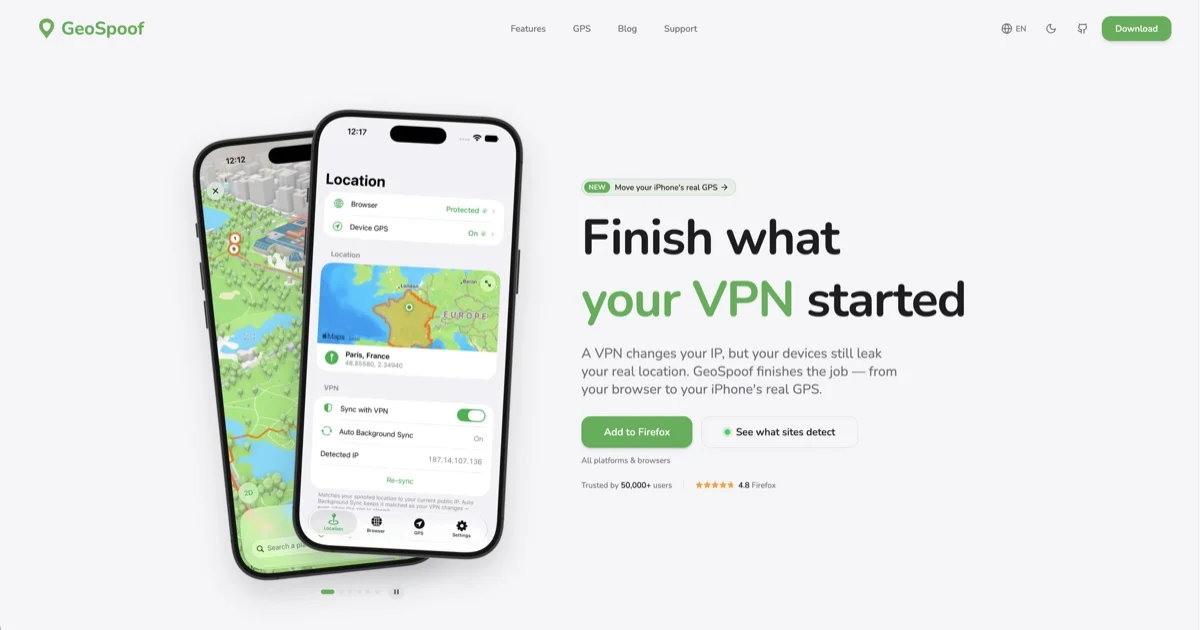
TL;DR: GeoSpoof is a free, open-source browser extension that makes your browser report a location you pick instead of the one you are in. It overrides the geolocation API, timezone, Intl, Temporal and WebRTC, so a VPN exit node in Paris no longer contradicts a browser that claims Berlin. The extension is Apache-2.0 and runs on Firefox, Chrome, Edge, Brave and Safari, and a paid Pro tier adds a desktop companion that moves an iPhone’s real GPS.
What it is
GeoSpoof came out of a Show HN post with the bluntest possible pitch: a VPN hides your IP and the browser gives you away anyway. The author built one MV3 extension that overrides the browser APIs a site can use to work out where you are, and has kept the source public under Apache-2.0 since March 2026.
The numbers suggest a project that found its audience rather than a weekend experiment. The repository has 340 stars and 16 forks, the extension sits at version 2.2.3, and the last push was 30 October 2026. The homepage claims 50,000+ users, the Firefox Add-ons listing carries a 4.8 rating, and the README badge counts 30,800 App Store downloads.
What used to be one product is now two, and the split matters when you decide what you are installing.
- GeoSpoof, the browser extension and the iPhone and iPad app, is free and open source. The mobile app spoofs location, timezone and WebRTC at no cost.
- GeoSpoof GPS, a signed desktop app for macOS and Windows, moves an iPhone’s real system-level GPS to the point you pick. It is closed source and needs the Pro upgrade.
Why a VPN is not enough
A VPN changes the address the network layer reports. It does not touch what the browser hands to page scripts, and those channels can contradict each other. A French exit node paired with a browser reporting a German timezone, an en-US Intl locale, and a WebRTC candidate IP from your home connection is a textbook mismatch, and the companies selling fraud detection sell exactly that signal.
Every major VPN provider documents the leak in its own troubleshooting pages. Spoofing the browser closes the gap the VPN left open, which is why the two are designed to sit next to each other. The README states plainly that GeoSpoof does not change your IP address and is not a replacement for a tunnel.
Every signal the extension overrides
Protection is installed at document_start, before any page script runs, and the overrides are applied synchronously so a script cannot race them. Function.prototype.toString is patched to return [native code] for every override, and iframes get patched as they are inserted, which is what keeps the substitution from being obvious to fingerprinting scripts.
| Signal | What a site can read | What GeoSpoof reports |
|---|---|---|
| Geolocation | navigator.geolocation coordinates | The point you chose |
| Permissions | navigator.permissions.query for location | A state consistent with the choice |
| Timezone | Date, Date.parse, getTimezoneOffset | The zone of the chosen point |
| Intl | Intl.DateTimeFormat locale and zone | The same zone, formatted for that locale |
| Temporal | Temporal.Now | The same zone, where the engine supports it |
| WebRTC | Local and host candidates | Suppressed through the browser privacy API |
| Workers | Timezone inside Worker and SharedWorker | Propagated into worker scopes |
| Language | navigator.language, Accept-Language | Optional, matched to the chosen place |
The surface the extension actually touches looks like this:
// Installed at document_start, before any page script runs
navigator.geolocation.getCurrentPosition  // your chosen coordinates
navigator.geolocation.watchPosition
navigator.permissions.query               // consistent with the spoof
Date.prototype.getTimezoneOffset         // matches the spoofed zone
Intl.DateTimeFormat                       // locale and zone together
Temporal.Now                               // same zone, feature detected
Firefox gets one extra piece. The extension rewrites XSLTProcessor output so EXSLT date:date-time() calls return the spoofed time rather than the real one, which closes a leak that most fingerprinting scripts never bother to check.
Getting it running
Pick whichever install path fits:
- Firefox 140 or newer, on desktop or Android, through the Add-ons listing
- Chrome, Brave, Edge and Opera through the Chrome Web Store listing
- Safari on iOS, iPadOS and macOS through the App Store, then enabled per site from Safari Settings or the AA menu in the address bar
- Firefox forks and locked-down machines through a self-hosted signed XPI from GitHub Releases
- Anyone who wants to read the code, through a source build
git clone https://github.com/GeoSpoof/geospoof.git
cd geospoof
npm install
npx husky        # .npmrc sets ignore-scripts, so the prepare hook is skipped

npm run build:firefox
npm run start:firefox   # launches Firefox with the extension loaded from dist/

npm run build:chromium  # then load dist/ as an unpacked extension
For Chromium, load the dist/ folder from chrome://extensions after enabling developer mode. The project also ships npm run start:chrome and npm run start:brave, which build and launch the browser for you.
The self-hosted XPI route is worth knowing about, since every release publishes both a signed and an unsigned build. The signed one uses a four-segment version number so it cannot collide with the add-on store listing:
# List the assets published with the latest release
curl -s https://api.github.com/repos/GeoSpoof/geospoof/releases/latest \
  | python3 -c "import sys,json; [print(a['name'], a['browser_download_url']) for a in json.load(sys.stdin)['assets']]"

# then in Firefox: about:addons -> gear icon -> Install Add-on From File
Once installed, the flow is short. Open the toolbar popup, pick a city, enter coordinates, or let it sync with your VPN exit region. Switch on Location Protection, WebRTC Protection and Sync with VPN, refresh the tabs you already have open, and confirm the result on the site’s own leak detector at geospoof.com/verify.
Engine-level spoofing and the Chrome debugger bar
On Chromium, an injected content script cannot reach background and service workers, and a cold page start can read the real timezone before the override lands. GeoSpoof has an opt-in Engine-level Spoofing mode that drives the timezone through the Chrome DevTools Protocol instead, using chrome.debugger and Emulation.setTimezoneOverride. It applies before a page’s first script and covers the workers that the injected path misses. Geolocation stays on the injected path.
The cost is a banner. Chrome shows a “started debugging this browser” strip whenever an extension attaches to the debugger API, the same mechanism DevTools uses. It is a notice rather than an error, and the extension uses the connection only to set the timezone override, never to read page content or keystrokes.
# macOS
open -b com.google.Chrome --args --silent-debugger-extension-api

# Linux
google-chrome --silent-debugger-extension-api

# Windows: add the flag after the quoted path in the shortcut Target field
The flag only applies to launches that include it, so put it in the launcher you actually use: the shortcut on Windows, a small Automator application on macOS, or the .desktop file on Linux. Leaving Engine-level Spoofing off is a legitimate choice, since the standard path still spoofs location and timezone without the bar.
Free versus Pro
The core spoofing path is free and always will be. Pro is about the iPhone and iPad, and about convenience inside the extension.
| Free | Pro | |
|---|---|---|
| Extensions for Chrome, Firefox, Edge, Brave | Yes | Yes |
| Location, timezone and WebRTC spoofing | Yes | Yes |
| VPN sync, city search, exact coordinates | Yes | Yes |
| iPhone system-level GPS | No | Yes |
| GPX routes at a realistic pace | No | Yes |
| Location held after you leave the computer | No | Yes |
| Automatic VPN re-sync | No | Yes |
| Per-site locations | Firefox and Chrome | Includes Safari |
| Map picker, accuracy and language controls | No | Yes |
| Home Screen, Lock Screen and Control Center widgets | No | Yes |
| Price | Free | $1.99/mo, $9.99/yr, $24.99 lifetime |
Pro is billed through the App Store, and one purchase unlocks iPhone, iPad and Mac on the same Apple Account. There is no GeoSpoof account to create and nothing to log into, which fits the product’s overall stance.
What to watch for
Terms of service come first. Spoofing location can break the rules of streaming, financial and e-commerce platforms, a risk the project itself flags. The tool changes what your browser reports, not what a server knows about your account, your payment details or your history.
Then there is the anti-fingerprinting ceiling. The overrides are disguised well enough to pass ordinary checks, but the README states that GeoSpoof does not provide forensic-level anti-fingerprinting and that engine-level tampering remains detectable by dedicated tools. For an extreme threat model it points readers at Tor Browser and Mullvad Browser instead.
The open source license covers only part of the product. The browser extension is Apache-2.0, and releases up to v2.2.3 were MIT. The native iOS and macOS apps, the marketing website and the Rust and Swift core of GeoSpoof GPS are proprietary and closed source, and they were pulled out of the repository on 13 September 2026, so their history is preserved only under the older MIT terms. The Apache license also does not grant permission to use the name, since GeoSpoof is a trademark of GeoSpoof LLC.
The extension is also not fully offline. City search and reverse geocoding go to Nominatim, the OpenStreetMap geocoder. VPN sync in Safari tries checkip.amazonaws.com, cloudflare.com/cdn-cgi/trace, whatismyip.akamai.com and api.ipify.org in that order with failover, while the companion app sends a STUN request to Cloudflare and Google instead. Timezone boundary data is fetched from the developer’s own CDN, so that request carries your IP address. The developer states that none of it is used for analytics, tracking or accounts, the extension itself collects nothing and keeps every setting in local browser storage, and the marketing site runs cookieless Vercel Web Analytics.
A few platform limits are worth knowing. Safari’s Accept-Language rewriting depends on the engine honoring declarativeNetRequest header modification, which has historically been unreliable, so language coverage there degrades to the JavaScript surfaces. Even with the opt-in language override on, installed fonts, text rendering metrics and speechSynthesis voice lists still reflect your real system. GeoSpoof GPS is explicitly not for AR games such as Pokemon GO, and both the download page and the README say so.
Finally, this is a young project with one public launch and a single comment thread. 24 issues are open on the repository, and the Show HN post collected 19 points. The documentation is unusually complete for its age, but a promise from a one-person operation is still a promise, and the closed-source half of the product is the part you cannot read.
Source and Accuracy Notes
- Project page: https://geospoof.com/ (verified via direct visit on 2026-11-02)
- Source repository: GeoSpoof/geospoof (TypeScript, Apache-2.0), 340 stars and 16 forks, last pushed 2026-10-30
- License: Apache-2.0, with releases up to v2.2.3 under MIT
- HN launch thread: https://news.ycombinator.com/item?id=48768421 (19 points, 1 comment)
- Privacy policy: https://geospoof.com/privacy (last updated 2026-10-18)
- Engine-level spoofing notes: https://geospoof.com/engine-level-spoofing
- Thumbnail: the site’s own social preview image, resized to 1200x630 WebP
Related Posts
dev-tools
Automotive Skills Suite for AI Engineering
Evaluate Automotive Skills Suite for APQP, ASPICE, HARA, safety-plan, and DIA workflows with setup notes, governance risks, and SME review guidance.
5/28/2026
dev-tools
awesome-agentic-ai-zh Roadmap Guide
Explore awesome-agentic-ai-zh as a Chinese agentic AI learning roadmap, with setup notes, track selection, study workflow, and evaluation guidance.
5/28/2026
dev-tools
Baguette iOS Simulator Automation Guide
Set up Baguette for iOS Simulator automation, web dashboards, device farms, gesture input, streaming, and camera testing with Xcode caveats.
5/28/2026