Frontlyapp - Build Apps from Google Sheets with No Code
Frontlyapp uses AI to turn Google Sheets into shareable apps and dashboards, no code required. Free tier available; plans start at $30 per month.
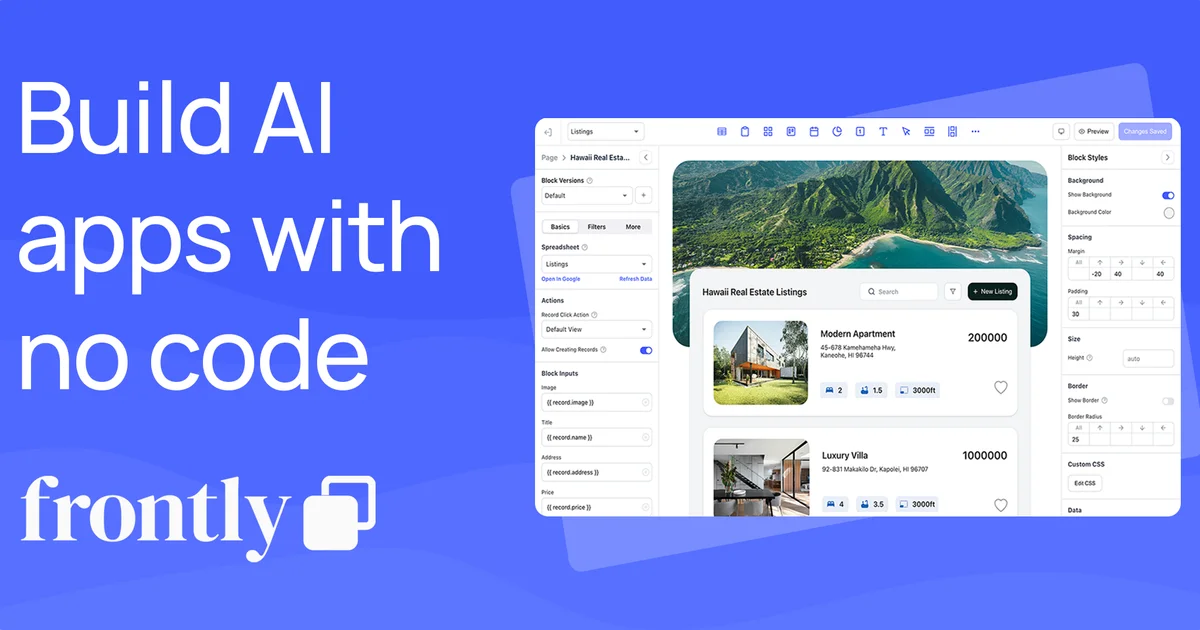
TL;DR
TL;DR: Frontlyapp converts Google Sheets into shareable apps and dashboards via an AI prompt interface, with a free tier and paid plans from $30 per month.
Source and Accuracy Notes
- Project page: frontlyapp.com
- Source repository: None (closed-source SaaS)
- License: Proprietary
- HN launch thread: news.ycombinator.com/item?id=32167161
What Is Frontlyapp?
Frontlyapp is a no-code platform that uses AI to generate shareable apps directly from Google Sheets data. You describe what you want in plain language, and the platform builds an interface on top of your existing spreadsheet—no SQL, no backend, no code.
The platform positions itself as a bridge between Google Sheets and full custom software, targeting teams that need internal tools, client portals, or simple CRUD apps without a development cycle.
Key capabilities:
- AI-powered app generation from natural language prompts
- Connects to Google Sheets as a live data source
- Pre-built templates: Client Login Portal, Events Management, Expense Tracker, Daily Habit Tracker, Real Estate Listings
- Custom branding on paid plans
- API access on Professional tier
Pricing (verified from frontlyapp.com):
| Plan | Price | Key limits |
|---|---|---|
| Starter | Free | 1,000 ops/mo, 250 AI credits, Frontly branding |
| Basic | $30/mo | 10,000 ops/mo, 1,000 AI credits, 1 custom-branded app |
| Professional | $100/mo | 50,000 ops/mo, 5,000 AI credits, 3 custom-branded apps, API access |
| Enterprise | Custom | Unlimited, personalized onboarding |
Setup Workflow
Step 1: Connect Your Google Account
Visit frontlyapp.com and sign up with a Google account. Frontlyapp requests read/write access to your Google Drive to sync with Sheets.
Step 2: Create or Connect a Google Sheet
Create a new Google Sheet or select an existing one. The sheet acts as your database—each tab becomes a data table in the generated app.
Step 3: Describe Your App with AI
Use the AI prompt to describe the app you want. For example:
"Build a client portal where each client sees only their own
 submitted tickets, with a status dropdown and notes field."
Frontlyapp generates a working UI on top of your Sheet columns.
Step 4: Customize and Publish
Adjust layouts, add or remove fields, and publish when ready. The app gets a shareable URL. No hosting configuration needed.
Deeper Analysis
When Frontlyapp Makes Sense
Frontlyapp is most useful for teams already living in Google Sheets who need to:
- Share read-only or editable views of data with external clients
- Build simple internal tools without developer time
- Prototype a data-driven app before committing to full custom development
Limitations
- No offline mode or native mobile app
- Operations credits cap can become restrictive on mid-tier plans
- AI credit limits mean heavy AI generation use cases burn through quota fast
- No native database—everything depends on Google Sheets structure
Comparison to Alternatives
| Feature | Frontlyapp | Glide | Internal.io |
|---|---|---|---|
| AI generation | Yes | No | No |
| Google Sheets backend | Native | Yes | No |
| Free tier | Yes (1,000 ops/mo) | Yes (limited) | No |
| Starting price | $0 | $0 | $0 |
Practical Evaluation Checklist
- Google account required
- Google Sheets as backend (no separate DB)
- AI prompt interface works without training
- Free tier actually functional (not trial-only)
- Published app URL is shareable without login (optional per setting)
- Mobile view is usable
Security Notes
- Google account OAuth means no separate password to manage
- Access scopes should be reviewed before granting Drive access
- App sharing settings control whether viewers need login
- No SOC 2 or security audit documentation visible on the site
FAQ
Q: Does Frontlyapp work with existing Google Sheets or only new ones? A: Both. You can connect an existing Sheet or start from a template.
Q: Can users edit data in the generated app? A: Yes, depending on how the app is configured. Editors can update Sheet rows through the generated UI.
Q: What happens when operations credits run out? A: Paid plans specify monthly operation limits. Exceeding the limit on Basic ($30/mo) means 10,000 actions per month cap; overages require upgrading or waiting for reset.
Q: Is there an API? A: API access is available on the Professional plan ($100/mo) only.
Conclusion
Frontlyapp fills a specific niche: teams already in Google Sheets who want a fast path to a shareable app UI without code. The AI generation is a genuine differentiator over traditional no-code builders, and the free tier is functional rather than a time-limited trial.
For small teams or solo builders prototyping internal tools, client portals, or simple data-entry apps, Frontlyapp is worth trying. Watch the operations credit limits as usage scales—the free tier is generous at 1,000 ops/mo but the Basic plan at $30/mo quickly becomes necessary for anything real.
Source and Accuracy Notes
- Project page: frontlyapp.com
- HN launch: news.ycombinator.com/item?id=32167161
- License: Proprietary (no open-source repository)
Related Posts
dev-tools
Dulus Terminal Agent Setup Guide
Set up Dulus as a terminal AI agent with native and Docker paths, installer profiles, WebChat ports, repo safety checks, and shell-access risks.
5/28/2026
dev-tools
OpenSquilla Agent Gateway Setup Guide
Set up OpenSquilla with uv, onboarding, OpenRouter env keys, gateway runtime, Git LFS model files, and migration paths from other agents.
5/28/2026
dev-tools
RMUX Terminal Multiplexer Guide
Set up RMUX for detachable agent terminals, tmux-like sessions, Rust SDK control, diagnostics, migration checks, and terminal automation.
5/28/2026