Firenook: a faster drop-in for the Firebase emulators
Firenook is an Apache-2.0 Rust and TypeScript reimplementation of the Firebase Local Emulator Suite with the same ports, no Java, and 40x faster writes.
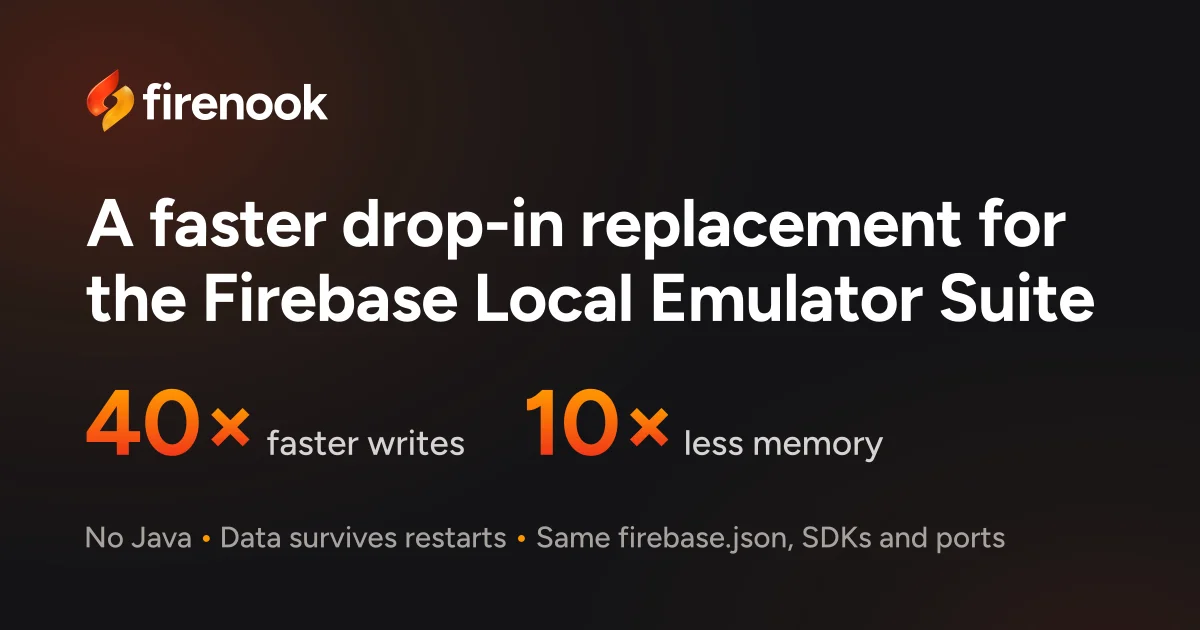
TL;DR: Firenook replaces Google’s Firebase Local Emulator Suite with a Rust and TypeScript implementation that listens on the same ports, reads the same firebase.json, and needs no Java runtime. On a two-hour replay of production traffic it wrote 40 times faster and peaked at a tenth of the memory the official suite used. It is Apache-2.0 licensed and currently at version 0.2.1, and its own docs are candid about the four Firebase services it still does not cover.
What it is
Firenook is a drop-in replacement for the local emulators that ship with the Firebase CLI. You keep your firebase.json, your .firebaserc, your SDK calls and your environment variables. The only thing that changes is the command you type.
npm install --save-dev firenook
npx firenook emulators:start
The switch is one word. npx firebase emulators:start becomes npx firenook emulators:start, and the flags carry over, including --import and --export.
Under the hood the repository is a mix of Rust and TypeScript. The crates/ directory holds the emulator services written in Rust, packages/ holds the CLI and the web console, and there are conformance/ and benchmarks/ directories that the project uses to replay behaviour against the official emulator. The install pulls down one npm package with the native binaries inside it, so nothing else is downloaded at install time or at start.
Why it matters
The official suite is a Java jar. On a laptop that means installing a JDK before you can run a test, and on a CI runner it means caching a JVM image before anything else works. Firenook removes that dependency entirely and only needs Node on the machine.
The bigger cost is the round trip. Firenook’s authors ran two hours of a real production application’s traffic against each emulator in turn and timed every operation from the client. The app held 211,205 Firestore documents and 6.7 GB in Storage, and Firenook answered 25 of the 26 query shapes faster, tying on the last one.
The other tax developers hit daily is the export and import cycle. The official emulator exports on stop and imports on start, which on their measurements meant 50 to 57 seconds to stop and 21.6 to 23.6 seconds to start again. Firenook’s --keep-data mode writes state continuously and reopens it in about half a second.
npx firenook emulators:start --keep-dataA crash in that mode loses at most the last second of writes, where the official emulator loses everything written since its previous export.
Getting it running
Firenook needs Node 22, 24 or 26 on macOS, on Linux with glibc 2.28 or newer, or on Windows x64. It has no deploy and no login command, so you keep firebase-tools installed alongside it for shipping to production.
The migration path is three steps. Install the package, check that Firenook reads your project the way the Firebase CLI does, then swap the command.
npm install --save-dev firenook
npx firenook init --adopt --dry-run
npx firenook emulators:start
The dry run changes nothing. It just tells you whether your configuration parses. If you are starting a project from nothing, npx firenook init scaffolds one for you.
For tests, emulators:exec starts the suite, waits until everything is ready, exports the emulator environment variables, runs your command and then shuts down and passes along your exit code.
npx firenook emulators:exec "npm test"That command is the reason this matters for CI. The suite prints plain lines in CI, the same shape the official emulator produces, and the job needs no Java setup step.
Every service keeps the port your SDK already points at:
| Service | Port |
|---|---|
| Firestore | 8080 |
| Authentication | 9099 |
| Cloud Storage | 9199 |
| Cloud Functions | 5001 |
| Pub/Sub | 8085 |
| Cloud Tasks | 9499 |
| Eventarc | 9299 |
| Extensions | 5001 |
The numbers behind the claims
Here is the full benchmark table from the project, measured on the same application against both emulators:
| Metric | Official suite | Firenook |
|---|---|---|
| Write latency, median | 208.2 ms | 5.1 ms |
| Listener update, median | 209 ms | 11 ms |
| Peak memory | 22.57 GiB | 2.11 GiB |
| Restart with data kept | 30.8 s | 0.59 s |
orderBy plus limit 20 | 96.3 ms | 12.0 ms |
| CPU over two hours | 1,586 s | 616 s |
Two caveats are worth keeping in mind before you plan a migration around this. Every operation was timed from the client rather than from inside the emulators, so the numbers include network and SDK overhead, which is the part you would actually feel. And it is one application on one server, not a lab result. The methodology is written up on the project’s benchmarks page if you want to check it against your own setup.
What Firenook does not emulate
Realtime Database, Hosting, App Hosting and Data Connect are not implemented. A firebase.json that configures any of them still starts, and Firenook prints a warning instead of failing, so a mixed configuration will not break your local run, but those four services will simply not be there.
Firestore, Authentication, Cloud Storage, Cloud Functions, Extensions, Pub/Sub, Cloud Tasks and Eventarc are all covered. Firestore support includes Security Rules evaluation, named databases, realtime listeners and the official import and export format. Cloud Storage evaluates Security Rules natively too, including cross-service rules such as firestore.get().
The console and the MCP server
Google’s Emulator UI only shows you Firestore, Auth and Storage properly. Functions, Pub/Sub, Cloud Tasks and Eventarc get a log line and nothing else. Firenook’s console runs on the Emulator UI’s port and covers every service it emulates, showing each function call with its trigger, outcome, duration and logs.
There is also an MCP server, which is the most interesting part for anyone using a coding agent against a local stack. npx firenook mcp add wires it into Claude Code, Cursor and VS Code using the project’s own config files. It exposes 54 tools over the running emulators:
- Firestore: read, query, count, write and delete documents
- Authentication: manage users, read sign-in codes, mint ID tokens, set claims
- Storage: list, read, upload, copy, move and delete files
- Functions and logs: invoke a function, read each call and its log, replay a call after a fix
- Security Rules: ask why a request was denied, test a draft, list denials
- Pub/Sub, Tasks and Eventarc: publish, peek, run tasks and schedules now, replay events
The Security Rules tool is the one that changes how you debug. Instead of guessing why a write failed, an agent can ask the rule engine directly and get the verdict and the line number that rejected the request.
Source and accuracy notes
- Project page: https://firenook.dev/ , verified via direct visit on 2026-11-08
- Source repository: firenook-dev/firenook
- License: Apache-2.0, confirmed from the LICENSE file and the npm registry metadata
- npm package:
firenook, latest version 0.2.1 - HN launch thread: https://news.ycombinator.com/item?id=50378643
- The project states it is independent and not affiliated with or endorsed by Google
Related Posts
dev-tools
Automotive Skills Suite for AI Engineering
Evaluate Automotive Skills Suite for APQP, ASPICE, HARA, safety-plan, and DIA workflows with setup notes, governance risks, and SME review guidance.
5/28/2026
dev-tools
awesome-agentic-ai-zh Roadmap Guide
Explore awesome-agentic-ai-zh as a Chinese agentic AI learning roadmap, with setup notes, track selection, study workflow, and evaluation guidance.
5/28/2026
dev-tools
Baguette iOS Simulator Automation Guide
Set up Baguette for iOS Simulator automation, web dashboards, device farms, gesture input, streaming, and camera testing with Xcode caveats.
5/28/2026