Depot - Fast Remote Docker Container Builds
Depot accelerates Docker builds with managed BuildKit VMs, native multi-platform support, and persistent caching. Cut build times by up to 55x with a drop-in CLI replacement.
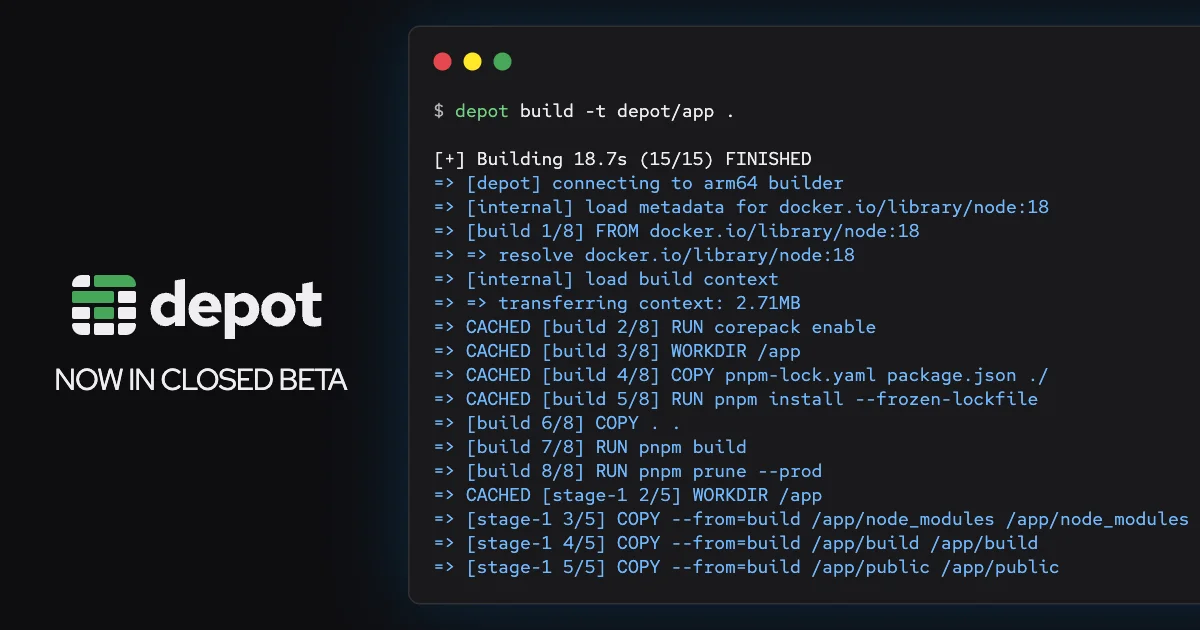
TL;DR
TL;DR: Depot is a hosted Docker build service that replaces
docker buildx buildwithdepot build, giving you managed BuildKit VMs with native Intel and Arm support, persistent 50GB SSD caches, and build speedups of 2-55x without maintaining your own runners.
Source and Accuracy Notes
- Official site: depot.dev
- Documentation: docs.depot.dev
- HN Launch: Show HN: Depot - fast, remote Docker container builds (141 points, Sep 2022)
- GitHub: depotdev/depot
What Is Depot?
Docker container builds are slow. CI runners are ephemeral, cache tarballs are painful to manage, and building multi-platform images (linux/amd64 + linux/arm64) requires either slow QEMU emulation or self-hosted infrastructure. Depot solves all three problems by providing managed BuildKit VMs in the cloud.
Each build runs on a dedicated VM with 4 CPUs, 8GB of memory, and a persistent 50GB SSD cache disk. Intel builds run on Fly.io, Arm builds on AWS. The result is native multi-platform builds without emulation, with layer caching that persists across builds.
The CLI is a drop-in replacement: swap docker buildx build for depot build and your builds go remote. There is also a GitHub Action (depot/build-push-action) that replaces docker/build-push-action in CI pipelines.
Setup Workflow
Step 1: Install the CLI
# macOS
brew install depotdev/tap/depot

# Linux
curl -fsSL https://depot.dev/install.sh | sh

# Verify installation
depot --version
```bash

### Step 2: Authenticate

```bash
depot auth login
```bash

This opens a browser for OAuth authentication. No credentials are stored locally beyond a session token.

### Step 3: Replace Docker Build Commands

```bash
# Before (local Docker build)
docker buildx build -t myapp:latest .

# After (remote Depot build)
depot build -t myapp:latest .
```bash

All standard `docker buildx` flags work identically. The `--platform` flag now uses native builders instead of emulation:

```bash
# Multi-platform build with native Arm and Intel
depot build --platform linux/amd64,linux/arm64 -t myapp:latest .
```bash

### Step 4: Integrate with GitHub Actions

```yaml
# .github/workflows/build.yml
- name: Build and push
  uses: depot/build-push-action@v1
  with:
    project: your-project-id
    platforms: linux/amd64,linux/arm64
    push: true
    tags: myapp:latest
```bash

### Step 5: Configure Remote Agents (Optional)

Depot also offers a remote agents platform for running coding agents like Claude Code off your local machine:

```bash
depot agents start --model claude
This provisions a remote VM with your agent running, freeing your local machine.
Deeper Analysis
Architecture
Depot’s architecture centers on managed BuildKit instances. BuildKit is the build engine behind Docker, and Depot runs it on dedicated cloud VMs rather than shared CI runners. The key differentiators:
- Native multi-platform: Intel builds on Fly.io, Arm builds on AWS Graviton. No QEMU emulation overhead.
- Persistent cache: 50GB SSD per project that survives between builds. CI runners typically lose cache on every run.
- Fast networking: VMs are co-located with major registries (Docker Hub, ECR, GCR), reducing pull/push latency.
- Parallel builds: Multiple builds run simultaneously on separate VMs without resource contention.
Performance
Depot claims up to 55x faster builds. Realistic expectations:
- 2-3x speedup on already-optimized Dockerfiles with good layer caching
- 5-12x speedup on projects that previously used emulation for cross-platform builds
- Up to 55x on cold builds where the persistent cache eliminates redundant work
The biggest gains come from eliminating QEMU emulation. Building an Arm image on an Intel CI runner with emulation can take 10-20 minutes; the same build on a native Arm VM takes 1-2 minutes.
Pricing Model
Depot offers a free tier with 30 days of unlimited build minutes for new projects. Paid plans are usage-based, charged per build minute. The cost comparison favors Depot when you factor in:
- CI runner compute time (often billed per-minute at higher rates)
- Engineer time spent optimizing Dockerfiles and managing cache
- Infrastructure cost of self-hosted Arm builders
Remote Agents Platform
A newer addition to Depot is the remote agents platform. Instead of running Claude Code, Codex, or other AI coding agents on your local machine, you can provision a remote VM through Depot. This keeps heavy agent workloads off your laptop and provides persistent state across sessions.
Practical Evaluation Checklist
- Does your CI pipeline spend more than 5 minutes on Docker builds?
- Do you build multi-platform images (amd64 + arm64)?
- Are you using QEMU emulation for cross-platform builds?
- Do your CI runners lose cache between builds?
- Would faster builds improve your deployment frequency?
- Do you run AI coding agents that consume local resources?
If you answered yes to two or more, Depot is worth a trial.
Security Notes
- Authentication: OAuth-based login, no API keys stored in code
- Build isolation: Each build runs on a dedicated VM, not shared infrastructure
- Registry credentials: Stored encrypted, scoped to specific projects
- Network: Builds run in isolated cloud environments, not on your infrastructure
- Supply chain: Depot does not modify your Dockerfiles or build context. The build output is identical to what
docker buildxwould produce locally.
One consideration: your build context (source code) is sent to Depot’s cloud for building. For organizations with strict data residency requirements, Depot offers a self-hosted option that runs BuildKit on your own infrastructure while keeping the management plane in the cloud.
FAQ
Q: Does Depot work with existing Dockerfiles?
A: Yes. Depot uses BuildKit, the same engine as Docker. Your Dockerfile works unchanged. The only change is replacing docker buildx build with depot build.
Q: How does persistent caching work? A: Each Depot project gets a 50GB SSD cache that persists between builds. BuildKit’s cache layers are stored on this disk, so subsequent builds skip unchanged layers. This is different from CI runners where cache is typically lost after each run.
Q: Can I use Depot with GitHub Actions?
A: Yes. The depot/build-push-action is a drop-in replacement for docker/build-push-action. It handles authentication, build execution, and image pushing automatically.
Q: What about self-hosting? A: Depot offers a self-hosted option for organizations that need to keep builds on their own infrastructure. The management plane (project config, analytics) stays in Depot’s cloud, but BuildKit runs on your VMs.
Q: Is the free tier enough to evaluate? A: The free tier includes 30 days of unlimited build minutes. This is sufficient to run your full CI pipeline and measure speedups before committing to a paid plan.
Conclusion
Depot solves a real pain point: slow Docker builds in CI. The drop-in CLI replacement makes adoption trivial, and the persistent cache plus native multi-platform support deliver meaningful speedups without infrastructure maintenance. The remote agents platform is a forward-looking addition that positions Depot beyond just build acceleration.
For teams shipping containerized applications, especially those targeting multiple architectures, Depot is worth a trial run. The 30-day free tier lets you measure actual speedups on your codebase before making a decision.
Related Posts
ai-setup
Recall – Persistent Memory for Claude Code via MCP Hooks
Recall gives Claude Code a permanent memory store that survives session restarts and context compaction. Four hooks capture and restore context automatically — with cloud SaaS or self-hosted options.
2/28/2026
dev-tools
Automotive Skills Suite for AI Engineering
Evaluate Automotive Skills Suite for APQP, ASPICE, HARA, safety-plan, and DIA workflows with setup notes, governance risks, and SME review guidance.
5/28/2026
dev-tools
awesome-agentic-ai-zh Roadmap Guide
Explore awesome-agentic-ai-zh as a Chinese agentic AI learning roadmap, with setup notes, track selection, study workflow, and evaluation guidance.
5/28/2026