Deal With It Emoji Generator: Client-Side GIF Memes
A browser-based Deal With It GIF generator that detects faces with MediaPipe and runs every operation on-device, under an AGPL-3.0 license.

TL;DR: The Deal With It emoji generator turns a photo into the animated GIF meme format, with the glasses landing on your face automatically. A MediaPipe face detector finds the eyes and nose, every operation runs client-side with no backend, and the source is AGPL-3.0 with 262 GitHub stars.
What it is
The Deal With It meme format pairs a photo with sunglasses that slide in from the side and settle on the subject’s face. The glasses in the format never quite line up with the eyes, which is most of the joke. This tool automates the part that used to take manual dragging in a photo editor.
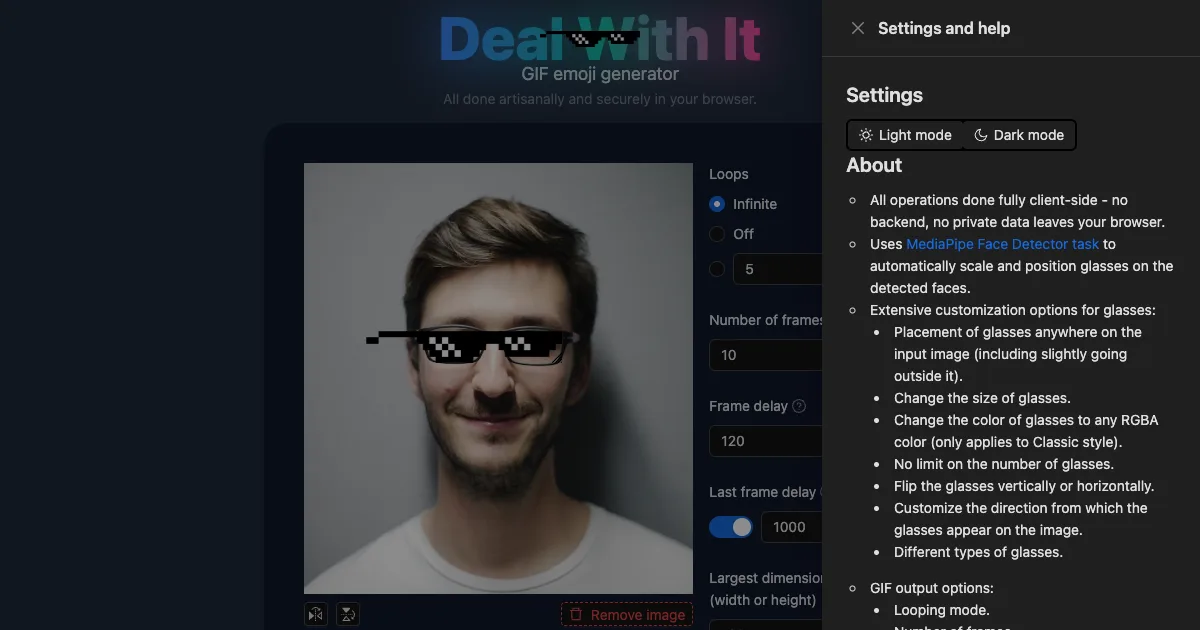
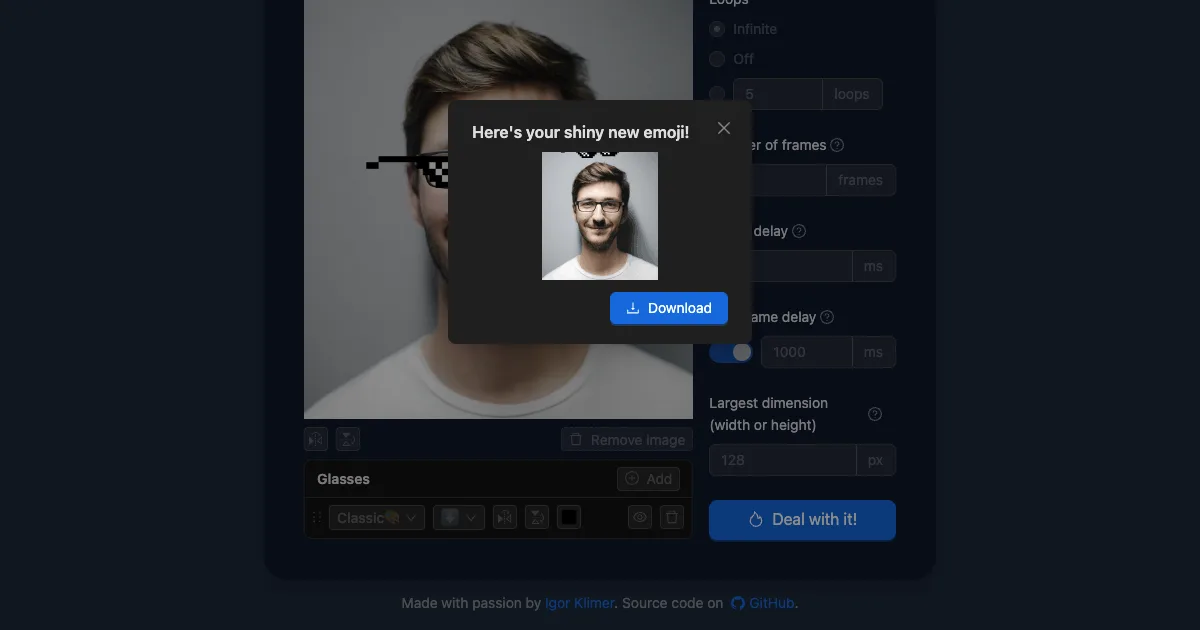
You upload an image, or paste a URL, or click one of the three bundled examples. Once the image loads, a face detector runs and the pixel sunglasses appear already positioned. You then drag and resize them if the placement is off, adjust the GIF timing, and download an animated file.
It is a small, self-contained web app. No account, no upload limit, no queue. It was built by Igor Klimer and the whole thing is open source.
How the face detection works
The glasses are placed by a real detector, not a fixed offset. The app loads the MediaPipe Face Detector task from a CDN and runs it in IMAGE mode with the GPU delegate, using the BlazeFace short-range model.
Once faces are found, the app reads three keypoints from each detection: left eye, right eye, and nose bridge. The distance between the two eye keypoints gives the interocular distance, which is the scale reference for everything else. The glasses are scaled relative to that distance, then positioned using the nose keypoint and a per-style nose offset.
That last part is worth dwelling on. Each glasses style has its own dimensions and its own offset baked into it, so the pixel sunglasses, the smaller variant, and the symmetrical party shades each know where their own nose bridge sits in the artwork:
export function getGlassesSize(style: string): Size {
  switch (style) {
    case glassesSmallImageUrl:
      return { width: 240, height: 60 };

    case glassesSymmetricalPartyImageUrl:
    case glassesSymmetricalImageUrl:
      return { width: 832, height: 160 };
    default:
      return { width: 1024, height: 165 };
  }
}

export function getNoseOffset({ style }: Glasses): Coordinates {
  switch (style) {
    case glassesSmallImageUrl:
      return { x: 119, y: 19 };

    case glassesSymmetricalPartyImageUrl:
    case glassesSymmetricalImageUrl:
      return { x: 415, y: 32 };
    default:
      return { x: 660, y: 64 };
  }
}
The scaling math then corrects for the difference between the image’s natural size and its rendered size, so the glasses land correctly even when the displayed preview is scaled down:
const scaleX = image.width / image.naturalWidth;
const scaleY = image.height / image.naturalHeight;

const eyesDistance = Math.sqrt(
  (scaleY * (face.keypoints[0].y - face.keypoints[1].y)) ** 2 +
    (scaleX * (face.keypoints[0].x - face.keypoints[1].x)) ** 2,
);
const glassesScale = eyesDistance / originalEyesDistance;
newGlasses.size.width = originalGlassesSize.width * glassesScale;
newGlasses.size.height = originalGlassesSize.height * glassesScale;
Group photos get a separate treatment. When the detector finds exactly one face, the default Classic style is used. With multiple faces, each one gets a randomly chosen style, which produces the scattered-shades look.
What you can change
Everything happens on a draggable canvas, so the glasses list is fully interactive. Each pair can be dragged, resized, flipped horizontally or vertically, tinted to any RGBA value, and given a different entry direction so it slides in from a different angle.
There is no cap on how many pairs of glasses you place on one image. The output controls cover looping mode (infinite, off, or a fixed count), frame count, per-frame delay, a separate delay for the final frame, and the largest output dimension.
The last frame delay is the detail that makes the result land. A longer pause on the final frame is what gives the glasses time to settle into place before the loop restarts and they slide in again.
Running it yourself
The app is a Vite project with TypeScript. The README notes that the dev server serves from a subdirectory, which trips people up the first time:
nvm use
npm install
npm run dev
Then open http://localhost:5173/deal-with-it-generator/ (note the subdirectory, not the bare root).
The production build runs a TypeScript check first, then Vite:
npm run buildThe stack is React 19 with Ant Design for the UI, zustand for state, and Tailwind for styling. GIF encoding happens in a Web Worker using gifwrap for the codec and Jimp for image processing, so a long render does not freeze the tab.
The one thing worth knowing before you write your own version: the MediaPipe WASM runtime and the BlazeFace model are fetched from a CDN at runtime. That is fine for the hosted app, but if you build a local or offline copy you need to vendor both the tasks-vision WASM files and the .tflite model yourself.
What to watch for
The license is AGPL-3.0, and that is the main constraint if you want to reuse this. If you run a modified version as a network service, you owe your users the corresponding source. For a personal tool or a one-off internal script this does not matter. For anything you embed in a product you offer to other people, read the license text carefully first.
Everything runs on the client, so no image is uploaded anywhere. The image stays in a data URL in the page, and the GIF is encoded in a worker on your own machine. The tradeoff is that processing speed depends on your hardware, and a large source image at a large output size with many frames will take a moment.
The face detector is the short-range BlazeFace model, which is tuned for a subject filling a good portion of the frame. Group shots and distant faces are where you will see it struggle, and the fix is to drag the glasses manually rather than to wait for a better result.
The project was last pushed in October 2026 and the repository is active, with 262 stars and 8 forks. The live site at emoji.build serves the same build that is in the repository.
Source and Accuracy Notes
- Project page: https://emoji.build/deal-with-it-generator/ - verified via direct visit, face detection and GIF generation both exercised in a browser
- Source repository: klimeryk/dealwithit (TypeScript, 262 stars, AGPL-3.0), last pushed 2026-10-06
- License: AGPL-3.0, confirmed from the LICENSE file and the GitHub API license field
- HN launch thread: https://news.ycombinator.com/item?id=41848150 (832 points, 148 comments)
- Author: Igor Klimer (klimer.eu)
Related Posts
dev-tools
Automotive Skills Suite for AI Engineering
Evaluate Automotive Skills Suite for APQP, ASPICE, HARA, safety-plan, and DIA workflows with setup notes, governance risks, and SME review guidance.
5/28/2026
dev-tools
awesome-agentic-ai-zh Roadmap Guide
Explore awesome-agentic-ai-zh as a Chinese agentic AI learning roadmap, with setup notes, track selection, study workflow, and evaluation guidance.
5/28/2026
dev-tools
Baguette iOS Simulator Automation Guide
Set up Baguette for iOS Simulator automation, web dashboards, device farms, gesture input, streaming, and camera testing with Xcode caveats.
5/28/2026