TL;DR
TL;DR: Codebuff brings AI code generation into your terminal — type a plain-English request, and it scans your codebase, edits files, runs tests, and installs packages to fulfill your ask.
Source and Accuracy Notes
- Official site: https://codebuff.com
- Install:
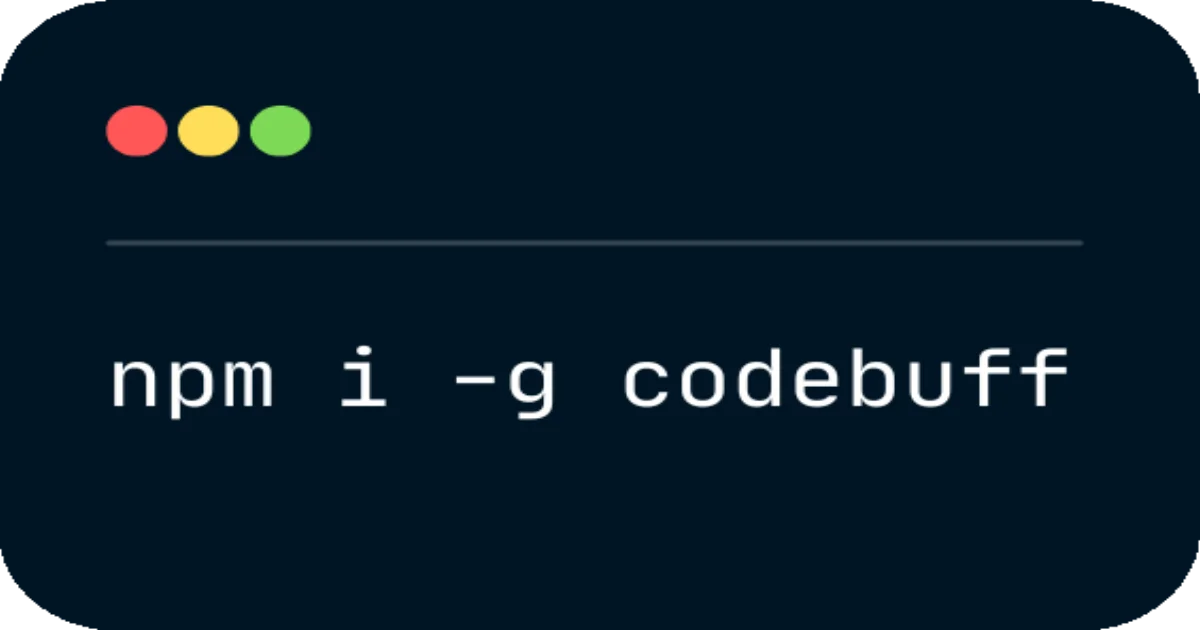
npm i -g codebuff - Demo: YouTube walkthrough
- YC entry: Launch HN: Codebuff (YC F24)
What Is Codebuff?
Codebuff is a command-line AI coding assistant launched at YC F24. It takes a natural language instruction — something like “add input validation to the registration endpoint” — and applies the changes directly to your codebase. No browser, no IDE plugin, no context switching.
The founders built it after a hackathon experiment with Sonnet 3.5 showed them that giving an AI agent full codebase context produces far better results than feeding it isolated snippets. Codebuff works in two steps: first it pulls in everything it needs to understand your project structure, then it applies the changes to existing files or creates new ones.
You can run tests, type checkers, or package installers as part of the same request. It handles the full loop from understanding what you want to doing the actual file edits and verifying they work.
Installation and Setup
Step 1: Install via npm
npm i -g codebuff
```bash

No account required to get started. New users get up to $20 in credits automatically.

### Step 2: Run your first prompt

```bash
codebuff "add user authentication middleware to the API routes"
```bash

The tool scans your project, generates the changes, and shows you what it plans to do before applying anything.

### Step 3: Integrate with your test suite

```bash
codebuff "refactor the data pipeline to use async generators and run the test suite"
Codebuff can call your type checker, test runner, or package manager as part of fulfilling a request.
How It Works
Context-first approach
Most terminal AI tools work with a single file or clipboard content. Codebuff takes a broader view — it pulls context across your entire codebase before making edits. This matters for refactors that touch multiple files or need to understand data structures and function signatures.
The two-step design (context gathering then code generation) mirrors how a senior developer would approach an unfamiliar codebase: understand the shape of the project first, then write the change.
Developer workflow
The tool sits in your terminal, which means it fits naturally into existing workflows. You can pipe output, chain commands, or integrate it into CI pipelines. For teams working in terminal-centric environments — remote SSH sessions, containerized dev setups — Codebuff avoids the overhead of a browser-based interface.
No login gate
Unlike many AI dev tools that require an account before use, Codebuff lets you run commands immediately. The free tier includes credits that cover initial experimentation.
Deeper Analysis
Strengths
- Terminal-native: no context switching, works over SSH, integrates with existing CLI workflows
- Cross-file understanding: context gathering spans the whole codebase, not just the open file
- Action loop: edits + runs tests + type checker in one step means fewer back-and-forth rounds
- Zero login barrier: start using it in seconds with no account setup
Limitations
- Credit system: after the initial $20 free tier, usage costs credits. Heavy users may find the pricing adds up faster than a flat subscription
- No GUI: if you prefer visual code exploration or git diff tooling, the terminal interface may feel limiting
- No semantic search: Codebuff executes your prompt but doesn’t maintain a semantic index of your codebase for ad-hoc questions about code structure
- npm dependency: requires Node.js — not ideal if you’re working in a Go, Rust, or Python-only environment
Comparison with alternatives
Cursor Composer and similar tools run in-browser with rich IDE integration, giving you inline previews and visual diffs. Codebuff trades that visual feedback for speed and terminal accessibility. The trade-off makes sense for developers who live in the command line but want AI-assisted code generation without leaving their environment.
GitHub Copilot CLI offers a similar terminal experience but leans on the IDE context already established through the VS Code or JetBrains extensions. Codebuff is standalone — it doesn’t require an IDE plugin and works with any editor.
Practical Evaluation Checklist
- Install via
npm i -g codebuffand verify the binary is in PATH - Run a simple file-editing prompt:
codebuff "add error logging to the auth module" - Try a multi-file refactor and observe how Codebuff gathers context before editing
- Test the test runner integration:
codebuff "migrate the config to environment variables and run pytest" - Monitor credit usage via the dashboard at codebuff.com
- Evaluate response quality against direct manual implementation — does the output reduce net time?
Security Notes
- Codebuff writes and modifies files in your local project directory. Review proposed changes before approving, especially for production code
- The tool runs with the same permissions as your local user — it can modify any file the user has write access to
- No code is sent to external servers during context gathering beyond what the AI model needs for generation
- Check the npm package integrity before installing:
npm audit verifyafter installation
FAQ
Q: How does Codebuff compare to GitHub Copilot in the terminal? A: Copilot CLI runs in the terminal but derives context from your IDE session. Codebuff is standalone — it doesn’t require a browser or IDE plugin and works purely in the command line environment.
Q: Does Codebuff work with non-JavaScript projects? A: The tool is language-agnostic in principle — it reads your project files to gather context. However, the npm installation requirement means you need Node.js available even for non-JS projects.
Q: Can I use Codebuff in a CI/CD pipeline? A: Yes. The CLI can run as part of a build step, applying refactors or running tests as part of the pipeline. Ensure you review the proposed changes before they are written.
Q: What happens when the free credits run out? A: Codebuff uses a credit system. You can monitor usage at codebuff.com and purchase additional credits as needed.
Conclusion
Codebuff makes AI code generation terminal-native without requiring a browser or IDE. Its two-step approach — gather full codebase context, then apply edits — produces more accurate changes than single-file AI tools. The trade-off is losing visual diff tools and IDE integration that tools like Cursor Composer offer.
For developers who work primarily in the terminal and want AI-assisted code generation without context switching, Codebuff fills a specific niche. It’s especially useful for remote development, containerized environments, and teams that prefer command-line tooling. Try it with npm i -g codebuff and a small refactor task to see whether the context-first approach works for your workflow.
Related Posts
dev-tools
Automotive Skills Suite for AI Engineering
Evaluate Automotive Skills Suite for APQP, ASPICE, HARA, safety-plan, and DIA workflows with setup notes, governance risks, and SME review guidance.
5/28/2026
dev-tools
awesome-agentic-ai-zh Roadmap Guide
Explore awesome-agentic-ai-zh as a Chinese agentic AI learning roadmap, with setup notes, track selection, study workflow, and evaluation guidance.
5/28/2026
dev-tools
Baguette iOS Simulator Automation Guide
Set up Baguette for iOS Simulator automation, web dashboards, device farms, gesture input, streaming, and camera testing with Xcode caveats.
5/28/2026