Cardboard – AI Video Editor You Command in Plain English
Cardboard is a YC W26 agentic AI video editor that runs in your browser. Describe your edit and it cuts, captions, reframes, and composes — no installs needed.
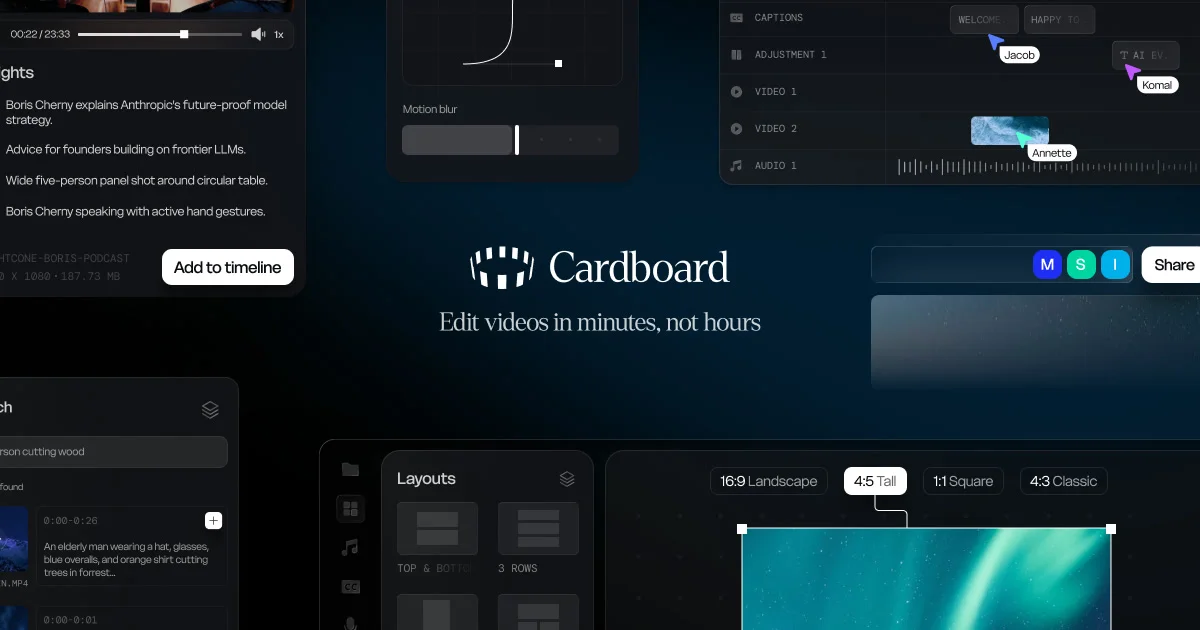
TL;DR
TL;DR: Cardboard is a YC W26 agentic AI video editor that runs entirely in your browser. Describe an edit in plain English and it cuts, captions, reframes, and composes raw footage — no installs, no downloads.
Source and Accuracy Notes
- Project page: usecardboard.com
- YC profile: ycombinator.com/companies/cardboard
- HN launch thread: news.ycombinator.com/item?id=47170174 — 132 points, “Launch HN: Cardboard (YC W26) – Agentic video editor”
- Demo (no login): demo.usecardboard.com
What Is Cardboard?
Cardboard is an agentic AI video editor that lives in your browser. Instead of dragging clips along a timeline, you tell it what you want in natural language — for example “make a 60s recap from this raw footage” or “cut this into a 20s ad” — and it proposes a first draft on the timeline that you can refine from there.
Per the project, the value prop is direct: “Describe your edit and Cardboard cuts, captions, reframes, and composes it. No installs, no downloads.” Everything runs client-side in the browser, so there is no app to install, no plugin to load, and no upload-and-wait pipeline.
Key Features
- Plain-English edits. Type what you want — “cut this into a 20s ad” or “beat-sync this to the music I just added” — and Cardboard proposes a first draft.
- Browser-native. Open usecardboard.com, drop in your footage, start editing. No app, no plugin, no render farm.
- Multi-step pipeline in one pass. The agent handles cuts, captions, reframing, and composition together, rather than chaining separate tools.
- Refineable drafts. The first pass lands on the timeline as a starting point, not a final render — you keep iterating in the same editor.
Who Is It For?
- Marketers and growth teams who need quick promo cuts, ad variants, and social recaps from existing footage.
- Creators and podcasters who want captions, reframing, and beat-synced highlights without learning a full NLE.
- Small news and sports desks turning raw clips into publishable short-form on tight deadlines.
- Anyone who has ever abandoned a video project because timeline editing was too steep a learning curve.
Try It
- Website: usecardboard.com
- Demo (no login): demo.usecardboard.com
- Y Combinator: ycombinator.com/companies/cardboard
- HN launch: news.ycombinator.com/item?id=47170174
FAQ
Q: Is Cardboard really 100% browser-based, or do I need to install something? A: Per the project page, there are no installs and no downloads. Open usecardboard.com in a modern browser, drop in your footage, and start editing. Captions, reframing, and compositing all run client-side.
Q: How is this different from existing AI video tools like Runway or Descript? A: Cardboard is positioned as agentic — you describe the edit you want, and it plans and executes the steps (cut, caption, reframe, compose) in one pass inside a browser-based editor, rather than chaining separate tools.
Q: Is there a free tier? A: The launch site lists current plans on usecardboard.com/pricing. Check that page for the latest tiers, since YC-launched products typically iterate on pricing early on.
Q: Can it actually beat-sync, or is that just a demo promise? A: Per the launch thread, beat-syncing to a music track the user just added is one of the example prompts. Treat any specific capability beyond the four listed on the homepage (cut, caption, reframe, compose) as “check the live demo before relying on it.”
Related Posts
dev-tools
Automotive Skills Suite for AI Engineering
Evaluate Automotive Skills Suite for APQP, ASPICE, HARA, safety-plan, and DIA workflows with setup notes, governance risks, and SME review guidance.
5/28/2026
dev-tools
awesome-agentic-ai-zh Roadmap Guide
Explore awesome-agentic-ai-zh as a Chinese agentic AI learning roadmap, with setup notes, track selection, study workflow, and evaluation guidance.
5/28/2026
dev-tools
Baguette iOS Simulator Automation Guide
Set up Baguette for iOS Simulator automation, web dashboards, device farms, gesture input, streaming, and camera testing with Xcode caveats.
5/28/2026