Captain – Automated RAG for Files and Cloud Storage
Captain (YC W26) automates RAG pipeline setup for S3, GCS, and Google Drive. Index unstructured data in minutes with multimodal search across docs, images, and sheets.
TL;DR
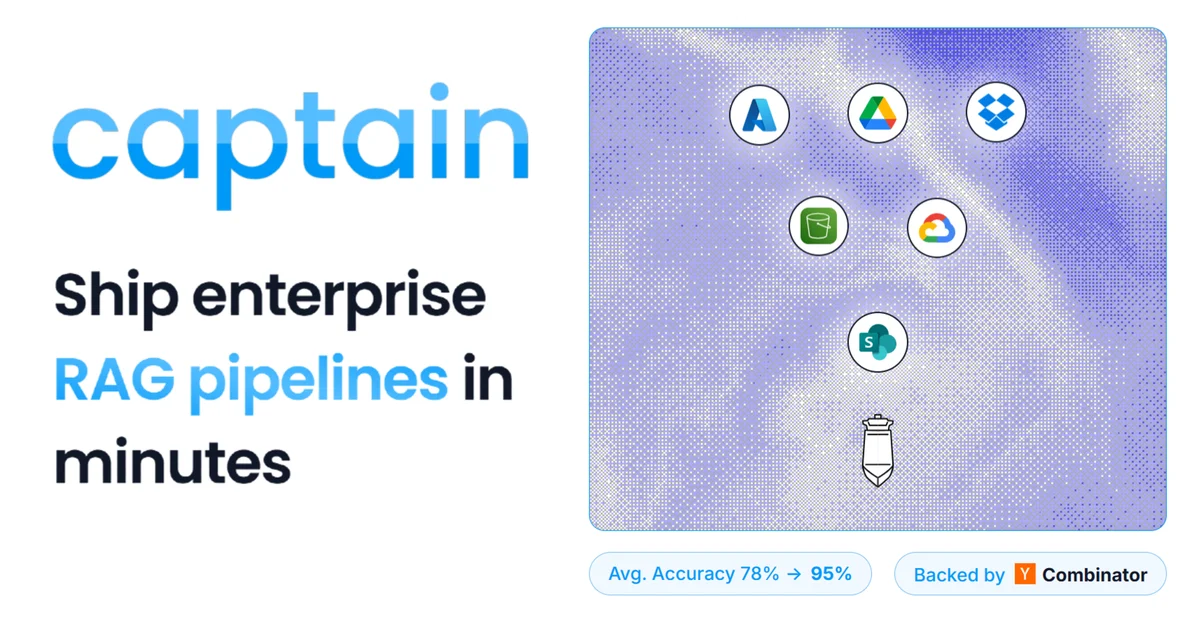
TL;DR: Captain is a YC W26 startup that automates RAG pipeline construction for unstructured data in cloud storage (S3, GCS, Google Drive) — connect your bucket and query in plain English within minutes, with automatic VLM, OCR, and computer vision processing for complex documents.
Source and Accuracy Notes
- Project page: runcaptain.com
- Documentation: docs.runcaptain.com
- Source repository: github.com/runcaptain/captain-mrag-bench (benchmark evaluation repo)
- HN launch thread: news.ycombinator.com/item?id=47366011
What Is Captain?
Captain is a fully-managed RAG (Retrieval-Augmented Generation) API for unstructured data. Instead of building and maintaining your own vector database, embedding pipeline, and retrieval logic, you connect your cloud storage and Captain handles the rest.
From the official docs:
Captain is the highest-accuracy AI search API for unstructured data. Just connect your cloud storage and ask away.
The platform targets teams drowning in files — PDFs, spreadsheets, images, slides — scattered across S3 buckets, Google Cloud Storage, or Google Drive. Rather than manually chunking documents and tuning embeddings, Captain’s NLP ingestion engine processes files automatically and exposes a natural language search API.
Key Features
Cloud Storage Integration
Connect AWS S3, GCS, or Azure Blob storage. Captain indexes files over a single API call and keeps them synced. Multi-tenancy support lets you scope collections by team, folder, or project.
Multimodal Search
Captain doesn’t just handle text. The platform includes automatic VLM (Vision-Language Model), OCR, and Computer Vision processing pipelines. This means you can search across:
- Text-heavy PDFs with complex layouts
- Images with embedded text or visual content
- Multi-faceted spreadsheets with mixed data types
From the benchmark repo, Captain achieved 81.3% ContentHit@K on MRAG-Bench (ICLR 2025), a vision-centric benchmark with 16,130 images and 1,251 human-annotated questions. For high-precision scenarios, it hit 100% ContentHit@K.
Hybrid Search Augmentations
The docs mention “novel hybrid search augmentations” that deliver high accuracy out-of-the-box. This likely combines dense vector embeddings with sparse retrieval (BM25-style) and recency boosting, though the exact architecture isn’t publicly detailed.
Complex Document Handling
Large documents, tables in PDFs, and visual content are processed automatically. You don’t need to pre-chunk or manually extract text — Captain’s ingestion pipeline handles it.
Setup Workflow
Step 1: Create a Collection
Collections scope your data. Think of them as namespaces for different projects or teams.
curl -X POST https://api.runcaptain.com/v2/collections \
  -H "Authorization: Bearer $CAPTAIN_API_KEY" \
  -H "X-Org-ID: $CAPTAIN_ORG_ID" \
  -H "Content-Type: application/json" \
  -d '{"name": "product-docs", "description": "Q2 product documentation"}'
```bash

### Step 2: Connect Cloud Storage

Point Captain at your S3 bucket or GCS bucket. The platform indexes files asynchronously.

```bash
curl -X POST https://api.runcaptain.com/v2/collections/product-docs/index/s3 \
  -H "Authorization: Bearer $CAPTAIN_API_KEY" \
  -H "X-Org-ID: $CAPTAIN_ORG_ID" \
  -H "Content-Type: application/json" \
  -d '{
    "bucket": "my-company-docs",
    "prefix": "product/q2/",
    "region": "us-east-1"
  }'
```bash

For Google Drive or other SaaS sources, the docs describe OAuth-based connectors (see [Connect Cloud Storage](https://docs.runcaptain.com/guides/connect-cloud-storage)).

### Step 3: Query in Natural Language

Once indexed, ask questions in plain English:

```bash
curl -X POST https://api.runcaptain.com/v2/collections/product-docs/query \
  -H "Authorization: Bearer $CAPTAIN_API_KEY" \
  -H "X-Org-ID: $CAPTAIN_ORG_ID" \
  -H "Content-Type: application/json" \
  -d '{"query": "What is the return policy for enterprise customers?"}'
```bash

The API returns relevant passages with source file citations.

### Step 4: Filter and Refine

Metadata filtering lets you narrow results by file type, date range, or custom tags:

```bash
curl -X POST https://api.runcaptain.com/v2/collections/product-docs/query \
  -H "Authorization: Bearer $CAPTAIN_API_KEY" \
  -H "X-Org-ID: $CAPTAIN_ORG_ID" \
  -H "Content-Type: application/json" \
  -d '{
    "query": "pricing changes",
    "filters": {
      "file_type": "pdf",
      "date_range": {"start": "2026-01-01", "end": "2026-06-15"}
    }
  }'
Deeper Analysis
Accuracy Claims vs. Benchmarks
Captain claims “highest-accuracy” search. The MRAG-Bench results support this for multimodal retrieval:
- Overall ContentHit@5: 81.3% (at least one retrieved image’s VLM description contains the correct answer)
- MRR@5: 0.807 (mean reciprocal rank of first correct hit)
- Precision@5: 74.2% (fraction of retrieved images with matching descriptions)
For text-heavy scenarios (High Precision, Scope, Incomplete), accuracy exceeds 94%. For visual transformation scenarios (Deformation, Temporal), accuracy drops to 36-57%, which is expected — these are edge cases where visual context matters more than text extraction.
Pricing Model
Captain uses a credit-based system:
Free Tier ($0/mo):
- 500 indexing credits/month
- 1,000 queries/month
- $0.02 per overage credit
- $0.005 per query after included quota
Startup ($1,600/mo):
- 83,000 credits/month
- Unlimited queries
- $0.015 per overage credit
- Production-ready infrastructure
- Slack support
Enterprise: Custom pricing for compliance, dedicated support, and custom SLAs.
Text files (.txt, .md, code) cost 1 credit. Complex files (PDFs with tables/images, powered by VLM and CV models) cost more — the exact multiplier isn’t public, but the pricing page shows SVG diagrams suggesting 10-50x multipliers for heavy processing.
Competitive Position
Captain competes with:
- LlamaIndex / LangChain — open-source frameworks, but you build and maintain the pipeline
- Pinecone / Weaviate — vector databases, but you handle ingestion and chunking
- Unstructured.io — document parsing, but not a complete RAG API
Captain’s differentiator is the fully-managed aspect: connect storage, get an API. No infrastructure to operate.
Practical Evaluation Checklist
Before adopting Captain, verify:
- Data sensitivity — Does your compliance framework allow third-party indexing of files? Captain is SOC II compliant, but review their data handling policies.
- File types — Test with your actual documents. PDFs with complex tables, scanned images, and multi-sheet Excel files may have variable accuracy.
- Query latency — The docs don’t publish P50/P95 latency. Test with your expected query volume.
- Sync frequency — How often does Captain re-index your bucket? Real-time sync isn’t mentioned — assume hourly or daily batch updates.
- Cost at scale — 83,000 credits sounds like a lot, but if your PDFs cost 50 credits each, that’s 1,660 files/month. Model your actual usage.
- Multi-tenancy isolation — If you’re building a customer-facing product, verify collection isolation meets your security requirements.
Security Notes
- SOC II compliant — Captain claims SOC II certification. Request the report via
[email protected]or the sales page. - Data encryption — The docs mention “secure data handling” but don’t specify encryption-at-rest or in-transit details. Assume TLS in transit; verify encryption-at-rest with support.
- Access control — API keys are org-scoped. Use separate collections for different security domains rather than relying on collection-level ACLs (not documented).
- Data retention — The FAQ mentions data retention policies, but the exact duration isn’t public. Clarify with support if you have GDPR/CCPA requirements.
- Regional hosting — No mention of regional data residency. If you need EU-only storage, contact sales.
FAQ
Q: How long does indexing take? A: The HN post mentions “RAG part took Captain about 3 minutes to set up” for Paul Graham’s essays (text-only). For large S3 buckets with complex PDFs, expect hours to days depending on file count and complexity. The platform processes files asynchronously.
Q: Can I self-host Captain? A: No. Captain is a fully-managed SaaS API. There’s no on-premise or VPC deployment option mentioned in the docs.
Q: What embedding models does Captain use? A: The docs mention “Multiple Embedding Models” as a feature but don’t specify which ones. The benchmark repo doesn’t disclose the model names. Contact support for details.
Q: Does Captain support real-time streaming updates? A: Not documented. The platform appears to use batch indexing with periodic syncs. For real-time use cases, you’d need to trigger re-indexing via the API after file updates.
Q: How does Captain handle duplicate files? A: Not explicitly documented. Assume deduplication by file path + content hash within a collection. Test with duplicate files to verify behavior.
Q: Can I export my indexed data? A: The docs don’t mention a data export feature. You retain ownership of source files in your cloud storage, but the embeddings and metadata live in Captain’s platform. Clarify with support if you need portability.
Conclusion
Captain fills a real gap: teams with terabytes of unstructured data in cloud storage need search, but building a RAG pipeline is a multi-week project involving vector databases, embedding models, chunking strategies, and retrieval tuning. Captain abstracts all of that into a connect-and-query API.
The multimodal capabilities (VLM + OCR + CV) are the standout feature. Most RAG tools handle text well but struggle with images, tables, and complex PDFs. Captain’s 81.3% accuracy on MRAG-Bench suggests it’s solving the hard cases, not just the easy text-only ones.
The pricing is steep for the Startup tier ($1,600/mo), but the free tier (500 credits, 1,000 queries) is generous enough for evaluation. If you’re drowning in files and need search yesterday, Captain is worth a 30-minute proof-of-concept.
Next steps:
- Sign up at runcaptain.com and grab an API key
- Connect a test S3 bucket with 10-20 representative files
- Run 5-10 queries that cover your actual use cases
- Compare accuracy and latency against your current solution (or manual search)
- If it works, estimate monthly credit usage and pick a plan
Related Posts
ai-setup
Recall – Persistent Memory for Claude Code via MCP Hooks
Recall gives Claude Code a permanent memory store that survives session restarts and context compaction. Four hooks capture and restore context automatically — with cloud SaaS or self-hosted options.
2/28/2026
ai-setup
Sentrial – Catch AI Agent Failures Before Your Users Do
YC W26-backed AI agent observability platform. Trace sessions, detect silent regressions, and A/B test prompts in production before failures reach users.
5/28/2026
ai-setup
IonRouter – Fast Low-Cost AI Inference API
IonRouter is a YC W26 inference API routing open-source and fine-tuned models via an OpenAI-compatible endpoint, built on a C++ runtime optimized for GH200.
5/28/2026