Beeper: one inbox, a local API, and a built-in MCP server
Beeper folds WhatsApp, Telegram, Signal, Slack and more into one desktop inbox, then exposes it over a local REST API and a built-in MCP server.
TL;DR: Beeper folds WhatsApp, Telegram, Signal, Slack, Instagram and a dozen more networks into one desktop inbox, and the connections can run entirely on your own machine instead of passing through a hosted relay. The same desktop app opens a local REST API and a built-in MCP server, so an agent can search across those chats and send replies. Free covers five accounts, Beeper Plus costs $9.99 a month, and iMessage is not on the list any more.
What Beeper actually is
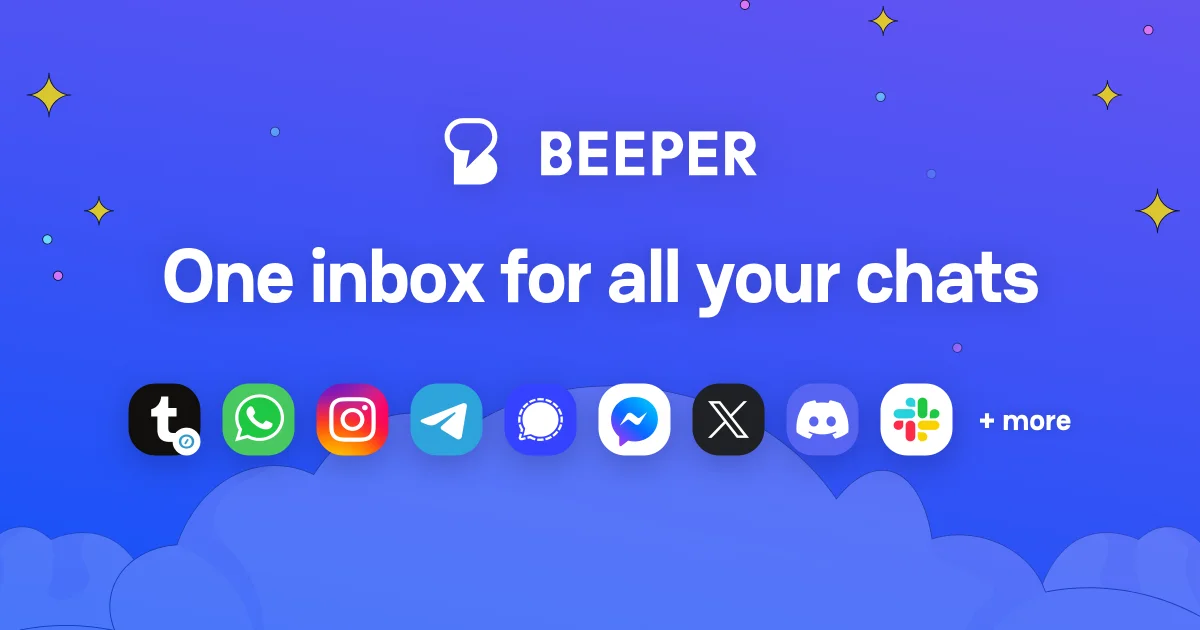
Beeper is a chat client that talks to other people’s chat apps. You sign into WhatsApp, Telegram, Signal, Slack, Instagram, Messenger, Discord, X, LINE, Viber, WeChat and the rest inside Beeper, and they all land in the same column of conversations. The homepage also lists Google Messages, Google Chat, Google Voice, LinkedIn, Tumblr and GroupMe, alongside ChatGPT and Grok Bot endpoints. Their own wording is “over 15 different chat networks”, which is a conservative count.
Underneath it is Matrix, the open federated protocol that Element is built on. Beeper’s reasoning for picking it is worth repeating, because it explains the product’s shape: the founders did not want another walled garden, so every account you add also lands you in a Matrix room you can reach from any other Matrix client. The bridge code that connects the networks is open source and published under the beeper GitHub organisation.
Two connection models sit under the hood, and the distinction is the whole privacy story.
On-Device Connections is the newer one. Your Beeper client logs into the network directly and messages travel from your device to WhatsApp or Signal the same way the official app would. End-to-end encryption survives, because the network thinks it is talking to the real app. Nothing about your messages reaches Beeper’s servers. Even the metadata that syncs between your devices, such as whether a thread is archived, is encrypted with zero-access encryption first.
Beeper Cloud is the older path, still there for accounts that cannot use on-device. Their servers sit in the middle and relay the connection. Chat history is still encrypted with zero-access encryption before it is stored, so Beeper says it cannot read it, but the traffic does touch their infrastructure.
On-device is the better option and the docs push you toward it, though switching is not always possible for a given network.
The iMessage episode, and why iMessage is gone
Beeper is known for the mess it had in December 2023, and skipping it would misrepresent the product.
The company shipped Beeper Mini on 5 December 2023, an Android app that reverse-engineered Apple’s iMessage protocol well enough to send real blue-bubble messages with end-to-end encryption. It hit the front page of Hacker News with 1,521 points and was downloaded more than 100,000 times in two days. Apple blocked it. Beeper patched around the block. Apple blocked again. The launch thread’s follow-ups read like a scoreboard: “Apple cuts off Beeper Mini’s access” pulled 1,365 points, and “Beeper Mini is back” pulled 1,064 points.
By 21 December the workaround had become something almost nobody would accept, requiring a spare iOS or macOS device parked next to a computer. On 22 December the US Department of Justice opened an antitrust investigation into Apple’s blocking, pushed by senators Amy Klobuchar, Mike Lee, Jerry Nadler and Ken Buck. Beeper open-sourced the bridge on 23 December.
Then the workaround turned on ordinary users. In late January 2024 Beeper reported that 30 of the 3,500 people on the iMessage bridge had their Macs flagged as spam and blocked from iMessage entirely, including in Apple’s own Messages app. Beeper disabled new iMessage connections and pulled Beeper Mini from the Play Store. The bridge repository was archived in April 2025.
What survived is a standalone iMessage automation library for macOS under the name beeper/platform-imessage, and a Bluesky bridge that is not yet wired into the app. iMessage itself is not on Beeper’s network list today, and the docs still note that where it is supported it only works on macOS.
What free and Plus actually give you
| Plan | Price | Total accounts | What it adds |
|---|---|---|---|
| Beeper Free | $0 | 5 | The full inbox, up to 3 accounts from the same network |
| Beeper Plus | $9.99/month, 7-day trial | 10 | Merged chats, unlimited labels, Blasts, send later, reminders, incognito mode, voice note transcription, custom app icons |
| Beeper Plus Plus | $49.99/month | Unlimited | The Plus feature set without the account cap |
Free is not a trial. Five accounts across up to three networks per account covers most people, and the core inbox is complete on it. The paid tiers sell workflow rather than access, and the two features worth knowing about are merged chats, which fold your WhatsApp and Telegram conversations with the same person into a single thread, and Blasts, which send one message to several chats at once.
Incognito mode is the sleeper feature for anyone who has ever regretted opening a chat. It previews the conversation and lets you reply without sending a read receipt.
Most day-to-day chat features are supported: sending and receiving, group chats, image and video, reactions, stickers, replies, disappearing messages, broadcast channels and threads. Video calls are the notable gap. For those you are sent back to the native app. Feature availability also varies by network, so a reaction that works in Signal may not work in Telegram.
Connecting accounts and running your own bridge
Sign-up is ordinary: install Beeper Desktop from beeper.com/download, create an account, then add each network from the Chat Networks settings. Native installers exist for macOS on both Apple silicon and Intel, plus iPhone, iPad, Android, Windows, Linux and ChromeOS.
The more interesting option is running the bridge yourself, which lets the connection terminate on hardware you control. The tool for this is bbctl, the Beeper Bridge Manager. It needs Linux or macOS on amd64 or arm64, Windows users go through WSL, plus Python 3 with the venv module and ffmpeg:
sudo apt install python3 python3-venv ffmpegThen build or download the manager, authenticate it against your Beeper account, and start a bridge:
git clone https://github.com/beeper/bridge-manager.git
cd bridge-manager
./build.sh

bbctl login
bbctl run sh-whatsapp
The bridge then identifies itself as a bot you direct message to complete the login with the remote network. It runs in the foreground, so tmux or screen is the usual answer, and service mode for automatic startup is not shipped yet. Bridge data lands in ~/.local/share/bbctl with config in ~/.config/bbctl.json.
Self-hosted accounts are free and do not count against your account limit, which is a better deal than it sounds. Official bridges cover WhatsApp, Telegram, Facebook and Instagram, Signal, X, Discord, Slack, LinkedIn, Google Messages, Google Chat and Google Voice. Community-maintained bridges cover IRC, GroupMe, KakaoTalk and LINE, and those are self-host only.
The local API and the built-in MCP server
This is the part that makes Beeper interesting to developers, and it is newer than most write-ups of the app suggest.
Beeper Desktop runs a fully local HTTP API covering every chat connected in the client. Search your message history, send or draft messages, drive labels and reminders, manage logins and accounts. Official SDKs exist for TypeScript, Go, Python and PHP, and there is a browsable REST reference at developers.beeper.com/desktop-api-reference.
The API lives inside the desktop app, so Beeper Desktop has to be running for it to answer, and by default other devices cannot reach it. Message history can look thinner than expected because Beeper indexes messages from the networks in the background after you first add an account.
There is a built-in MCP server on top of it, which is what makes Beeper usable from an agent rather than just from a script. It speaks Streamable HTTP over localhost on port 23373 and works with Claude Desktop, Claude Code, Codex, Cursor, VS Code and Raycast. If your client handles OAuth, adding the URL is enough:
http://localhost:23373/v0/mcpIf you would rather skip the OAuth dance, create an access token manually and pass it as a bearer token. The MCP server then uses that token directly:
{
  "mcpServers": {
    "beeper": {
      "url": "http://localhost:23373/v0/mcp",
      "headers": {
        "Authorization": "Bearer YOUR_TOKEN_HERE"
      }
    }
  }
}
Claude Desktop users can also install the packaged DXT from Beeper’s assets, and Beeper exposes Claude Code, Codex, stdio and Streamable HTTP options from Settings then Integrations. On Android, the beeper/mcp-android project runs an MCP server on the phone using Android content providers, and there is an official Raycast extension built on the desktop API.
The community has built plenty on top of it: beepctl for unified messaging from a terminal including agent workflows, a macOS analytics app called deeper that visualises conversations across platforms, and a proxy that exposes the API to WSL.
What to watch for
Beeper asks you to treat the API as a personal tool, and the reason is blunt: sending too many messages can get an account suspended by the network. Reading is unrestricted, since searching and fetching are local, so the safe split is let an agent read and triage, and keep bulk sending to a human.
It is a closed product with open source edges. The bridges, the bridge manager and several libraries are public, but the desktop app itself is not something you can build yourself, and it is now owned by Automattic, the company behind WordPress.com, Tumblr, Pocket Casts and Day One. The separate Texts app was folded into the Beeper brand in 2025, which is a fair signal of where the company is putting its weight.
And the platform dependencies are real. Some networks will always be weaker in a third-party client than in their own app, the app remains a messenger rather than a full client for each network, and the privacy story only holds if you pick on-device connections wherever they are offered.
Source and Accuracy Notes
- Product page: https://www.beeper.com/ : verified via direct visit
- Pricing: https://www.beeper.com/faq : free tier, Plus and Plus Plus limits and features read from the FAQ
- Developer docs: https://developers.beeper.com/desktop-api/ : API, MCP endpoint and local API limits
- MCP setup: https://developers.beeper.com/desktop-api/mcp/ : endpoint, client list and token configuration
- Self-hosting: https://developers.beeper.com/bridges/self-hosting/ : bbctl commands and prerequisites
- Open source projects: https://developers.beeper.com/open-source/ : bridge list, tools and example projects
- Beeper blog: https://blog.beeper.com/ : “Beeper Mini is back”, 11 December 2023
- HN launch thread: https://news.ycombinator.com/item?id=38531759 : 1521 points, 5 December 2023
- HN follow-up: https://news.ycombinator.com/item?id=38574888 : Apple cuts off Beeper Mini’s access, 1365 points, 8 December 2023
- iMessage shutdown coverage: https://9to5google.com/2024/01/26/beeper-imessage-disabled-apple-ban/ : 30 Macs banned, new connections disabled
- History and dates: https://en.wikipedia.org/wiki/Beeper_(software) : iMessage timeline, DOJ investigation, Automattic ownership
Related Posts
dev-tools
AgentMesh – Define AI Agent Teams in YAML
Define multi-agent AI workflows in YAML and run them locally with one command. AgentMesh brings Docker Compose patterns to AI agent orchestration.
5/28/2026
ai-setup
IonRouter – Fast Low-Cost AI Inference API
IonRouter is a YC W26 inference API routing open-source and fine-tuned models via an OpenAI-compatible endpoint, built on a C++ runtime optimized for GH200.
5/28/2026
review
Mosaic – Agentic Video Editing With a Node-Based Canvas
Mosaic lets you build and run multimodal AI video editing agents on a node-based canvas. Upload raw footage, design a workflow, and let AI handle the heavy.
5/28/2026