Baserow: open-source Airtable alternative you can self-host
Baserow is an open-source Airtable alternative you can self-host with Docker and drive from a documented REST API, with no row limits on your own server.
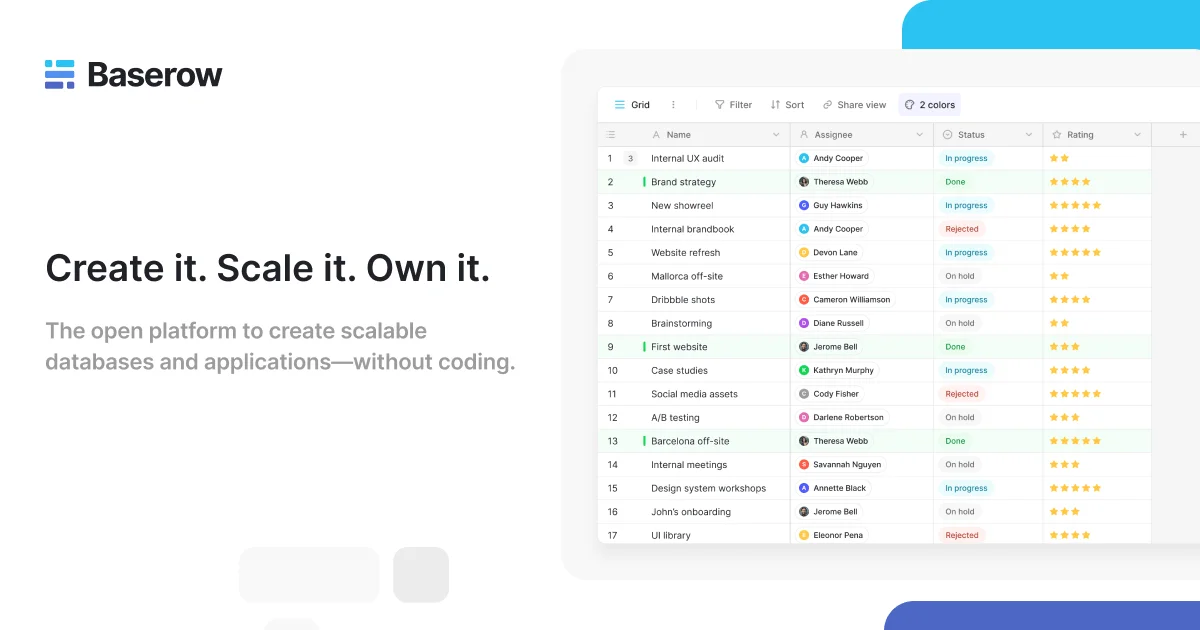
TL;DR: Baserow puts Airtable-style databases and workflow automations on infrastructure you operate, with no row, storage, or API request caps on the self-hosted edition. The core is MIT licensed and the REST API is complete enough to build a real backend on. What costs money is the enterprise layer: single sign-on, audit logs, and field-level permissions.
What Baserow is
Baserow started as a self-hosted Airtable alternative and now runs on Django, Vue.js, and PostgreSQL. The surface is bigger than a spreadsheet clone. The same table can be read as a grid, kanban board, calendar, gallery, or timeline, and on top of those sit an application builder for turning tables into forms and portals on your own domain, workflow automations, and dashboards.
What makes it worth running yourself is that the extras are not a separate product. The application builder, the automations, and the dashboards all read and write the same tables through the same API, so a form submitted on your domain lands in a row that a script can query a second later.
Underneath the grid view sits an ordinary relational model with typed fields and linked rows. The thing you are editing in the browser is a database, not a flat sheet with a lookup table bolted on the side.
Cloud versus self-hosted
Baserow ships in two editions, and the differences are mostly about limits rather than features.
| Baserow Cloud | Baserow Self-Hosted | |
|---|---|---|
| Rows | Capped per plan, and new rows are blocked once a workspace stays over the cap for 7 days | Unlimited |
| API requests | 10 concurrent requests | No rate limit |
| Webhooks | 5,000 pending calls per webhook | Unlimited |
| Premium features | Included from the paid plans | Paid per user per month |
| Where the data lives | Baserow servers in Europe | Your server |
The hosted edition stays free to try, and you can move between the two without rebuilding anything. The workspace export and import feature handles a full migration, which makes it realistic to start on the cloud version, learn the interface, and move later.
Getting it running
The all-in-one image is the fastest route to a working instance. It runs Postgres and Redis internally and stores everything in the /baserow/data folder, so there is nothing else to install.
docker run -v baserow_data:/baserow/data -p 80:80 -p 443:443 baserow/baserow:2.4.1That leaves you with an instance on port 80 and all state in the named volume. The volume is the part that matters, because recreating the container without it takes your databases with it.
The documented quickstart compose file is a better starting point for anything real, mostly because it sets the public URL explicitly.
services:
  baserow:
    container_name: baserow
    image: baserow/baserow:2.4.1
    environment:
      BASEROW_PUBLIC_URL: 'http://localhost'
    ports:
      - "80:80"
      - "443:443"
    volumes:
      - baserow_data:/baserow/data
volumes:
  baserow_data:
Set BASEROW_PUBLIC_URL to the address people will actually reach, since it is what gets baked into invitation emails and the links in published applications. If you want the built-in Caddy proxy to handle HTTPS itself, set BASEROW_CADDY_ADDRESSES to your domain and it will enable certificates and store the keys under /baserow/data/caddy.
For a production deployment the project documentation recommends pointing the image at an external Postgres with the DATABASE_URL variables, rather than relying on the internal one.
The repository also ships a split-service compose file that runs the web app, the database, the cache, and the proxy as separate containers. It needs three secrets set before it will start.
curl -o docker-compose.yml https://raw.githubusercontent.com/baserow/baserow/refs/heads/master/docker-compose.yml
curl -o .env https://raw.githubusercontent.com/baserow/baserow/refs/heads/master/.env.example
curl -o Caddyfile https://raw.githubusercontent.com/baserow/baserow/refs/heads/master/Caddyfile
# set SECRET_KEY, DATABASE_PASSWORD, and REDIS_PASSWORD in .env, then:
docker-compose up -d
Driving it from the REST API
Version 2.4.1 ships an OpenAPI 3 schema covering 332 paths, and the hosted instance serves it at https://api.baserow.io/api/schema.json. The same schema applies to a self-hosted install, with your own domain in front of it.
Authentication uses a bearer token, and the header carries a scheme prefix that is easy to get wrong. The prefix is Token, not Bearer.
curl -X POST "https://baserow.example.com/api/user/token-auth/" \
  -H "Content-Type: application/json" \
  -d '{"email": "[email protected]", "password": "your-password"}'
That returns an access token and a refresh token. The schema defines three schemes in total: a database token with the Token prefix, and two JWT flavours that use JWT instead.
curl "https://baserow.example.com/api/database/rows/table/42/?user_field_names=true" \
  -H "Authorization: Token YOUR_ACCESS_TOKEN"
The response is paginated, with count, next, previous, and results. Add user_field_names=true from the start. Without it every field comes back under an internal identifier like field_12, and with it you get the names you typed in the interface.
Writing a row is a POST to the same path with a JSON body keyed by field name.
curl -X POST "https://baserow.example.com/api/database/rows/table/42/" \
  -H "Authorization: Token YOUR_ACCESS_TOKEN" \
  -H "Content-Type: application/json" \
  -d '{"Name": "Ada Lovelace", "Role": "Engineer", "Active": true}'
For bulk writes the batch endpoint takes an array of items and returns one row object per item, so the IDs line up with what you sent.
curl -X POST "https://baserow.example.com/api/database/rows/table/42/batch/" \
  -H "Authorization: Token YOUR_ACCESS_TOKEN" \
  -H "Content-Type: application/json" \
  -d '{"items": [{"Name": "Ada Lovelace"}, {"Name": "Alan Turing"}]}'
Filtering happens through query parameters rather than a request body. The pattern is filter__<field>__<operator>=<value>, and the operator list is long: equal, contains, starts_with, higher_than, is_empty, date_after, and a hundred more, including single select and link row variants.
| Parameter | What it does |
|---|---|
search | Postgres full-text search across the table |
filter__<field>__<operator> | Filter on a single field, for example filter__Status__equal=Active |
filter_type | AND or OR once you pass more than one filter |
order_by | Sort by field, prefixed with - for descending |
size and page | Rows per page and page number |
user_field_names | Return field names instead of internal identifiers |
The AI assistant
Baserow 2.4 added centrally managed AI providers and the Kuma assistant, which builds databases and workflows from a natural language prompt. The assistant is built on pydantic-ai, so it talks to whichever model provider you register rather than one hosted by Baserow.
On a self-hosted instance an administrator adds providers and models under the admin tools, then picks which model Kuma uses. A workspace admin can inherit that choice, select a different available model, or switch Kuma off for their workspace entirely. Each model is marked as available to Kuma, to AI fields, to AI agent actions, or to any combination of them, and a test button checks the connection before you commit.
The upgrade path is the part worth reading twice. Moving to 2.4 imports legacy provider settings automatically, but the assistant itself stays on its deprecated environment fallback until an admin configures the same provider inside the database, marks a model for Kuma, and selects it explicitly. The deployment notes say the assistant has mostly been tested with the gpt-oss-120b family, and applications published before the upgrade keep the settings that were copied into them at publish time, so those need separate review before they can use centrally managed credentials.
Enabling this on your own server also means deciding which provider receives your data, which is a decision you make rather than one Baserow makes for you.
What to watch for
Baserow is open core, and the LICENSE file draws the line explicitly. Everything outside the premium/ and enterprise/ directories is MIT Expat, so the database builder, the application builder, the automations, and the whole REST API are permissively licensed for commercial and private use. Those two other directories carry their own licenses, and that is where single sign-on with SAML, the audit log, and field-level permissions live. Turning them on for your own instance means buying a self-hosted license from Baserow Cloud and pasting the key into the admin panel under Licenses.
Two operational details catch people out. Docker publishes ports on all interfaces by default and will bypass a ufw firewall rule on the host, so the compose documentation advises setting HOST_PUBLISH_IP to 127.0.0.1 if you do not want the instance reachable from the rest of your network. And the API is fast on narrow tables but gets slower as a table grows wide and long, so the shape of your schema ends up mattering more than the hardware behind it.
If you want a second opinion before committing, the honest test is whether your data has to live inside someone else’s account. If it does not, Baserow gives you more room than the hosted plan does, for free. If it does, the paid plan buys you their operations team instead.
Source and Accuracy Notes
- Project page: https://baserow.io, verified via direct visit on 2026-10-29
- Source repository: baserow/baserow, Django with Vue.js and PostgreSQL, 6,237 stars on 2026-10-29, last push 2026-10-29
- Latest release: 2.4.1, published 2026-10-13
- REST API: OpenAPI 3 specification at https://api.baserow.io/api/schema.json, 332 paths, generated from the 2.4.1 build
- License: MIT Expat for the open-source edition, with separate licenses covering the
premium/andenterprise/directories - HN launch thread: https://news.ycombinator.com/item?id=26448985, 802 points and 41 comments on 2021-03-13
- Row limits, concurrency caps, and webhook queues read from the Baserow pricing FAQ page on 2026-10-29
Related Posts
dev-tools
AgentMesh – Define AI Agent Teams in YAML
Define multi-agent AI workflows in YAML and run them locally with one command. AgentMesh brings Docker Compose patterns to AI agent orchestration.
5/28/2026
dev-tools
Cicada – FOSS CI/CD That Replaces YAML With a Real Language
Cicada replaces GitHub Actions and GitLab CI YAML configs with a custom functional DSL, letting you write pipelines using variables, functions, and shell.
5/29/2026
dev-tools
Stacktape – Deploy to AWS Without DevOps Knowledge
Stacktape is a DevOps-free cloud framework that cuts AWS deployment config by 98%. Supports serverless and containers, 20+ infra components built-in, and a.
5/29/2026