ask-human-mcp - Stop AI Agent Hallucinations
MCP server that pauses AI coding agents when stuck, creates markdown Q&A for human clarification, then resumes. Zero-config, cross-platform, 150 GitHub stars.
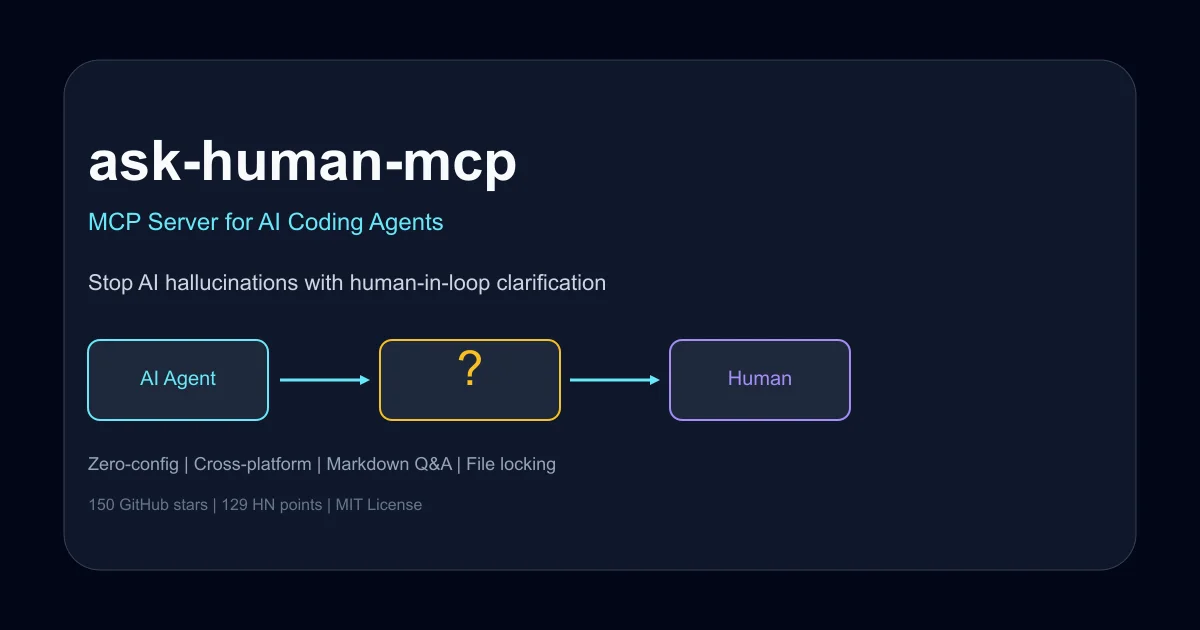
TL;DR
TL;DR: ask-human-mcp is an MCP server that gives AI coding agents an escape hatch to ask humans for clarification instead of hallucinating, using a simple markdown-based Q&A file that pauses and resumes agent workflows automatically.
Source and Accuracy Notes
This post is based on the official GitHub repository and HN launch announcement. The tool is actively maintained and was released in June 2025.
- GitHub Repository
- HN Launch Discussion (129 points)
- Author’s Blog Post
What Is ask-human-mcp?
ask-human-mcp solves a specific pain point in AI-assisted coding: when agents hallucinate endpoints, make false assumptions, or guess incorrectly instead of asking for clarification. The result is hours spent debugging confident but wrong code.
The tool implements a Model Context Protocol (MCP) server that intercepts agent uncertainty and creates a structured human-in-the-loop workflow. When the agent encounters ambiguity, it calls ask_human(), which writes a question to ask_human.md in your project root and pauses execution. You provide the answer in the same file, and the agent resumes with correct information.
The workflow feels like mentoring a sharp intern who actually asks before guessing, rather than silently making assumptions and hoping for the best.
How the Human-in-Loop Workflow Works
Step 1: Install and Configure
Installation is straightforward. The tool is distributed via PyPI and requires Python 3.8 or later.
pip install ask-human-mcp
```bash

For Cursor IDE integration, add the MCP server to your `.cursor/mcp.json` configuration:

```json
{
  "mcpServers": {
    "ask-human": {
      "command": "ask-human-mcp"
    }
  }
}
```bash

Restart Cursor after updating the configuration. The MCP server is now available to any AI agent running in your workspace.

### Step 2: Agent Encounters Uncertainty

When the AI agent encounters a situation where it lacks context or faces ambiguity, it calls the `ask_human()` function with a question and context:

```python
answer = await ask_human(
    "Which auth endpoint do we use?",
    "Building login form in auth.js"
)
```bash

The agent pauses execution at this point and waits for human input.

### Step 3: Question Appears in Markdown File

The MCP server creates or appends to `ask_human.md` in your project root. Each question gets a unique ID, timestamp, and structured format:

```markdown
### Q8c4f1e2a
ts: 2025-01-15 14:30
q: which auth endpoint do we use?
ctx: building login form in auth.js
answer: PENDING
```bash

The file serves as a persistent log of all agent questions and your responses. You can review the history later for debugging or auditing purposes.

### Step 4: Provide the Answer

Replace `answer: PENDING` with the correct information:

```markdown
answer: POST /api/v2/auth/login
The MCP server watches the file for changes. As soon as you save the file with the answer, the agent picks up the response and continues execution with the correct context.
Step 5: Agent Resumes with Correct Information
The agent receives the answer and continues coding with accurate information. No more hallucinated endpoints or false assumptions. The workflow is seamless and maintains momentum.
Deeper Analysis
Why Markdown-Based Q&A Works
The choice of markdown as the communication medium is deliberate and practical:
Human-readable format: Markdown files are easy to read and edit in any text editor. No special UI or tooling required. You can use VS Code, Vim, nano, or any editor you prefer.
Version control friendly: Markdown files work naturally with Git. You can commit the Q&A history to track what questions were asked and when, creating an audit trail of agent decision-making.
Persistent across sessions: If you close your editor or restart the agent, the questions and answers remain in the file. Nothing is lost.
Multi-agent compatible: Multiple agents can write to the same file simultaneously. The tool uses file locking to prevent corruption and maintains separate question IDs to avoid conflicts.
File Locking and Rotation
The tool implements robust file handling to prevent common issues:
File locking: Prevents corruption when multiple agents or processes access the file concurrently. Uses platform-native locking mechanisms on macOS, Linux, and Windows.
Pending question limits: Caps the number of unanswered questions to prevent the file from growing unbounded. Default limit is configurable.
Automatic rotation: When ask_human.md reaches approximately 50 MB, the tool automatically rotates the file, preserving history in archived files while keeping the active file manageable.
Cross-Platform Compatibility
ask-human-mcp works identically on macOS, Linux, and Windows. The implementation uses Python’s standard library for file operations and avoids platform-specific dependencies. No additional servers, webhooks, or network configuration required.
The zero-config approach means you can install it once and use it across all your projects without per-project setup beyond the MCP configuration.
Comparison to Alternative Approaches
Other solutions to the agent hallucination problem include:
Prompt engineering: Adding instructions like “ask if unsure” to system prompts. This relies on the model following instructions consistently, which varies by model and context. ask-human-mcp provides a mechanical guarantee rather than a behavioral suggestion.
Custom tool implementations: Building project-specific tools that query databases or APIs for context. This requires significant upfront work and doesn’t generalize across projects. ask-human-mcp is a universal solution that works with any codebase.
Human review after generation: Let the agent generate code, then review and fix errors. This is reactive rather than proactive. ask-human-mcp prevents errors before they’re written.
Practical Evaluation Checklist
Before adopting ask-human-mcp in your workflow, consider:
- Agent framework compatibility: Works with any MCP-compatible agent (Cursor, Claude, custom implementations). Verify your toolchain supports MCP servers.
- Question frequency: If your agent rarely gets stuck, the overhead of answering questions may not justify the tool. Best for complex codebases with ambiguous requirements.
- Response time: You need to be available to answer questions when they appear. If you work in long focus blocks without interruptions, consider batching questions or using during collaborative sessions.
- Team workflow: Multiple developers can share the same
ask_human.mdfile, but coordination is needed to avoid conflicting answers. Establish conventions for who answers questions when. - Security considerations: The tool runs locally and doesn’t transmit data externally. Questions and answers stay in your project directory. Review the source code if you have concerns about file access patterns.
Security Notes
ask-human-mcp operates entirely locally. The MCP server runs on your machine, reads and writes to your project directory, and doesn’t make network requests. Your code, questions, and answers never leave your environment.
The tool uses standard Python file I/O operations with appropriate locking to prevent race conditions. No elevated permissions or system-level access required.
Review the source code on GitHub if you have specific security requirements or want to verify the implementation details. The project is MIT licensed and the codebase is straightforward.
FAQ
Q: Does ask-human-mcp work with Claude, ChatGPT, or other AI models?
A: Yes, it works with any AI coding agent that supports the Model Context Protocol (MCP). This includes Cursor, Claude Code, and custom implementations. The tool is model-agnostic and focuses on the agent framework layer rather than the underlying LLM.
Q: What happens if I don’t answer a question?
A: The agent remains paused indefinitely until you provide an answer. There’s no timeout or automatic fallback. This is intentional—the tool prioritizes correctness over speed. If you want to skip a question, you can write answer: SKIP and the agent will proceed without that context.
Q: Can multiple agents use ask-human-mcp simultaneously?
A: Yes. The tool implements file locking to prevent corruption when multiple agents write to ask_human.md concurrently. Each question gets a unique ID, so responses are correctly matched to the right agent even with parallel execution.
Q: Is the Q&A history stored permanently?
A: Yes, all questions and answers remain in ask_human.md unless you manually delete them. When the file reaches 50 MB, automatic rotation archives older entries to separate files while keeping the active file manageable. You can commit the file to Git for long-term history.
Q: Does ask-human-mcp work offline?
A: Yes, the tool runs entirely locally and doesn’t require internet access after installation. The MCP server, file watching, and Q&A workflow all operate on your local filesystem.
Conclusion
ask-human-mcp addresses a real friction point in AI-assisted development: the gap between what agents know and what they need to know. By providing a structured mechanism for agents to request clarification, it reduces debugging time and improves code quality.
The markdown-based approach is pragmatic and portable. No special UI, no network dependencies, no complex setup. Just a file that both humans and agents can read and write.
At 150 GitHub stars and 129 HN points, the tool has resonated with developers who’ve experienced the frustration of debugging confident but incorrect AI-generated code. The zero-config installation and cross-platform compatibility make it easy to adopt incrementally.
If you regularly work with AI coding agents on complex projects, ask-human-mcp is worth trying. It won’t eliminate all hallucinations, but it gives agents a way to ask before guessing—which is often the difference between a productive session and a debugging marathon.
Related Posts
dev-tools
Automotive Skills Suite for AI Engineering
Evaluate Automotive Skills Suite for APQP, ASPICE, HARA, safety-plan, and DIA workflows with setup notes, governance risks, and SME review guidance.
5/28/2026
dev-tools
awesome-agentic-ai-zh Roadmap Guide
Explore awesome-agentic-ai-zh as a Chinese agentic AI learning roadmap, with setup notes, track selection, study workflow, and evaluation guidance.
5/28/2026
dev-tools
Baguette iOS Simulator Automation Guide
Set up Baguette for iOS Simulator automation, web dashboards, device farms, gesture input, streaming, and camera testing with Xcode caveats.
5/28/2026