App Store Compliance Playbook: catch rejections early
A playbook and local guard with 117 documented App Store and Google Play rejection patterns, privacy manifest checks and 95 tracked regulatory deadlines.
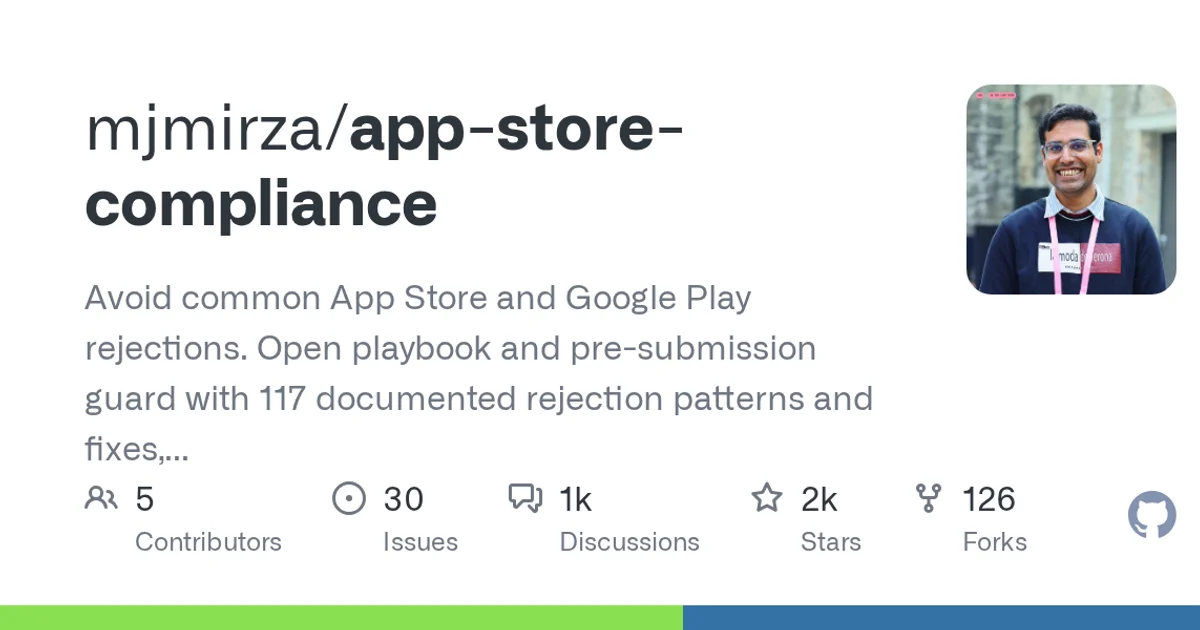
TL;DR: The App Store Compliance Playbook is a free reference and a local Bash guard that scans an iOS or Android project for documented rejection risks before you upload to App Store Connect or the Play Console. It ships 117 rejection patterns, a roughly 100 box pre-submission checklist, and 95 tracked regulatory deadlines, and it installs into most AI coding tools as a hook that blocks a submit command when a critical risk is present.
What the playbook actually is
The repository mjmirza/app-store-compliance is a single maintainer’s attempt to remove the most expensive part of shipping a mobile app: the rejection loop. You submit, wait days for review, get back a one line rejection reason, guess at the cause, resubmit, and wait again. Mirza Iqbal, the author, packaged that guesswork into something you can read and something you can run.
Three pieces make up the project. The first is a written reference, published as a site at mjmirza.github.io/app-store-compliance, organised as rejection maps for Apple, for Google Play, by app type, and by cross platform framework. The second is a plain English pre-submission checklist for people who do not write code. The third is a Bash guard that inspects your actual project and reports risks before you submit.
The numbers in the repository description are specific. There are 117 rejection patterns, each with the guideline behind it, how to detect it in code, and the fix. There are 95 tracked deadlines spanning 28 jurisdictions and platform scopes, covering the EU AI Act, the Digital Services Act, COPPA, and US state age laws. The project has roughly 1892 stars, 127 forks and 32 open issues, with the most recent push landing on 19 November 2026.
The timing matters because the pressure on store review rose sharply. The README states that app releases in the first quarter of 2026 were up about 60 percent year over year across both stores, and around 80 percent on iOS alone, with new submissions growing roughly 30 percent to nearly 600,000 in a single recent period. Apple reviewed about 7.77 million submissions in a recent year and rejected roughly 1.93 million of them, nearly one in four. The stores did not loosen their rules to match the flood.
The two command scan
You do not have to install anything to get value from this. The README’s “Start here” section gives two commands, and the second one only reads your project.
git clone https://github.com/mjmirza/app-store-compliance ~/repositories/app-store-compliance
bash ~/repositories/app-store-compliance/agent-os/hooks/app-store-compliance-guard.sh "/path/to/your/app"
Replace only the path, and keep the quotes so a folder name with a space stays whole. Dragging the folder from Finder into the terminal avoids typing it. A small project scans in about a second, and a large one can take up to a minute. The guard prints the elapsed time, so you know what you are waiting for.
Findings print first, with critical ones on top, and each line carries the file and line that triggered it when the source has one. The last lines tell you where you stand, and they always start with one of three words:
| Last line starts with | What happened | What to do |
|---|---|---|
BLOCKED. | A critical rejection risk was found | Fix each critical line using the fix line under it, then run the same command again |
CLEAR. | No critical risk in your code | Run the account and listing checks in the pre-submission checklist |
NOT CHECKED. | No iOS or Android project was found in that folder, or scan files could not be written | Point it at the right folder and check that the temp folder is writable |
The NOT CHECKED. case has a wrinkle worth knowing. A managed Expo app with no native folders still gets its app.json or app.config read for purpose strings, the privacy manifest and Android permissions. Running npx expo prebuild generates the native code so the guard can check that too. When run by hand the guard exits 1, but as a hook it lets the command through.
Installing it into your AI coding tool
The more interesting path wires the guard in front of every submit. Your agent runs the check before an upload to App Store Connect or the Play Console, and a critical risk stops the command.
git clone https://github.com/mjmirza/app-store-compliance ~/repositories/app-store-compliance
bash ~/repositories/app-store-compliance/scripts/install.sh --tool all
--tool all installs into every supported tool it finds in your home folder, and you can pass a single tool name instead. The installer writes the guard into each tool’s own folder, for example ~/.codex/hooks/ or ~/.gemini/hooks/, puts the skill in ~/.claude/skills/ or one shared copy in ~/.agents/skills/, and adds one hook entry to that tool’s config file. Existing settings are preserved and a dated backup sits next to any file that already existed. A config that is not valid JSON is never rewritten, and you get the exact block to paste instead.
| Tool | Command | What it gets | After install |
|---|---|---|---|
| Claude Code | install.sh | Hook, skill, /app-store-audit | Restart Claude Code |
| Codex CLI | install.sh --tool codex | Hook, skill | Run /hooks once and approve the new hook |
| Gemini CLI | install.sh --tool gemini | Hook, skill, /app-store-audit | Restart, and the hook works from 0.22 |
| Cursor | install.sh --tool cursor | Hook, skill | Restart Cursor |
| OpenCode | install.sh --tool opencode | Plugin, skill, /app-store-audit | Restart OpenCode |
| GitHub Copilot CLI | install.sh --tool copilot | Hook, skill | Start a new session and reload VS Code |
The same installer handles maintenance. install.sh --dry-run prints what would be written and writes nothing, install.sh doctor proves the hook actually blocks a submit command, install.sh uninstall removes the guard and the hook entry while keeping your other hooks, and install.sh --version prints the version. Every install ends with Install verified. only after the hook has blocked a submit command in that tool’s own payload format. On OpenCode the check runs under node, so a machine without node reports Installed, but not fully verified. instead.
What the guard can and cannot see
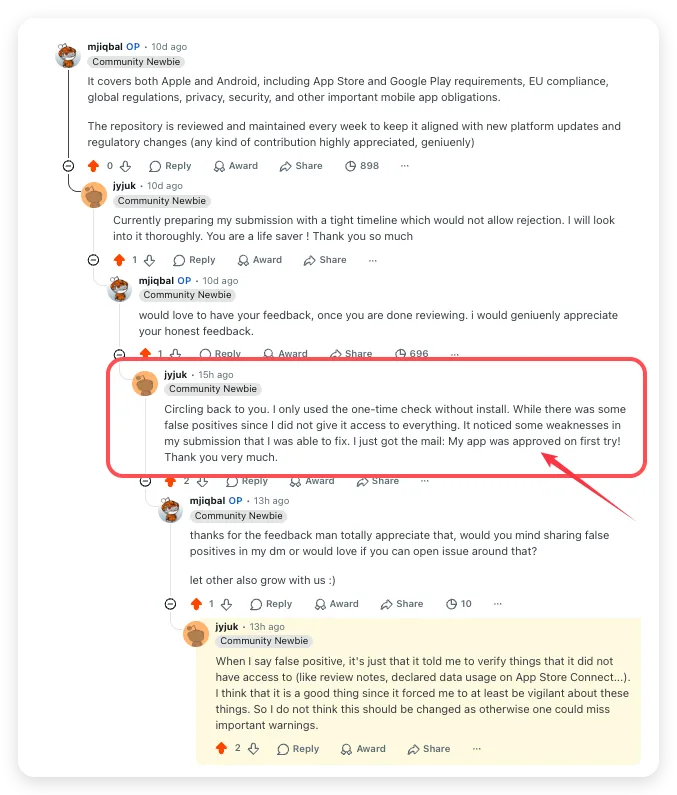
This is the part the author is most careful about, and it shows up in the README’s own account of a Reddit thread. The guard flags items it has no way to confirm, such as review notes and declared data usage inside App Store Connect. Those reads look like false positives. They are deliberate. An item that cannot be verified is surfaced rather than assumed clean, because a missed warning costs a rejection while a surfaced one costs a minute.
The same limitation applies to account state. A code scan cannot see whether your developer account is active, whether every agreement has been accepted, or whether your Play account and package names are registered. The README notes that these can block a first launch for weeks before review even starts.
Some tools are not wired by the installer at all, and the project is upfront about it. Kiro CLI, Cline, Amp, Goose, Crush, Roo Code, Continue, Aider and Copilot for Xcode each need a manual step or a hand run of the guard before a submit. The README gives the exact hook payload for Kiro and the deny list entries for Roo Code and Continue.
The checklist behind the guard
The pre-submission checklist is the part non developers use. It holds roughly 100 boxes, and the page tells you to plan an hour for a first pass. Every item is phrased as a verifiable check, and every box ends in one of two states: checked, or marked not applicable with a one line reason next to it. An empty box counts as a release blocker.
Two checks come first because they stop most rejections on both stores. One is a working demo account with a live backend, in the review notes, and the login has to work today. The other is that the privacy declaration, which means Apple privacy labels and the Google Data Safety form, matches what the app really collects at runtime, every SDK included.
Not applicable is allowed one item at a time. Two items can never be marked not applicable, because every app has them: the privacy declaration matching runtime collection, and a published privacy policy URL reachable from inside the app. The security section runs deeper, covering Keychain and EncryptedSharedPreferences storage, crypto-backed biometric login, root and jailbreak detection, SPKI certificate pinning with backup pins, backup exclusion for sensitive files, verified App Links over custom schemes, and OAuth 2.1 or OIDC with PKCE.
The regulatory layer
The 95 tracked deadlines are stored as data/regulatory-deadlines.json and surfaced by the guard for the regions you ship to. The EU AI Act is the one most people have not internalised. Article 50 transparency duties apply from 2 August 2026, and which ones bind you depends on whether you are a provider or a deployer.
Platform deadlines have their own sharp edges. Google Play requires personal accounts created after 13 November 2023 to run a closed test with at least 12 testers opted in for 14 days in a row before they can apply for production access. On the Apple side, a missing required reason API declaration triggers ITMS-91053 at upload, and guideline 2.1, which is the most common rejection, usually means the reviewer could not fully use the app because of a broken demo account, a backend that was down, placeholder content, or an in-app purchase that did not load.
The project also ships a way to check its own claims. Running python3 scripts/verify-citations.py --files docs/ data/ from a checkout takes a few minutes and needs network access, and it verifies that the cited sources are real rather than merely reachable.
When to use it and when to skip it
Use it if you are shipping to the App Store or Google Play and you have ever been rejected without understanding why. The two command scan costs a clone and a second of scanning, and it will tell you whether your project has an obvious problem before you burn a week on review. Use the installer version if you work in an AI coding tool and want the check to run on every submit.
Skip it if you are not shipping a mobile app, or if you are a developer who already has your own review checklist that you trust more than a single maintainer’s. The guard is a Bash script with a heuristic scanner underneath it, not a policy engine, and it only checks what can be read from a project folder. The Apple specific checklist also cites a creative assets rule dated 16 October 2026, so the specifics move.
One licence note. The GitHub API reports the license as NOASSERTION, and the README carries an OpenRoots ORA 2.3 badge. The site says the playbook is free to read, and the author states plainly that he is not affiliated with Apple or Google and that the playbook is maintained by one person.
Source and Accuracy Notes
- Source repository: mjmirza/app-store-compliance (verified via GitHub API
html_url) - README: https://github.com/mjmirza/app-store-compliance - install commands, tool support matrix, installer command table, unverified tool notes, rejection statistics
- Documentation site: https://mjmirza.github.io/app-store-compliance/ - the 117 rejection patterns, the 95 deadlines across 28 jurisdictions, site structure, and the run the guard block
- Pre-submission checklist: https://mjmirza.github.io/app-store-compliance/PRE-SUBMISSION-CHECKLIST.html - the roughly 100 check boxes, not applicable rules, mobile security items, Apple and Google specific sections
- Repository home page: https://github.com/mjmirza/app-store-compliance - repo surface and README rendering, cross checked against the API metadata
- License: NOASSERTION from GitHub API
license.spdx_id, with an OpenRoots ORA 2.3 badge in the README - Stars at time of writing: 1892, with 127 forks and 32 open issues
- Maintained by Mirza Iqbal, not affiliated with Apple or Google
- The concept illustration in this article was generated for runany.dev. The Reddit screenshot is the repository’s own
assets/first-try-approval.png, redistributed under its repository licence
Related Posts
dev-tools
Automotive Skills Suite for AI Engineering
Evaluate Automotive Skills Suite for APQP, ASPICE, HARA, safety-plan, and DIA workflows with setup notes, governance risks, and SME review guidance.
5/28/2026
dev-tools
awesome-agentic-ai-zh Roadmap Guide
Explore awesome-agentic-ai-zh as a Chinese agentic AI learning roadmap, with setup notes, track selection, study workflow, and evaluation guidance.
5/28/2026
dev-tools
Baguette iOS Simulator Automation Guide
Set up Baguette for iOS Simulator automation, web dashboards, device farms, gesture input, streaming, and camera testing with Xcode caveats.
5/28/2026