Algora – Open Source Hiring Platform with Built-in Bounties
Algora connects companies with open source engineers through bounties and paid trial projects. Self-hostable or use the hosted platform — GitHub app, Stripe payments, and AGPL-3.0 code.
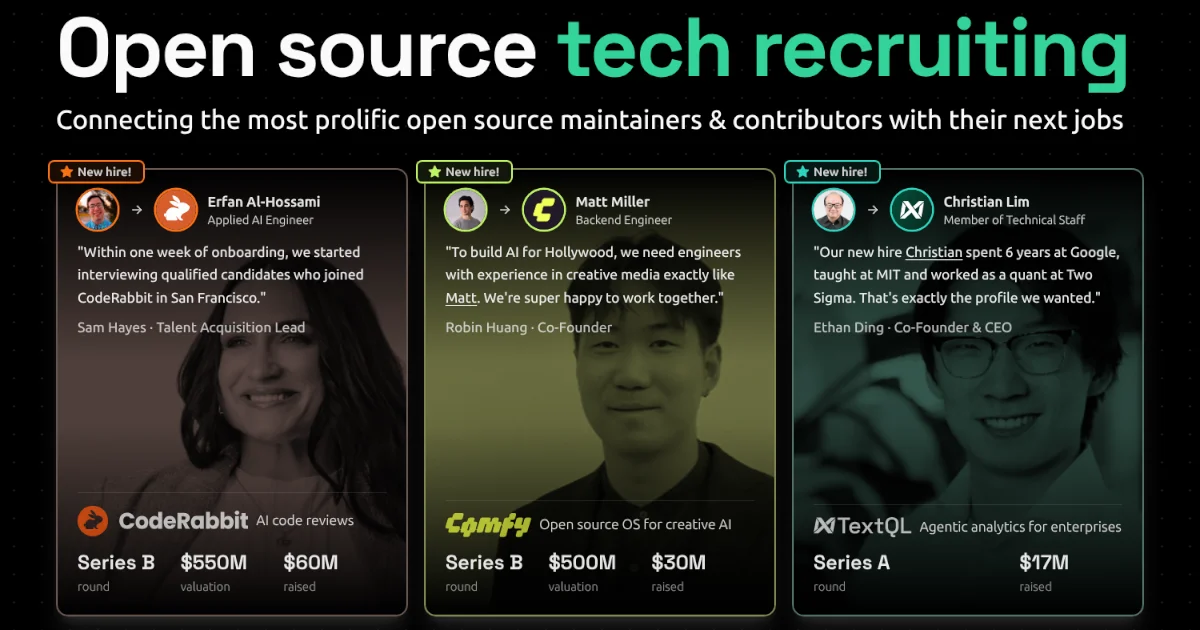
TL;DR
TL;DR: Algora is an open source hiring platform that lets companies post bounties on real issues and paid trial projects to vet engineers before full-time hire — with a GitHub app, Stripe payouts, and full self-host support.
Source and Accuracy Notes
- Project page: algora.io
- Source repository: github.com/algora-io/algora — README read in full
- License: AGPL-3.0 (verified via GitHub API)
- HN launch thread: news.ycombinator.com/item?id=35412226 (111 points, April 2023)
- GitHub stars: 1,467 (verified via GitHub API, as of 2026-08-11)
- Last push: 2026-07-18 (verified via GitHub API)
What Is Algora?
Algora connects companies and developers for full-time and contract work, with a focus on open source contribution history as the primary screening signal.
From the README:
“Algora connects companies and developers for full-time and contract work.”
The platform has three core components:
- a web app to publish and manage SWE jobs, contracts, and bounties
- a GitHub app that creates bounties and rewards tips on issues and pull requests
- a payment processor handling payouts, compliance, and 1099s
How Bounties Work
Companies post bounties on specific GitHub issues or pull requests. Engineers who complete the work claim the bounty through the Algora GitHub app. The platform handles payment processing, ensuring both parties are protected.
Self-Host vs. Hosted
You can self-host Algora using Docker (the README includes a full local dev setup with Postgres, Elixir, Erlang, and Node.js via ASDF), or use the hosted Algora.io platform directly. The hosted version adds automatic profile linking to developers’ top OSS contributions, automated screening and ranking of job applicants by their open source history, and algorithmic matching between companies and developers.
Setup Workflow
Option 1: Use the Hosted Platform
No installation required. Visit algora.io, create an account, and start posting jobs or browsing developer profiles. Companies can publish roles to Algora’s network of over 50,000 developers.
Option 2: Self-Host with Docker
# Clone the repository
git clone [email protected]:algora-io/algora.git && cd algora

# Copy environment config
cp .env.example .env && direnv allow .env

# Start Postgres via Docker
make postgres

# Install dependencies
make install

# Start the dev server
make server
```bash

### Setting Up the GitHub App (for bounty workflow)

Register a new GitHub App at `https://github.com/settings/apps/new` with:

- **Homepage URL:** `http://localhost:4000`
- **Callback URL:** `http://localhost:4000/callbacks/github/oauth`
- **Webhook URL:** `https://[your-public-proxy]/webhooks/github` (e.g., ngrok or Cloudflare Tunnel)
- **Permissions:** Read and write issues and pull requests, read account email

Required `.env` variables:

```env
GITHUB_CLIENT_ID="your-github-client-id"
GITHUB_CLIENT_SECRET="your-github-client-secret"
GITHUB_APP_HANDLE="your-github-app-handle"
GITHUB_APP_ID="your-github-app-id"
GITHUB_WEBHOOK_SECRET="your-webhook-secret"
GITHUB_PRIVATE_KEY="your-private-key-base64"
```bash

### Setting Up Stripe (for payments)

Create a Stripe account at `https://dashboard.stripe.com/register` and add to `.env`:

```env
STRIPE_PUBLISHABLE_KEY="pk_live_..."
STRIPE_SECRET_KEY="sk_live_..."
STRIPE_WEBHOOK_SECRET="whsec_..."
```bash

### Receiving Webhooks Locally

For local development, expose your machine using Cloudflare Tunnel or ngrok:

```sh
cloudflared tunnel login
cloudflared tunnel create local
cloudflared tunnel route dns local http://local.yourdomain.com
Set CLOUDFLARE_TUNNEL="local" in your .env to auto-start the tunnel when the app boots.
Deeper Analysis
Stack
Algora is built with Elixir/Phoenix on the backend and what appears to be a React/TypeScript frontend. The README lists Docker, ASDF, direnv, and entr as core dev tools. This is a non-trivial stack — Elixir/Erlang expertise is required for self-hosting.
Hiring Process
The platform’s hiring workflow has four stages:
| Stage | What it does |
|---|---|
| Sourcing | Publish jobs to 50K+ developers, access auto-matched candidates |
| Screening | Auto-rank applicants by open source contribution history |
| Interviewing | Trial candidates using bounties and paid contracts |
| Onboarding | Contributors hired on contributions-first basis |
What Makes It Different
Unlike traditional job boards, Algora’s bounty-first interviewing lets companies see actual code quality before making an offer — engineers solve a real paid problem, not a whiteboard exercise. The GitHub app integration means bounties attach directly to issues in real repositories.
Limitations
- Self-hosting requires Elixir/Erlang knowledge — non-trivial compared to a typical Docker Compose stack
- The bounty workflow requires a public GitHub repo or a private repo with the GitHub app installed
- Payment processing is US-focused (1099s mentioned in the README)
Practical Evaluation Checklist
- Sign up at algora.io and browse developer profiles
- Post a job listing and observe screening based on OSS history
- Install the GitHub app on a test repository
- Create a bounty on a sample issue and walk through the claim flow
- Review the README’s self-hosting guide for Docker dependencies
- Verify the GitHub app permissions match your security requirements before installing on production repos
Security Notes
- The GitHub app requires read and write access to issues and pull requests — grant only to repos you control
- The Stripe integration stores payment credentials in
.env— never commit this file - Self-hosting requires securing the webhook endpoint — a Cloudflare Tunnel or similar is needed for the GitHub app to communicate with a local instance
- The platform handles 1099 tax documentation — consult an accountant for compliance in your jurisdiction
FAQ
Q: Does Algora require a credit card to post a job? A: The hosted platform at algora.io handles billing through Stripe. Pricing details are available on the platform — no card is required to browse developer profiles.
Q: Can I use Algora without a public GitHub repository? A: The bounty workflow works best with public GitHub repos. For private work, you can use the platform for job postings and screening without the GitHub app integration.
Q: Is the self-hosted version production-ready? A: The self-hosted version is functional and includes all core features (jobs, bounties, GitHub app, Stripe). The README includes standard production setup steps (Docker, Postgres, S3-compatible storage for assets). Elixir/Phoenix expertise is recommended for production deployments.
Q: How does Algora verify developer skill? A: It doesn’t — it verifies track record. Algora profiles automatically display a developer’s top open source contributions from GitHub, giving companies historical evidence of code quality, communication, and reliability before the interview.
Conclusion
Algora fills a specific niche: companies that want to hire engineers based on real code, not resume buzzwords. The bounty system inverts the traditional interview process — you pay for a small, real task and get a signal that’s hard to fake.
If you have an active open source community or want to fill senior engineering roles, it’s worth trying the hosted platform first. Self-hosting is viable if you’re comfortable with Elixir and want full control over the hiring pipeline.
The 1,467 GitHub stars and ongoing development (last push: July 2026) indicate an active project, not an abandoned one.
Related Posts
dev-tools
Automotive Skills Suite for AI Engineering
Evaluate Automotive Skills Suite for APQP, ASPICE, HARA, safety-plan, and DIA workflows with setup notes, governance risks, and SME review guidance.
5/28/2026
dev-tools
awesome-agentic-ai-zh Roadmap Guide
Explore awesome-agentic-ai-zh as a Chinese agentic AI learning roadmap, with setup notes, track selection, study workflow, and evaluation guidance.
5/28/2026
dev-tools
Baguette iOS Simulator Automation Guide
Set up Baguette for iOS Simulator automation, web dashboards, device farms, gesture input, streaming, and camera testing with Xcode caveats.
5/28/2026