Adadot - Developer Analytics for Happier Teams
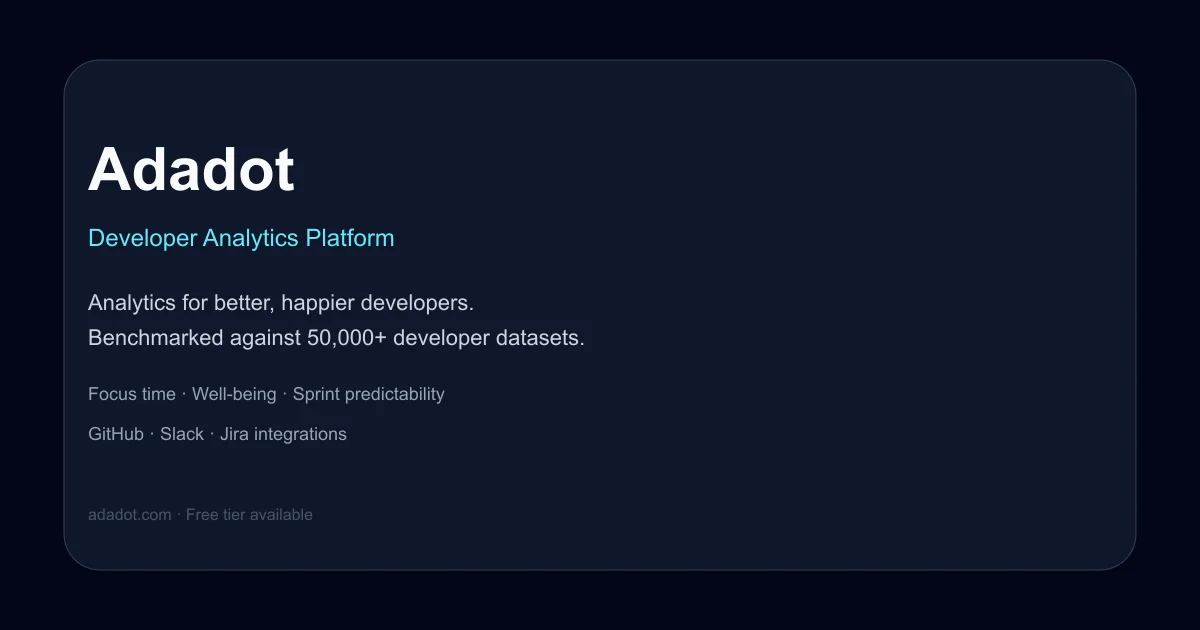
Adadot benchmarks developer productivity and well-being against 50,000+ datasets. Free tier available. Integrates with GitHub, Slack, and Jira.
TL;DR
TL;DR: Adadot is a developer analytics platform that correlates engineering productivity with well-being, benchmarking your team against 50,000+ active developer datasets to answer whether your team is overworked, has enough focus time, and can deliver on schedule.
Source and Accuracy Notes
- Project page: adadot.com
- HN launch thread: news.ycombinator.com/item?id=32331359
- Pricing page: adadot.com/inner_pages/pricing.html
What Is Adadot?
Adadot positions itself as a “fitness tracker for developers.” Unlike traditional engineering metrics tools that focus solely on velocity and output, Adadot correlates productivity data with developer well-being indicators.
The platform benchmarks your team’s data against what it describes as 50,000 active developer datasets, giving context to raw numbers. The core premise: engineering leadership is a two-way street, and most tools extract data from developers without giving anything back.
Adadot aims to answer three questions engineering leaders constantly face:
- Are our developers overworked?
- Is there enough focus time for quality code?
- How likely are we to deliver this feature on time?
Pricing
Adadot offers a four-tier pricing structure:
| Plan | Price | Key Features |
|---|---|---|
| Personal Free | $0 | Personal dashboards, 3 months data lookback |
| Personal Pro | $10/mo | Everything in Free plus personal goal setting (Missions) |
| Team | $20/mo | Team analytics, sharing permissions, team goals, up to 10 members |
| Enterprise | Contact | Granular permissions, Jira integration, team benchmarks, custom reporting, 10+ members |
The free tier is genuinely free with no time limit, making it viable for individual developers who want to track their own patterns.
Integrations and Data Sources
Adadot connects to the tools developers already use:
- GitHub — pull request activity, review patterns, contribution frequency
- Slack — integration available, but Adadot states it never stores or processes Slack messages and does not access emails
- Jira — available on Enterprise plan for sprint and delivery tracking
The privacy model is worth noting: individual metrics are always aggregated and anonymized at the team level. Team-level metrics only become accessible when a team has three or more members, protecting individual privacy in small groups.
Setup Workflow
Step 1: Create an account
Sign up at adadot.com with your work email. The free Personal tier requires no credit card.
Step 2: Connect your integrations
From the dashboard, connect GitHub (required for baseline metrics). Add Slack for communication pattern insights. Enterprise users can add Jira for delivery tracking.
Step 3: Review your baseline
After connecting sources, Adadot begins aggregating data. Within a few days, your personal dashboard shows initial benchmarks against the 50,000-developer dataset.
Step 4: Set Missions (optional)
Personal Pro and Team plans include “Missions” — personal or team goal setting. Examples: reduce meeting time by 2 hours per week, increase uninterrupted focus blocks, maintain sustainable PR review turnaround.
Step 5: Share team insights (Team plan and above)
Team analytics aggregate individual data into team-level patterns. Sharing permissions control who sees what. The platform is designed to build trust between developers and engineering leadership, not enable surveillance.
Deeper Analysis
What makes Adadot different from LinearB, Jellyfish, or Jira dashboards?
Most engineering analytics tools optimize for management visibility — they tell leaders what teams are doing. Adadot optimizes for developer self-awareness first, then rolls up to team insights.
The “fitness tracker” framing is deliberate. Like a Fitbit shows you your step count and sleep quality so you can make your own decisions, Adadot shows developers their focus time, meeting load, and contribution patterns so they can self-correct before burnout hits.
The benchmarking angle
Raw metrics are meaningless without context. “4 hours of focus time per day” could be excellent or terrible depending on your role, team, and company stage. Adadot’s 50,000-developer benchmark gives you percentile rankings, so you know whether your patterns are typical or outliers.
Privacy as a feature
The explicit privacy commitments matter in a market where developer analytics tools have a reputation for enabling micromanagement. The three-person minimum for team metrics and the no-Slack-message-storage policy are concrete guardrails, not marketing language.
Practical Evaluation Checklist
Use this before adopting Adadot for your team:
- Confirm your team size fits a pricing tier (under 10 for Team plan, 10+ for Enterprise)
- Verify your primary code hosting is GitHub (other Git providers not mentioned)
- Decide whether Jira integration is required (Enterprise only)
- Review the privacy model with your team — the three-person aggregation threshold should be explicitly discussed
- Start with the free Personal tier for 2 weeks before committing to Team plan
- Check whether your organization’s compliance requirements allow third-party analytics on development activity
Security Notes
Adadot’s privacy model includes several concrete commitments:
- Slack messages are never stored or processed
- Emails are never accessed
- Individual metrics are aggregated and anonymized at the team level
- Team metrics require a minimum of three team members to be accessible
These are product design choices, not just policy statements. The three-person minimum prevents identifying individuals in small teams. The no-Slack-storage policy means communication content never enters Adadot’s systems.
For enterprise deployments, contact Adadot for details on data residency, SSO, and compliance certifications — these are not documented on the public pricing page.
FAQ
Q: Is Adadot still active? The HN launch was in 2022.
A: Yes. The website is live, pricing is current, and the product is actively maintained. The 2022 HN launch was the initial Show HN post; the product has continued development since then.
Q: Does Adadot work with GitLab or Bitbucket?
A: The public documentation only mentions GitHub integration. If you use GitLab or Bitbucket, contact Adadot directly to ask about support.
Q: Can I use Adadot as an individual developer, not a team?
A: Yes. The Personal Free and Personal Pro tiers are designed for individual developers who want to track their own patterns, set personal goals (Missions), and benchmark against the broader developer dataset.
Q: What happens to my data if I cancel?
A: The public documentation does not specify data retention after cancellation. Contact Adadot at [email protected] for details before committing sensitive development data.
Q: Is the 50,000-developer benchmark dataset real?
A: Adadot claims this on their homepage. The company has been operating since at least 2022 and has published research (including a whitepaper on developer flow states), suggesting the dataset is accumulated from real usage. However, the exact composition and recency of the benchmark data is not independently verified.
Conclusion
Adadot occupies a specific niche: developer analytics that prioritize well-being alongside productivity. If your engineering organization is wrestling with burnout, unsustainable pace, or the tension between delivery pressure and developer happiness, Adadot offers a structured way to measure and address those concerns.
The free tier makes it low-risk to try individually. The Team plan at $20/month per seat is reasonable for small teams. Enterprise pricing requires contact, which is standard for B2B tools at that scale.
The key differentiator is the well-being-first framing. Most engineering analytics tools ask “how can we make teams faster?” Adadot asks “how can we make teams sustainable?” That’s a meaningful distinction for organizations that have learned the hard way that velocity without well-being is a short-term game.
Related Posts
dev-tools
Automotive Skills Suite for AI Engineering
Evaluate Automotive Skills Suite for APQP, ASPICE, HARA, safety-plan, and DIA workflows with setup notes, governance risks, and SME review guidance.
5/28/2026
dev-tools
awesome-agentic-ai-zh Roadmap Guide
Explore awesome-agentic-ai-zh as a Chinese agentic AI learning roadmap, with setup notes, track selection, study workflow, and evaluation guidance.
5/28/2026
dev-tools
Baguette iOS Simulator Automation Guide
Set up Baguette for iOS Simulator automation, web dashboards, device farms, gesture input, streaming, and camera testing with Xcode caveats.
5/28/2026